
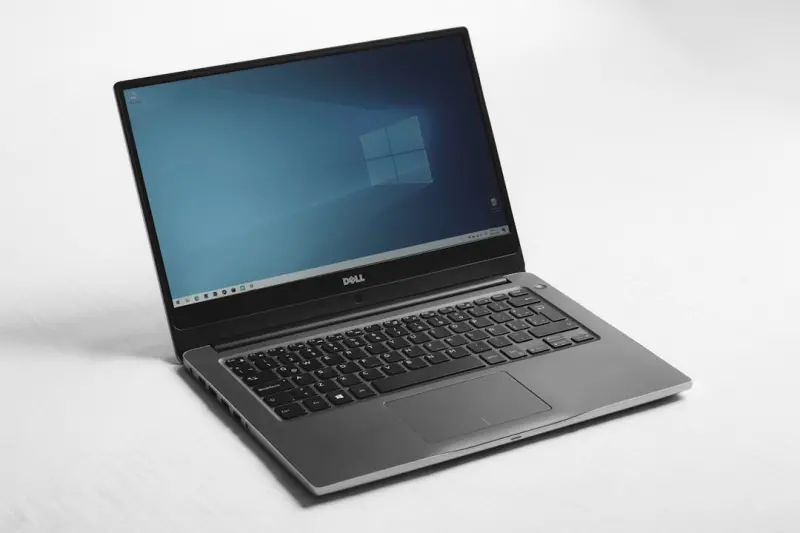
When I unpacked my first ultrabook two years ago, I fell in love with its feather‑light chassis and whisper‑quiet fan. Fast forward to today, and I’m staring at a stack of laptops that feel more like disposable gadgets than long‑term partners. As someone who lives and breathes the rhythm of remote collaboration, I’ve learned the hard way that a laptop isn’t just a tool—it’s a daily companion that should evolve with you, not become an after‑thought.
Why the “One‑Size‑Fits‑All” Laptop Model Is Crumbling
Manufacturers have spent the last decade perfecting the art of “thin‑and‑light.” The result? Spectacularly portable devices that, under the hood, are often built on a tightly integrated motherboard, soldered‑on RAM, and non‑replaceable storage. This design philosophy drives a sleek aesthetic, but it also creates a hidden cost: every upgrade means buying a whole new machine.
Think about it the way we think about software updates. When you patch a SaaS platform, you keep the same core architecture while adding new capabilities. The same principle should apply to hardware. A truly future‑proof laptop would let you swap out a GPU, add more RAM, or replace a failing battery without discarding the entire chassis.
The Rise of Modular Laptops: A New Design Paradigm
Enter modular laptops—a concept that’s been simmering in the tech community for a while but is finally gaining commercial traction. Companies like Framework, Tuxedo, and even some niche gaming brands are championing a design language that treats every component as a LEGO brick. Here’s why this matters:
- Longevity. Instead of a three‑year replacement cycle, you can extend the life of your machine by a decade, swapping out parts as they become obsolete.
- Sustainability. Fewer devices sent to landfills means a smaller carbon footprint. It also aligns with the growing corporate ESG goals that many of our SaaS clients are chasing.
- Cost Efficiency. Upgrading a single component can cost a fraction of a new laptop, freeing up budget for software licenses or professional development.
- Customization. Tailor your device for a specific workflow—extra storage for video editing, a higher‑end GPU for machine‑learning experiments, or a battery that lasts through back‑to‑back client calls.
What Makes a Laptop Truly Modular?
Not all “upgrade‑friendly” laptops are created equal. To differentiate genuine modularity from marketing fluff, I look for three key characteristics:
- Standardized Connection Interfaces. Think USB‑C, M.2 slots, or even the emerging Thunderbolt 4 ecosystem. When components use industry‑standard connectors, you’re not locked into a single vendor.
- Tool‑Free Access. If you need a screwdriver set and a cleanroom to replace the SSD, you’re not looking at a modular system. Magnetic bays, latch‑style panels, and slide‑out trays are hallmarks of a user‑centric design.
- Firmware Compatibility. A modular chassis is only useful if the BIOS/UEFI can recognize and properly manage new hardware without a full firmware overhaul.
Real‑World Use Cases: From Developer to Designer
Let me walk you through two scenarios that illustrate how modular laptops can shift the daily grind.
Scenario 1: The Data Scientist Who Needs GPU Power on Demand
Sarah, a senior data analyst at a fast‑growing SaaS startup, runs TensorFlow models that demand serious GPU horsepower. Instead of purchasing a bulky workstation, she equips her modular laptop with a detachable external GPU (eGPU) dock. When she’s traveling for a client demo, she simply detaches the eGPU and relies on the integrated graphics, preserving battery life. Once back at the office, she slides the eGPU back in, and her workflow picks up right where it left off.
Scenario 2: The Creative Director Who Juggles Storage
Mike, a freelance video editor, often works with 4K footage that can swallow terabytes of space in a single project. Rather than buying a new laptop every time his storage fills up, he swaps out a high‑capacity NVMe SSD for a smaller one when he’s on the go, and replaces it with a massive drive once he’s back at his studio. The modular design means no data loss, no re‑installation of OS, and no wasted time.
How to Assess the True Modularity of a Laptop
Before you rush to the checkout, use a quick checklist to gauge whether a laptop lives up to its modular promise:
- Component Availability. Are spare parts sold directly by the manufacturer, or do they rely on third‑party marketplaces?
- Documentation. Does the brand provide clear, step‑by‑step guides for upgrades? The best examples include video tutorials and printable schematics.
- Community Support. A vibrant user forum can be a lifesaver. Think of it as the open‑source equivalent for hardware—people share hacks, troubleshoot, and even design custom modules.
- Warranty Flexibility. Some companies void the warranty if you open the chassis. Look for “upgrade‑friendly” policies that keep your device covered even after modifications.
Balancing Modularity with Performance: The Trade‑Offs
It’s tempting to assume that a modular laptop will match the raw performance of a flagship monolithic device. In reality, there are trade‑offs to consider:
- Thermal Management. Detachable components often rely on shared cooling solutions, which can limit peak performance under sustained loads.
- Weight and Thickness. The added mechanisms for modularity (rails, connectors, latches) can add a few grams and millimeters to the chassis.
- Software Optimization. Some OS drivers are tuned for integrated hardware. When you swap in a new GPU or SSD, you may need to tweak power profiles or update firmware to unlock full speed.
That said, the gap is shrinking. Advances in low‑profile cooling, high‑density connectors, and AI‑driven power management (think The Hidden Levers of On-Page SEO approach to software optimization) mean you can enjoy near‑flagship performance without sacrificing the upgrade path.
Choosing the Right Modular Laptop for Your Workflow
Here’s a quick matrix to help you match the ideal modular system to your professional needs:
| Use‑Case | Recommended Module Types | Key Brand Examples |
|---|---|---|
| Heavy AI/ML workloads | Detachable eGPU, high‑bandwidth M.2 SSD | Framework + external GPU dock |
| Creative & Design | Color‑accurate display module, large SSD, extra RAM | Clevo/OTC custom builds |
| Business Travel | Extended‑life battery, lightweight chassis, secure TPM | Lenovo ThinkPad X1 Carbon (modular accessories) |
| Gaming on the Go | Modular GPU, high‑refresh display, robust cooling | MSI MODX series |
Future Outlook: Will Modularity Become Mainstream?
Predicting tech adoption curves is never an exact science, but a few trends suggest modular laptops are on the cusp of broader acceptance:
- Consumer Awareness. As sustainability headlines dominate, buyers are demanding products that can be repaired and upgraded.
- Regulatory Pressure. The EU’s “right to repair” legislation is already nudging manufacturers to design more serviceable devices.
- Enterprise Incentives. Companies looking to reduce hardware churn cost can leverage modular laptops to extend asset lifecycles, aligning with finance and ESG goals.
When these forces converge, we’ll likely see a shift from “replace‑once‑a‑year” mindsets to “upgrade‑as‑needed” strategies—much like the SaaS world moved from perpetual licenses to subscription models.
Practical Steps to Transition to a Modular Laptop Today
If you’re convinced that modularity is the right path, here’s a five‑step plan to make the switch smooth:
- Audit Your Current Device. List out the components you upgrade most often—storage, RAM, GPU, battery.
- Identify Core Requirements. Prioritize performance metrics (CPU cores, GPU wattage) and portability needs (weight, battery life).
- Research Brands. Use the checklist above to narrow down models that truly support modular upgrades.
- Purchase a Base Unit. Start with a base chassis that offers the most flexibility for your primary workflow.
- Buy Modules Strategically. Begin with the most impactful upgrade (often storage or battery) and expand as your budget allows.
Remember, the goal isn’t to buy the most expensive laptop on the market; it’s to invest in a platform that grows with you.
Conclusion: Your Laptop Should Be a Living Document, Not a Static Artifact
In the same way a SaaS product receives continuous updates, your laptop deserves a lifecycle that embraces change. By choosing a modular system, you gain control over performance, sustainability, and cost—three pillars that any modern professional can’t afford to ignore.
So the next time you’re tempted to chase the newest “thin‑and‑light” hype, ask yourself: Will this device evolve with my needs, or will it become another discarded relic? The answer will shape not just your workflow, but also the broader impact you have on the environment and your organization’s bottom line.

Jessica Gills is a freelance writer carving a niche for herself by empowering others through her words. With a focus on careers, self-development, and business, she helps readers navigate the complexities of the modern professional landscape.
Related Posts
The 12-Inch Microsoft Surface Pro: Smaller, Cheaper, Longer Lasting – A Paradigm Shift in Productivity Devices
In the ever-evolving landscape of digital productivity, Microsoft has recalibrated its expectationsâ... Read More

How to Delete the 4GB File That Chrome has Secretly Installed on Your Device
Discover why your browser is taking up gigabytes of space and learn how to safely delete that myster... Read More
Why 2024 Is the Year of the Revolutionary Laptop: A Tech Insider’s Take
Sanji Patel breaks down 2024’s laptop landscape, highlighting AI co‑pilots, sustainable builds, ... Read More
Top Posts

Micro‑Break Mastery: Tiny Pauses, Big Health Wins
Learn how short, intentional pauses throughout your day can transform stress, energy, and sleep, offering a practical roadmap to lasting health and wellness....Read More

The Micro‑Journaling Habit: Tiny Pages, Massive Mental Gains
Micro‑journaling turns brief, intentional writing into a powerful mental workout, helping professionals lower stress, sharpen focus, and build emotional resil...Read More

Green Clean Revolution: How AI‑Powered Eco‑Cleaning Is Transforming Workspaces
Eco‑cleaning is evolving from niche products to AI‑driven, sensor‑enabled systems that cut waste, improve air quality, and boost employee well‑being—s...Read More

The Winter Eye Protection Enigma: Polarized or Ultraviolet – A Comprehensive Guide
Winter, with its pristine landscapes and crisp air, presents a paradox of beauty and hazard, particularly for our eyes. The dazzling white expanse of snow, the ...Read More
0 Comments
Post Comment
You will need to Login or Register to comment on this post!