
Why Digital Safety Matters More Than Ever
When I first tucked my daughter into bed, the lullaby coming from her smart night‑light felt like a futuristic lullaby—soft, soothing, and a little bit connected. It was a reminder that the world my kids grow up in is no longer limited to the backyard swing set; it stretches into the cloud, the app store, and the endless stream of content that lives on a screen. As a parent who has navigated the transition from analog crayons to digital crayons, I’ve learned that safety today isn’t just about helmets and corner guards—it’s about building an invisible shield that protects curiosity, privacy, and well‑being in the digital realm.
Unlike the concrete fences of my own childhood, digital boundaries are fluid, invisible, and constantly evolving. A single app update can change the data a toy collects, a new social platform can emerge overnight, and a seemingly harmless game can start serving targeted ads. The stakes are high because children are naturally trusting and eager to explore. In this post, I’m sharing a practical, step‑by‑step playbook that helps parents turn anxiety into action, ensuring that the digital playground remains a place of learning and fun, not a minefield of data leaks and unwanted exposure.
Understanding the New Playground: Smart Toys and AI
Remember the first time you watched a cartoon character come to life on a handheld device? That awe has morphed into a whole industry of smart toys that think, talk, and even learn from their owners. From AI‑powered plush friends that recognize a child’s voice to programmable robots that can solve simple math puzzles, these devices bring education and entertainment together in a way that feels magical.
But with magic comes responsibility. Many smart toys are essentially miniature data hubs, collecting voice snippets, movement patterns, and sometimes even location data. The manufacturers often use this information to improve AI algorithms or to personalize experiences. While the intention is benign, the reality is that the data sits on servers—sometimes in jurisdictions with lax privacy laws—where it could be accessed, shared, or sold without a parent’s explicit consent.
Here’s how I approach this challenge:
- Read the fine print—briefly. Most manufacturers provide a privacy summary on the packaging or in the app store description. Look for sections titled “Data Collection” or “Privacy Policy.” If the language is vague or the policy references “third‑party partners” without naming them, proceed with caution.
- Prefer toys that allow local processing. Some newer devices perform voice recognition on the device itself, never sending data to the cloud. This reduces the attack surface dramatically.
- Turn off unnecessary features. Many smart toys have companion apps that can be disabled or set to “guest mode.” Disabling camera access, microphone listening, or automatic updates can give you granular control over what’s shared.
By treating each smart toy as a mini‑IoT device, you can apply the same security hygiene you would to a smartphone: regular firmware updates, strong passwords, and a habit of reviewing permissions.
Guarding Personal Data: Privacy Settings and Apps
Kids today are not just consumers; they’re creators. From drawing apps to simple coding platforms, they generate a wealth of personal content. The Digital Therapeutics Revolution has shown us how powerful apps can be for health and learning, but that same power can expose sensitive information if left unchecked.
Here are three core strategies I use to safeguard my children's data:
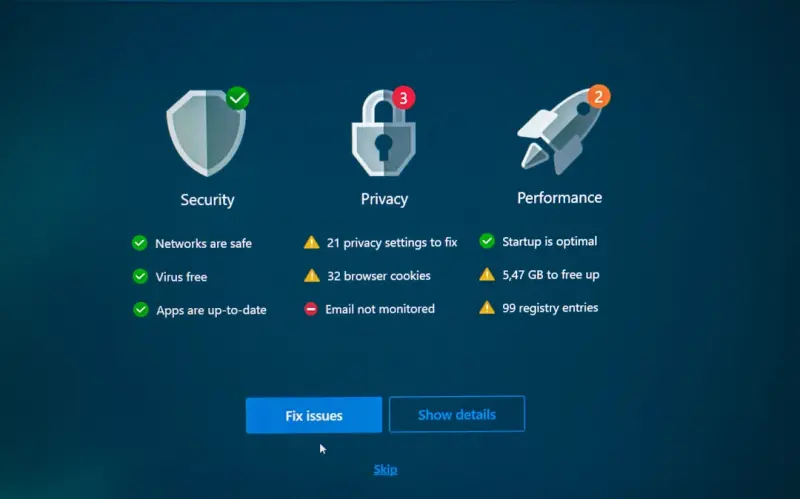
- Implement a “Privacy‑First” device profile. On both iOS and Android, you can create a separate user profile for kids that limits app installations, disables background data sharing, and enforces stricter app permission defaults. This isolates their digital footprint from your own accounts.
- Leverage parental‑control suites that are transparent. Look for tools that clearly explain what they monitor and why. Solutions that provide a dashboard showing data flow—what apps are accessing the microphone, camera, or location—help you stay in the loop without feeling like a digital spy.
- Teach “digital hygiene” early. Turn privacy into a game: ask your child to identify which app wants to access their photos and why. When they can articulate the purpose, they’re less likely to grant blanket permissions.
Remember, privacy is not a one‑time checklist; it’s a continuous conversation. The best way to protect personal data is to involve your child in the process, fostering a sense of ownership over their digital identity.
Creating Household Rules That Stick
Rules without context are easy to ignore. My family’s approach is to blend clear guidelines with the reasoning behind them. Here’s a sample framework that has worked for us:
- Screen‑time limits tied to activity. Instead of “no more than two hours,” we say “you can earn 30 minutes of screen time after completing your reading or chores.” This creates a direct link between responsibility and reward.
- Device‑free zones. The dinner table, the family car, and the bedroom after bedtime are off‑limits for any screen. This not only reduces exposure to potential data collection but also reinforces face‑to‑face interaction.
- Weekly “privacy audits.” Every Sunday, we sit down and review the apps on our devices, checking for any new permissions or updates. It’s a low‑pressure way to keep the conversation alive and catch surprises early.
When you pair rules with rationale—explaining that a certain app tracks location to serve “personalized ads” that you don’t want your child seeing—they become less of a restriction and more of a protective measure.
Tools and Resources for Parents
While a lot of safety can be achieved with common sense, technology can give you an extra layer of confidence. Below are a few of my go‑to tools:
- Network monitoring routers. Devices like Circle or Eero let you see every device on your home Wi‑Fi, pause internet for specific devices, and set schedules for internet access.
- Privacy‑focused browsers. Browsers such as Brave or Firefox Focus block trackers by default, reducing the data that is collected while your child browses the web.
- Secure messaging apps. For older kids, apps like Signal offer end‑to‑end encryption, ensuring that chats stay private even if the platform itself is compromised.
- Educational platforms with built‑in safety. Look for services that comply with COPPA (Children’s Online Privacy Protection Act) and have clear data retention policies. Many edtech tools now provide dashboards for parents to monitor activity.
Lastly, don’t overlook community resources. Parent forums, local library tech workshops, and school‑hosted webinars often provide up‑to‑date advice on emerging threats and new safety tools.
Putting It All Together: A Step‑by‑Step Playbook
Below is the concise roadmap I follow whenever we bring a new device or app into the family:
- Research the product. Check reviews, look for privacy certifications, and read the privacy summary. If the product’s data policy references “third‑party analytics,” dig deeper to see who those partners are.
- Configure out‑of‑the‑box settings. Disable unnecessary microphones, cameras, and location services before the first use. Set up a strong, unique password for any companion app.
- Introduce the device with a “privacy pact.” Sit with your child and explain what data the device will collect, why, and how you’ll manage it. Get a verbal agreement to respect the rules.
- Integrate into the weekly audit. Add the new device to your Sunday privacy check. Verify that permissions haven’t changed after updates.
- Monitor and adjust. Use your network router’s logs to see how much data the device is sending. If you notice unusual spikes, investigate the source and consider disabling the device or revoking internet access.
- Teach and iterate. As your child grows, their digital needs will change. Revisit the playbook every few months, adapting rules, tools, and conversations to match their maturity level.
By treating digital safety as an evolving project rather than a one‑off checklist, you’ll create a resilient environment where curiosity can flourish without compromising privacy. The goal isn’t to ban technology; it’s to empower families to enjoy it responsibly, turning the invisible shield into a trusted ally.
In the end, the most powerful tool is our own attentiveness. When we stay informed, ask questions, and model good digital habits, we give our children the confidence to navigate the online world safely—today, tomorrow, and for the many digital chapters yet to come.

Freelance writer with a flare for everything. I am passionate about topics I write crafting stories and compelling content that connect with audiences. Journeying through the realms of creativity as a freelance creator. #WriterLife #ContentCreator
Related Posts

Smart Wearables & Community Networks for Kid Safety
Discover how the convergence of smart wearables, sensor‑rich playgrounds, and community mesh netwo... Read More

Turning Safety Into Play: A Fresh Approach for Today’s Kids
Explore a fresh, play‑centric perspective on kids safety that blends home design, digital literacy... Read More

A Parent's Guide: Managing Your Child's Mobile Device
In today's hyper-connected world, a mobile device is often a fundamental part of a child's social an... Read More
Top Posts

The Slow‑Living Path to Safer Digital Spaces
A deliberate, slow‑living approach to security creates deeper resilience, reduces hidden risks, and fosters a culture where safety thrives over speed....Read More

Choosing a VPS That Grows With Your Side‑Project: A Practical Playbook
A hands‑on guide to selecting, securing, and scaling a VPS for side projects, highlighting hidden costs, performance tweaks, and automation strategies that ke...Read More

How to Use Guest Posts to Establish Your Professional Credibility
In the ever-evolving digital landscape, establishing yourself as a credible expert in your field is paramount. It's not just about having knowledge; it's about ...Read More

When Deepfake Voices Knock on Your Boardroom Door
Deepfake voice phishing uses AI‑generated speech to impersonate executives, bypassing traditional email defenses. This article explains the threat, real‑wor...Read More
0 Comments
Post Comment
You will need to Login or Register to comment on this post!