

When I first opened the box of a brand‑new laptop two years ago, the sleek aluminum chassis and whisper‑quiet fan felt like the pinnacle of modern design. Yet, as my projects grew from simple documents to intensive 3D renders, that same machine began to feel like a sealed time capsule, refusing to evolve beyond its factory settings. Today, the PC market is quietly pivoting toward hardware that can adapt, and understanding that shift is the first step toward a setup that truly grows with you.
Modular Magic: Re‑thinking Laptop Architecture
Manufacturers are now experimenting with removable panels, swappable SSDs, and even replaceable graphics modules, turning a laptop from a disposable gadget into a living platform that can be upgraded piece by piece. This approach mirrors the flexibility once reserved for desktops, allowing users to extend battery life, boost storage, or enhance cooling without purchasing an entirely new device. For a deeper dive into building a future‑proof workflow, check out Designing a Laptop Setup That Grows With Your Workflows, which outlines practical steps for a modular upgrade path.
Upgradable GPUs: Future‑Proofing Your Desktop
While laptops have begun to open up, desktops are rediscovering the power of a truly upgradable graphics card ecosystem, where a single PCIe slot can host a next‑generation GPU that doubles performance without a full system overhaul. The key is selecting a chassis and power supply that anticipate higher wattage and larger cooling solutions, ensuring the next upgrade fits like a glove. By treating the GPU as a long‑term investment rather than a seasonal purchase, you can keep your rig competitive for years, saving both money and e‑waste.
Sustainable Performance: Energy‑Smart Components
Energy efficiency is no longer a buzzword; it’s a measurable metric that directly influences a PC’s lifespan and operating cost, especially as power‑hungry components become more common. Choosing CPUs with low‑power states, DDR5 memory that scales voltage intelligently, and SSDs that balance speed with endurance can shave watts off your daily bill while reducing heat output. The philosophy aligns with the Repairable Design movement, emphasizing products built to last, be serviced, and stay relevant longer.
Edge Computing at the Desk: When Local Power Beats the Cloud
As cloud services grow, latency‑sensitive tasks such as real‑time video editing, AI inference, or gaming increasingly benefit from processing power that lives right on your desk, eliminating the round‑trip delay to distant servers. Modern CPUs equipped with dedicated AI accelerators and high‑speed NVMe storage can handle these workloads locally, granting you privacy, control, and a smoother experience. The shift toward edge‑centric computing encourages users to evaluate whether a robust local machine might replace a costly subscription to remote GPU farms.
Hybrid Workstations: Combining Laptop Flexibility with Desktop Muscle
For many professionals, the ideal setup is a hybrid that offers the portability of a laptop and the raw horsepower of a desktop, achieved through docking stations, external GPUs, and multi‑monitor arrays that transform a thin client into a command center. By anchoring a lightweight notebook to a powerful dock, you gain instant access to high‑resolution displays, wired networking, and expanded USB‑C ports without sacrificing on‑the‑go productivity. The strategy is outlined in depth in How to Turn WordPress into Your Personal Knowledge Hub, which illustrates how modular software ecosystems complement hardware hybridity.
The Software Layer: Choosing OS and Tools That Extend Hardware Life
Even the most robust hardware can be throttled by a bloated operating system or resource‑hungry applications, so selecting an OS that balances performance with low overhead is crucial for longevity. Lightweight Linux distributions, streamlined Windows configurations, or macOS optimizations can free up cycles for demanding tasks, reducing wear on CPUs and extending battery cycles on laptops. Pairing these systems with efficient browsers, background‑process managers, and automated driver updates creates a harmonious environment where the hardware operates at its best for longer.
Take Action: Your 5‑Step Upgrade Playbook
First, audit your current machine’s bottlenecks—whether it’s storage speed, GPU capability, or thermal performance—to pinpoint the most impactful upgrade. Second, research compatible modules that match your chassis’s specifications, focusing on future‑ready standards like USB‑4, PCIe 5.0, and DDR5. Third, prioritize sustainability by selecting components with repair programs and long‑term warranty coverage. Fourth, schedule a gradual rollout, testing each upgrade in isolation to ensure stability. Finally, document the changes in a simple spreadsheet, noting performance gains and power consumption, so you can make data‑driven decisions for the next upgrade cycle.

Armed with a degree in English Literature, Jill’s journey into the digital space wasn't just a career move; it was a natural extension of her lifelong love affair with storytelling. While some writers view search engine optimization (SEO) as a rigid constraint, Jill sees it as a creative puzzle. She understands the delicate art of balancing the algorithmic demands of search engines with the human desire for resonance, emotion, and value. To Jill, keywords aren't just targets to hit; they are the breadcrumbs that lead eager readers straight to the answers they’ve been searching for.
Related Posts

Why Choosing the Right PC Matters More Than Chasing the Fastest Specs
Find out why the newest, fastest specs aren’t always the best choice and learn a smart, sustainabl... Read More

How to Delete the 4GB File That Chrome has Secretly Installed on Your Device
Discover why your browser is taking up gigabytes of space and learn how to safely delete that myster... Read More
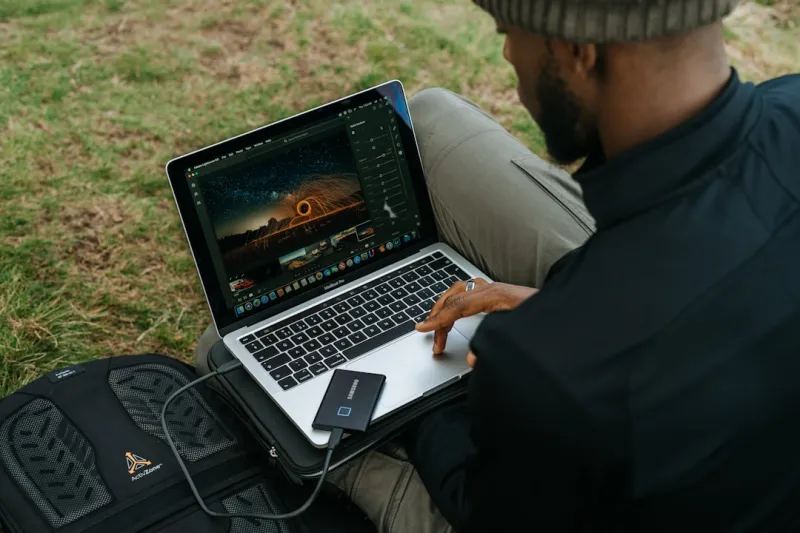
The Laptop Revolution: How My Portable Powerhouse Fuels Creative Freedom
Rose DesRochers reveals why a sleek, portable laptop is the ultimate creative ally, blending perform... Read More
Top Posts

Ensuring Pet Safety During Snowstorms: A Comprehensive Guide
Winter storms can transform landscapes into winter wonderlands, but they also pose significant risks to our pets. As temperatures plummet and snow accumulates, ...Read More

The Intersection of Law and Sustainable Living: Understanding the Impact on Mental Health
The intersection of law and sustainable living is a complex issue with significant implications for mental health. Learn how legal frameworks can support or hin...Read More

From the Inbox to the Bottom Line: Rethinking Email as a Real‑Time Conversation Hub
Discover a fresh approach to email marketing that treats each message as a live, adaptive touchpoint, leveraging predictive send times, dynamic content, and cro...Read More

Why AI‑Powered Tool Stacks Are Redefining SaaS Workflows
A deep dive into how unified data backbones, contextual AI workflows, and augmented collaboration spaces are turning tool chaos into strategic leverage for SaaS...Read More
0 Comments
Post Comment
You will need to Login or Register to comment on this post!