

Why a Modular Laptop Matters in a Rapidly Shifting Work Landscape
When I first unboxed my latest ultrabook, I marveled at its sleek silhouette, but the excitement quickly faded as I realized the RAM and storage were soldered in place, locking me into a fixed performance envelope for the next few years. In an era where software demands can double within a single product cycle, a modular laptop offers a rare blend of longevity and adaptability, allowing you to upgrade memory, swap SSDs, or even replace the battery without a specialist’s toolkit. This philosophy mirrors the broader shift toward repairable tech, a movement I’ve championed in articles like Repairable Design: Why the Next Generation of Home Appliances Must Be Built to Last, because devices that evolve with you reduce waste and protect your investment.
Selecting a Future‑Proof CPU and GPU Without Breaking the Bank
Choosing the right processor and graphics solution feels like a high‑stakes gamble; you want enough headroom for tomorrow’s workloads but not so much that you overpay for idle horsepower. My strategy starts with examining the roadmap of major chip manufacturers, identifying which architectures will receive long‑term driver support and efficient power management updates. For most creators, a mid‑range CPU paired with a laptop‑class GPU that supports ray tracing offers a sweet spot—delivering smooth performance in video editing, 3D modeling, and AI‑assisted tools while keeping thermals in check. By focusing on platforms that support BIOS updates and have a track record of performance patches, you safeguard your machine against the inevitable software bloat that follows each new release.
Designing a Scalable Storage Architecture for Speed and Safety
Storage is the silent workhorse of any laptop, and mismanaging it can cripple productivity faster than a laggy processor. I advocate a layered approach: a primary NVMe SSD for the operating system and active projects, complemented by an external high‑capacity SATA or Thunderbolt drive for archival assets and large media libraries. This hierarchy not only accelerates boot and load times but also provides a built‑in safety net—should the internal drive fail, a quick swap restores your workflow. For those who thrive on cloud collaboration, syncing critical folders to a reliable service adds another redundancy layer. The concept of a personal, searchable repository is something I explored in How to Turn WordPress into Your Personal Knowledge Hub, emphasizing that a well‑organized storage system is as valuable as any hardware upgrade.
Prioritizing Display Quality for Creative Precision
Spending hours editing color‑critical work on a subpar screen is akin to painting with muddy water; the results will never reflect true intent. When selecting a laptop, I zero in on panels that boast a minimum of 100% sRGB coverage, a high refresh rate, and factory calibration, ensuring that what you see matches the final output. Matte finishes reduce glare in bright environments, while thin bezels grant a more immersive canvas without sacrificing portability. For professionals who juggle multiple monitors, a laptop with USB‑C DisplayPort Alt Mode or HDMI 2.1 simplifies docking, allowing a seamless transition between on‑the‑go and studio setups.
Extending Battery Life Through Intelligent Power Management
Battery endurance is more than a convenience—it’s a lifeline for anyone who works from cafés, co‑working spaces, or remote sites where power outlets are scarce. Modern laptops embed sophisticated power profiles that can be fine‑tuned to balance performance and longevity; by adjusting CPU boost thresholds, dimming the backlight, and disabling unnecessary peripherals, you can stretch a single charge well beyond the advertised figures. I also recommend keeping the firmware updated, as manufacturers frequently release optimizations that shave minutes off idle drain. Pairing these tweaks with a high‑capacity external battery pack creates a safety net, turning a potential power outage into a brief pause rather than a catastrophic shutdown.
Curating an Ecosystem of Accessories That Amplify Productivity
Even the most powerful laptop can feel cramped without the right peripherals, and the right accessories can transform a compact notebook into a full‑featured workstation. A quality USB‑C docking station expands connectivity, offering multiple video outputs, Ethernet, and fast charging—all through a single cable, reducing desk clutter and streamlining hot‑swap workflows. An ergonomic external keyboard and mouse mitigate strain during marathon sessions, while a portable monitor adds valuable screen real estate for multitasking. For creators who demand raw graphics power, an external GPU enclosure can unlock desktop‑class performance without sacrificing the laptop’s mobility, turning a modest device into a versatile powerhouse.
Building a Resilient Software Stack with Virtualization and Containers
Hardware upgrades are only half the story; a flexible software environment ensures you can leverage new capabilities without rewriting your entire workflow. I rely heavily on virtualization tools like VMware Workstation and lightweight containers such as Docker to isolate development environments, test new operating system builds, and run legacy applications that would otherwise be incompatible. This approach not only safeguards your primary system from accidental misconfigurations but also allows you to experiment with emerging technologies—like AI‑driven code assistants or next‑gen rendering engines—without jeopardizing daily productivity. By keeping your toolchain modular, you future‑proof your laptop against the inevitable shifts in software paradigms.
Maintaining Peak Performance with Regular Care and Firmware Updates
Just as a car needs routine service, a laptop thrives on consistent maintenance. Clearing dust from cooling vents, reapplying thermal paste every few years, and monitoring system temperatures with utilities like HWMonitor keep thermals in check, preventing throttling that erodes performance over time. Firmware updates—BIOS, GPU drivers, and Wi‑Fi modules—often contain hidden performance boosts and security patches, so setting a monthly reminder to check the manufacturer’s support page can yield tangible speed gains. I treat these updates as the oil changes of my tech life, essential for extending the machine’s lifespan and preserving the smooth user experience I’ve come to expect.
Conclusion: Crafting a Laptop That Grows With You
In my experience, the most satisfying laptop setups are those that feel like extensions of our own capabilities rather than constraints. By embracing modular hardware, planning a layered storage strategy, investing in a color‑accurate display, and curating an accessory ecosystem, you create a platform that adapts to evolving professional demands. Pair these choices with a disciplined software stack and regular maintenance, and you’ll enjoy a machine that remains responsive, reliable, and ready for the next challenge—whether that’s a demanding rendering job, a spontaneous road trip, or a deep dive into emerging AI tools. The goal isn’t just to own a powerful laptop; it’s to build a resilient, future‑ready workstation that evolves alongside your ambitions.

Paul Flynn is a versatile freelance writer equipped with a diverse skillset and a portfolio that reflects his wide-ranging interests and expertise. From crafting compelling website copy and engaging blog posts to delivering in-depth articles and meticulously researched reports, Flynn demonstrates a remarkable ability to adapt his writing style to suit various audiences and purposes.
Related Posts
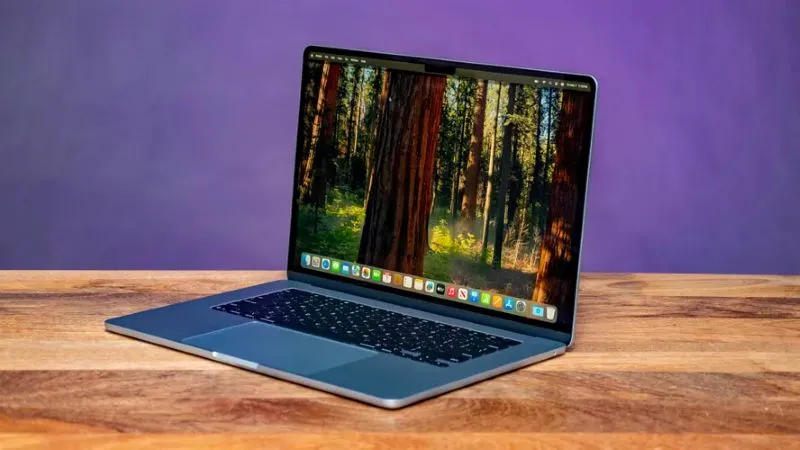
Why You Might Not Want to Wait Until Next Year to Buy Your Next Laptop
In an era where technological innovation moves at breakneck speed, the conventional wisdom of waitin... Read More
Microsoft Alert: Did the October 2025 Windows Security Update Trigger BitLocker Recovery?
If your PC recently demanded a recovery key after installing the October 2025 Windows security updat... Read More

How to Delete the 4GB File That Chrome has Secretly Installed on Your Device
Discover why your browser is taking up gigabytes of space and learn how to safely delete that myster... Read More
Top Posts

Decoding Soil Signals: A Modern Gardener’s Playbook for Balcony Bliss
Discover how to listen to the silent language of soil, adjust moisture, nutrition, and microbial health, and turn a modest balcony into a thriving garden oasis....Read More

Dedicated Hosting: The Unsung Hero Behind Scalable SaaS Performance
Dedicated hosting offers unmatched performance, security, and compliance for SaaS businesses, turning bare‑metal servers into a strategic advantage over share...Read More

Elevating the Family Ski Vacation: Discovering Resorts Everyone Will Adore
A family ski vacation represents a unique opportunity to forge lasting memories, foster new skills, and immerse yourselves in the breathtaking beauty of winter ...Read More

LinkedIn as a High‑Impact Growth Engine for SaaS Leaders
Learn why LinkedIn is more than a résumé site and how SaaS founders can leverage content, groups, events, and data‑driven outreach to turn professional inte...Read More
0 Comments
Post Comment
You will need to Login or Register to comment on this post!