

Turning WordPress Plugins into Enterprise‑Grade Micro‑Services
When I first started tinkering with WordPress back in the early days of my career, plugins were a delightful way to add a contact form or a photo gallery without touching a line of code. Fast‑forward to today, and the same plug‑and‑play mentality is being repurposed for complex, data‑driven workflows that power multi‑million‑dollar B2B SaaS operations. In this post, I’ll walk you through why treating WordPress plugins as micro‑services isn’t just a clever metaphor—it’s a practical strategy for scaling, securing, and monetizing your digital product stack.
The Misconception: Plugins Are Only for Bloggers
Most marketers still see WordPress through the lens of “blogging platforms.” That perception limits the potential of the ecosystem to a handful of content‑creation tools. The truth is, WordPress is a full‑stack application framework with a RESTful API, a robust database abstraction layer, and a pluggable architecture that can handle everything from CRM integrations to real‑time analytics dashboards.
When you start looking at a plugin as a self‑contained service—complete with its own versioning, testing pipeline, and contracts—you unlock a whole new dimension of flexibility. This approach aligns with how modern software teams build systems: each component does one thing well, communicates over well‑defined interfaces, and can be swapped out without causing a cascade of failures.
Designing Plugins Like Micro‑Services
Here’s the playbook I use when I convert a WordPress plugin idea into a production‑ready micro‑service:
- Define a Single Responsibility. The plugin should solve one business problem—think “auto‑tagging inbound leads” or “real‑time invoicing sync.” Avoid the temptation to create a “kitchen sink” plugin that tries to do everything.
- Expose a Clean API. Whether you use the native
WP_REST_Controlleror a lightweight GraphQL layer, make sure every interaction is versioned (e.g.,/wp-json/my-plugin/v1/). This isolates downstream consumers from internal changes. - Automate Testing. Unit tests, integration tests, and end‑to‑end tests should run on every pull request. Leverage CI tools that can spin up a fresh WordPress environment for each build.
- Containerize for Consistency. Docker images that bundle WordPress, PHP, and your plugin guarantee that “it works on my machine” becomes a thing of the past.
- Document Contracts. Use OpenAPI or JSON Schema to describe request/response payloads. This documentation doubles as a contract for both internal developers and external partners.
By enforcing these standards, you end up with a plugin that can be deployed, rolled back, or scaled independently—exactly how a micro‑service behaves in a Kubernetes cluster.
Why This Matters for B2B SaaS Companies
Enterprise customers demand reliability, security, and compliance. A monolithic WordPress install with a handful of ad‑hoc plugins is a nightmare when you need to certify your environment for GDPR or SOC‑2. Treating plugins as micro‑services gives you:
- Granular Security Audits. Each plugin can be scanned for vulnerabilities, and you can enforce least‑privilege access at the API level.
- Independent Release Cadences. Ship bug fixes or feature enhancements for a single plugin without coordinating a full site deploy.
- Scalable Resource Allocation. Heavy‑weight plugins (e.g., AI‑driven recommendation engines) can be hosted on dedicated servers, while lightweight utilities stay on the main WordPress instance.
- Revenue Opportunities. Offer premium plugins as subscription add‑ons directly through the WordPress marketplace or your own storefront.
Real‑World Example: A Lead‑Scoring Plugin as a Service
At my current company, we needed a way to enrich inbound leads with firmographic data, score them in real time, and push the results to our CRM. Instead of building a bespoke integration that lived in the CRM layer, we created a Lead‑Scoring Plugin that sits on the WordPress site where the lead capture form lives.
Key features:
- Hooks into
wp_ajax_nopriv_submit_formto intercept submissions. - Calls third‑party APIs (Clearbit, FullContact) via a queued background worker.
- Calculates a score using a configurable rule engine stored in a custom database table.
- Exposes the score through a REST endpoint that the CRM integration consumes.
The result? A 30% increase in MQL conversion because the scoring logic could be tweaked without redeploying the entire CRM pipeline. Moreover, because the plugin follows the micro‑service pattern, we can now spin up a separate instance for each regional market, respecting data residency requirements.
Performance: The Silent Killer of Plugins
One of the biggest myths about WordPress plugins is that they’re inherently slow. The reality is that performance issues arise from poor architecture, not the plugin concept itself. To keep your plugin lightweight:
- Lazy Load Assets. Enqueue scripts and styles only when they’re needed.
- Cache Expensive Queries. Use the WordPress Object Cache or external systems like Redis.
- Avoid Global State. Keep your functions pure and side‑effect free wherever possible.
- Profile Regularly. Tools like
Query MonitorandNew Reliccan pinpoint bottlenecks before they affect users.
When you treat a plugin as a micro‑service, you’re already incentivized to keep the codebase lean because each service’s SLA is tied to its own performance metrics.
Security First: Harden Your Plugin
Enterprise buyers will scrutinize any third‑party code. The following checklist helps you meet the highest security standards:
- Validate All Input. Use
sanitize_text_field,wp_filter_nohtml_kses, and similar functions. - Escape Output. Leverage
esc_html,esc_attr, andwp_json_encodeto prevent XSS. - Nonce Verification. Protect AJAX endpoints with
check_ajax_referer. - Capability Checks. Ensure only users with the right roles can trigger privileged actions.
- Dependency Auditing. Regularly scan Composer packages for known CVEs.
By integrating security tests into your CI pipeline, you can catch regressions early, turning security from an afterthought into a continuous quality gate.
Monetizing Plugins Without Losing Brand Trust
Many SaaS founders wonder whether selling plugins under the same brand dilutes their core offering. The answer lies in clear separation:
- Distinct Licensing. Offer plugins under a separate license (e.g., “Pro Add‑On”) that doesn’t interfere with the main SaaS subscription.
- Transparent Roadmaps. Publish a public roadmap for each plugin, so customers know what’s coming and can plan upgrades.
- Self‑Service Marketplace. Host a dedicated marketplace page where users can trial, purchase, and manage plugins without contacting sales.
This approach creates an additional revenue stream while reinforcing the perception of your brand as a platform‑builder rather than a single‑product vendor.
Leveraging the WordPress Ecosystem for Faster Innovation
One of the underrated benefits of building on WordPress is the sheer volume of existing open‑source plugins. Instead of reinventing the wheel, you can compose functionality by extending well‑maintained libraries. For example, the Mapping Search Intent plugin provides a solid foundation for content relevance scoring. By wrapping it in a thin micro‑service layer, you gain the ability to inject custom business logic while still benefiting from community updates.
Similarly, Google Workspace’s AI capabilities can be invoked from a WordPress plugin to auto‑generate meeting summaries or action items. The key is to treat these integrations as contracts—your plugin calls an external API, receives a result, and then passes the data along to your internal systems.
Future‑Proofing: Headless WordPress and the Plugin Frontier
Headless architectures are gaining traction, and WordPress is no exception. When you decouple the front end (React, Vue, Svelte) from the back end, plugins become the glue that connects content to business logic. In a headless setup, your plugin can expose GraphQL endpoints, trigger webhooks, or even act as an event source for a message bus like Kafka.
This opens the door to scenarios such as:
- Real‑time personalization of a Single Page Application based on user behavior stored in a plugin’s custom tables.
- Automated content syndication to multiple channels (mobile app, IoT device, AR experience) via a plugin‑driven webhook pipeline.
- Dynamic pricing engines that pull data from ERP systems and expose pricing rules through a REST endpoint for the front‑end store.
Because the plugin remains the single source of truth for these interactions, you maintain consistency across all channels—an essential factor for enterprise brand integrity.
Getting Started: A 30‑Day Sprint Plan
If you’re convinced but unsure where to begin, here’s a quick sprint to get your first micro‑service‑styled plugin off the ground:
- Day 1‑3: Ideation. Identify a pain point that can be solved with a discrete piece of functionality.
- Day 4‑7: Architecture. Draft API contracts, data models, and decide on testing frameworks.
- Day 8‑12: Boilerplate Setup. Scaffold the plugin using
wp scaffold plugin, add Dockerfile, and configure CI. - Day 13‑20: Development. Implement core logic, write unit tests, and set up automated code linting.
- Day 21‑24: Security Hardening. Add nonce checks, capability checks, and run static analysis tools.
- Day 25‑27: Performance Tuning. Profile queries, enable object caching, and lazy‑load assets.
- Day 28‑30: Release & Documentation. Publish to a private repository, write API docs, and create a short onboarding video.
Following this disciplined approach not only speeds up delivery but also embeds best practices that will pay dividends as your plugin portfolio grows.
Conclusion: From Add‑Ons to Business Enablers
WordPress plugins have evolved from hobbyist add‑ons to strategic micro‑services capable of powering mission‑critical B2B workflows. By applying rigorous software engineering practices—clear APIs, automated testing, containerization, and security hardening—you can turn a simple plugin into a scalable, revenue‑generating component of your SaaS ecosystem.
Remember, the true power lies not in the code itself but in the mindset you bring to it. Treat every plugin as a service, and you’ll unlock a level of agility and reliability that traditional monolithic extensions simply can’t match.

Dale Peterson is a freelance writer with a passion for technology, travel, law and personal finance. With 10 years of experience crafting compelling and informative content, he's dedicated to delivering high-quality writing for Blogging Fusion that engages audiences and achieves specific goals.
Related Posts
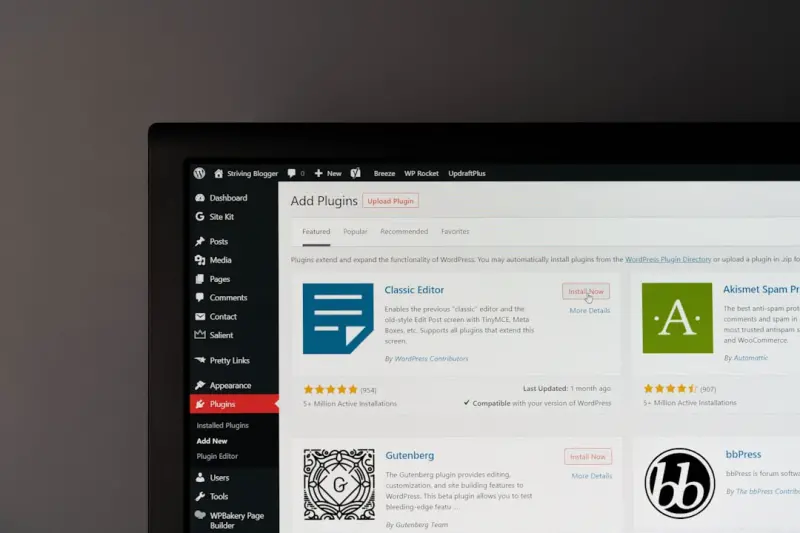
Why Your Site Needs a Privacy‑First WordPress Plugin Strategy
A privacy‑first WordPress plugin strategy protects user data, improves site performance, and build... Read More

The Plug‑In Playbook: Building a Future‑Ready WordPress Stack
A practical guide to turning a chaotic WordPress plugin collection into a future‑ready, high‑per... Read More
Beyond the Boilerplate: Unleashing AI-Powered WordPress Plugins for Smarter Sites
AI-powered WordPress plugins are redefining site management by automating content creation, enhancin... Read More
Top Posts

From Crib to Canvas: Turning Everyday Moments into Baby Learning Adventures
Learn to transform ordinary chores into multisensory learning opportunities for your baby, using simple household items, narrative play, and smart tech to nurtu...Read More

When AI Becomes Your Shopping Buddy: The Next Wave of Consumer Experience
AI is turning shopping into a personalized conversation, blending convenience with trust. This article reveals how algorithms act as silent concierges, the hidd...Read More

Micro‑Automation: The Secret Weapon for Seamless Tool Integration
Learn why tiny, event‑driven automations are the key to connecting disparate SaaS tools, reducing manual work, and creating data‑driven processes that scale...Read More

Nurturing Your Soul: Modern Gardening Lessons for a Balanced Life
Explore the therapeutic power of gardening, from soil health to pollinator sanctuaries, and learn how cultivating a garden can transform your well‑being and d...Read More
0 Comments
Post Comment
You will need to Login or Register to comment on this post!