
Why Your WordPress Site Needs a Plug‑In Playbook, Not a Plug‑In Parade
Every time I log into a client’s WordPress dashboard, I’m greeted by a sprawling garden of plugins—some carefully cultivated, many overgrown, a few downright invasive. The temptation to add “one more thing” is real: a slick carousel, a fancy SEO widget, a pop‑up form that promises higher conversion. Yet each additional line of code is a trade‑off, affecting load speed, maintainability, and even the long‑term health of the site.
In my ten‑year journey as a WordPress consultant, I’ve learned that success isn’t about amassing the biggest toolbox; it’s about curating a future‑ready stack. Think of it as a playbook that balances performance, security, and flexibility, while still delivering the features your business needs today. Below, I break down the principles that turned my chaotic plugin landscape into a lean, resilient engine—and how you can apply the same strategy to your own sites.
1. Start with a Core‑First Mindset
WordPress itself is a powerful CMS, and the core already handles many tasks that developers try to solve with third‑party plugins. Before you reach for the next extension, ask yourself:
- Is this functionality already native? For example, custom post types and taxonomies are built into the core; you may not need a separate “CPT UI” plugin.
- Can a small code snippet replace the plugin? A few lines in
functions.phpor a site‑specific mu‑plugin can often replicate what a bloated plugin does. - Will the plugin be maintained? Check the last update date, active install count, and support forum activity.
When you prioritize core capabilities, you reduce dependency on external code, lower the attack surface, and keep your site’s footprint minimal.
2. Embrace the “One Feature, One Plugin” Rule
It’s tempting to install a mega‑plugin that promises “everything”—SEO, forms, caching, analytics—all in one bundle. In practice, these monoliths become difficult to troubleshoot. A single conflict can bring down an entire site, and you lose the ability to replace just one feature without a massive overhaul.
Instead, adopt a disciplined approach: each plugin should do one thing, and do it well. This modularity brings several benefits:
- Isolated updates—you can safely update a contact‑form plugin without worrying about breaking your SEO module.
- Easier debugging—when something goes wrong, you know exactly which component to investigate.
- Scalability—adding new features simply means adding new plugins, not rewriting existing ones.
3. Audit, Trim, and Document Regularly
Just as you’d perform quarterly financial audits, your plugin inventory needs a periodic health check. Here’s a simple three‑step process:
- Audit: List every active plugin, note its purpose, last update, and usage frequency.
- Trim: Deactivate and delete any plugin that is redundant, rarely used, or unmaintained. Replace any functionality gaps with lightweight alternatives or custom code.
- Document: Keep a living
README.mdin your repository that explains why each plugin exists, who maintains it, and any special configuration notes.
By keeping this documentation up to date, new team members (or future you) can understand the ecosystem without reverse‑engineering every setting.
4. Prioritize Performance: The True Cost of Bloat
Every plugin adds HTTP requests, JavaScript, CSS, and PHP execution time. Even a well‑coded plugin can become a performance bottleneck when combined with others. Use these tactics to keep your site fast:
- Lazy‑load assets—only enqueue scripts and styles when the page actually needs them.
- Leverage a reputable caching layer—object caching, page caching, and CDN integration can offset the overhead of necessary plugins.
- Profile with Query Monitor—identify plugins that fire excessive database queries and consider alternatives.
Performance isn’t just a nicety; it directly impacts SEO rankings, conversion rates, and user satisfaction. A sustainable plugin development mindset means writing code that does more with less, which is good for the planet and the bottom line.
5. Build for the Future: Modular Architecture and Hooks
The true power of WordPress lies in its hook system—actions and filters that let you extend functionality without hacking core files. When selecting plugins, look for those that:
- Expose clean, well‑documented hooks you can tap into.
- Provide filters to modify output instead of forcing you to override templates.
- Offer a service‑oriented API, allowing you to swap the underlying implementation later.
By leaning on hooks, you create a decoupled architecture where each plugin communicates through standardized channels. This approach makes it easier to replace a component in the future without rewriting large sections of code.
6. Security Is Not an Afterthought
While the recent “Why Safety Is the Competitive Edge Every Hybrid Business Needs” post covered broader safety strategies, plugin security deserves its own spotlight. Here’s how to keep the ecosystem safe:
- Only install plugins from reputable sources. The WordPress.org repository, well‑known premium vendors, and verified GitHub repos are safer bets.
- Monitor vulnerability databases. Services like WPScan or the plugin’s own security advisories will alert you to emerging threats.
- Apply the principle of least privilege. Grant only the capabilities a plugin truly needs—avoid blanket admin rights.
Security patches should be applied promptly; a delayed update can expose the whole site to compromise.
7. Adopt a “Digital Minimalism” Approach
In a world where every feature screams for attention, stepping back and asking “Do I really need this?” is revolutionary. A lean WordPress architecture aligns with the philosophy of doing more with fewer resources. Minimalism doesn’t mean a sterile site—it means a purposeful site where each element serves a clear objective.
Benefits include:
- Faster page loads and lower bounce rates.
- Reduced maintenance overhead—fewer plugins mean fewer updates and conflicts.
- Clearer brand messaging—users aren’t distracted by unnecessary widgets.
8. Test, Test, and Test Again
Before you push a new plugin to production, run it through a staging environment that mirrors your live setup. Automated regression tests (PHPUnit for backend, Cypress for front‑end) can catch conflicts early. If a plugin alters core behavior, write a test that asserts the original functionality remains intact.
Testing isn’t a one‑off activity; embed it into your CI/CD pipeline. This ensures every code change—whether a plugin update or a custom snippet—passes safety nets before it reaches users.
9. Keep an Eye on the Ecosystem
WordPress evolves rapidly. Gutenberg’s block editor, the rise of headless architecture, and the push toward native site features mean today’s “must‑have” plugin could become obsolete tomorrow. Stay engaged with the community:
- Follow core development blogs and RFCs.
- Participate in WordPress Slack channels and local meetups.
- Subscribe to newsletters that curate the best new plugins and deprecations.
Being proactive allows you to pivot gracefully, swapping out a plugin before it becomes a liability.
10. The Bottom Line: A Playbook, Not a Parade
WordPress plugins are powerful tools—when used wisely, they empower businesses to launch quickly, iterate often, and deliver rich experiences. But unchecked, they can become hidden costs that erode performance, security, and scalability.
My advice? Treat your plugin collection like a well‑curated toolbox: each piece has a purpose, is maintained, and integrates cleanly with the rest. Conduct regular audits, prioritize modularity, and embrace minimalism. By following this playbook, you’ll build a WordPress site that’s not just functional today, but resilient tomorrow.
Ready to audit your own plugin stack? Start by listing every active extension, then apply the “One Feature, One Plugin” rule. You’ll be surprised how much weight you can shed—making room for growth, not just more code.

Robert Mathews is a professional content marketer and freelancer for many SEO agencies. In his spare time he likes to play video games, get outdoors and enjoy time with his family and friends . Read more about Robert Mathews here:
Related Posts
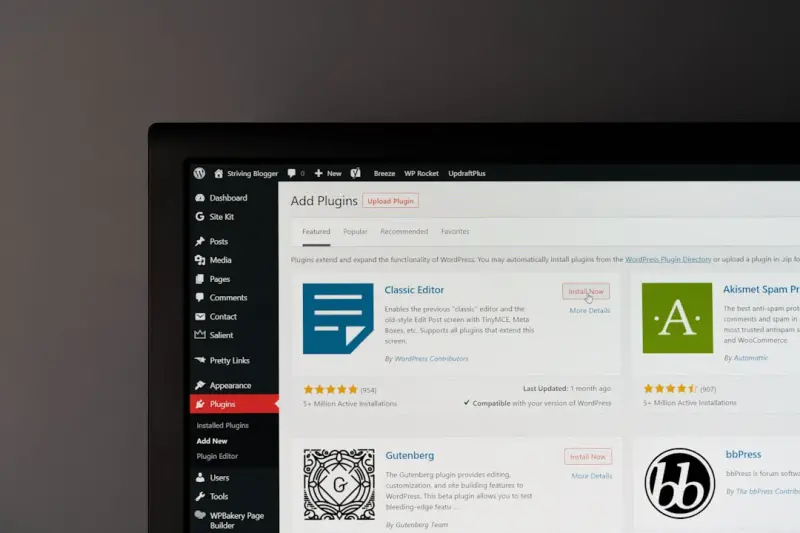
Why Your Site Needs a Privacy‑First WordPress Plugin Strategy
A privacy‑first WordPress plugin strategy protects user data, improves site performance, and build... Read More
Beyond the Boilerplate: Unleashing AI-Powered WordPress Plugins for Smarter Sites
AI-powered WordPress plugins are redefining site management by automating content creation, enhancin... Read More
Top Posts

The Role of Social Media in Your Website SEO
In the ever-evolving digital landscape, the relationship between social media and Search Engine Optimization (SEO) has been a subject of continuous debate. For ...Read More

Turning Search Engine Marketing into a Creative Sprint: Strategies That Convert
Explore how to transform search engine marketing into a creative sprint with AI‑driven insights, intent‑focused copy, and seamless social integration....Read More
Breaking Free: A Practical Multi‑Cloud Playbook for Modern SaaS
A hands‑on guide shows SaaS teams how to transition from single‑provider reliance to a resilient, cost‑effective multi‑cloud architecture, covering tool...Read More

Google Gemini: How Multimodal AI Is Redefining B2B SaaS Playbooks
Google Gemini’s multimodal capabilities are pushing B2B SaaS platforms to rethink data ingestion, prompt engineering, cost structures, and privacy, offering a...Read More
0 Comments
Post Comment
You will need to Login or Register to comment on this post!