

Micro‑Interactions: The Quiet Engine Behind Engaging Web Experiences
When you land on a homepage, the first thing you notice is often the visual hierarchy: the hero image, the bold headline, the call‑to‑action button. Yet, the real magic happens in the moments between clicks—those tiny, almost invisible cues that whisper “you’re in control” and reward users for exploring. I call these moments micro‑interactions, and they’re the unsung heroes of web design that can turn a static page into a living, breathing experience.
Why Micro‑Interactions Matter More Than Ever
Modern users are bombarded with information. Attention spans are short, and the competition for eyeballs is fierce. In this climate, a well‑crafted micro‑interaction can:
- Guide behavior without intrusive pop‑ups or heavyhanded tooltips.
- Build trust by providing instant feedback, confirming that actions have been recognized.
- Humanize the brand through subtle animation that reflects personality.
- Boost conversion rates by reducing friction at critical touchpoints.
Think of it as the difference between a handshake and a high‑five. Both acknowledge the interaction, but the high‑five feels more personal, more memorable.
Deconstructing a Micro‑Interaction
A micro‑interaction typically consists of four components:
- Trigger – The event that initiates the interaction (e.g., a click, hover, scroll, or even a system event like a page load).
- Rules – The logic that defines how the system should respond (e.g., “if the user hovers for more than 300 ms, reveal the tooltip”).
- Feedback – Visual, auditory, or haptic cues that confirm the action (e.g., a subtle color shift, a vibration, or a sound).
- Loops & Modes – How the interaction behaves over time (e.g., a progress indicator that loops while a file uploads).
When each piece is thoughtfully designed, the whole feels effortless. When any part is missing or misaligned, the experience feels clunky, and users may abandon the flow altogether.
Designing Micro‑Interactions for Accessibility
One of the biggest pitfalls is assuming that animation is universally beneficial. For users with motion sensitivities, excessive motion can be disorienting. The sensory‑first approach used in interior design offers a useful parallel: tailor the experience to the audience’s comfort level.
Best practices include:
- Providing a reduced‑motion media query to disable non‑essential animations.
- Ensuring that feedback is also conveyed via ARIA live regions for screen readers.
- Using contrast‑rich colors for state changes so that users with low vision can perceive them.
When you design with inclusivity in mind, the micro‑interaction becomes a bridge—not a barrier.
Tools of the Trade: From CSS to JavaScript Frameworks
There’s a spectrum of implementation methods, each with its own trade‑offs:
Pure CSS
CSS transitions and keyframes are lightweight and performant. They’re perfect for simple state changes like button hover effects or form field focus outlines. Leveraging --custom‑properties (CSS variables) lets you keep the design system consistent across the site.
JavaScript & Animation Libraries
When you need more complex choreography—think drag‑and‑drop, scroll‑linked reveals, or interactive onboarding flows—libraries like Framer Motion, GSAP, or React Spring provide the control you need. They also make it easier to synchronize animation with state changes, ensuring feedback is accurate.
Design‑First Platforms
Tools such as Figma and Adobe XD now support prototyping micro‑interactions directly in the design file. This encourages designers and developers to speak the same language early in the project, reducing hand‑off friction.
Case Study: The Checkout Button That Grew Revenue by 12%
One of my recent projects involved a SaaS e‑commerce platform whose checkout conversion rate had plateaued at 3.8 %. The design team decided to focus on the “Add to Cart” micro‑interaction:
- Trigger: User clicks the button.
- Rules: Button expands slightly, a checkmark animates, and the cart icon in the header updates in real‑time.
- Feedback: A soft “ding” sound plays (respecting the user’s reduced‑motion preference).
- Loop: If the user removes the item, the button contracts back, and the cart count decrements.
After A/B testing, the enhanced micro‑interaction lifted the conversion rate to 4.3 %, a 12 % relative increase. The improvement came without any change to the pricing, copy, or overall layout—just a more thoughtful interaction.
Balancing Delight and Efficiency
It’s tempting to over‑animate every element for “wow” factor, but the goal of micro‑interactions is to serve the user’s task, not distract from it. Here’s a quick checklist to keep the balance right:
- Purpose First: Ask, “What does the user need at this moment?” If the answer is “nothing,” skip the animation.
- Speed Matters: Keep animations under 300 ms for most feedback loops; longer durations should be reserved for onboarding or storytelling.
- Consistent Language: Use a unified motion language (easing curves, duration, scale) across the site to reinforce brand identity.
- Performance Audit: Use browser dev tools to ensure animations stay in the compositor layer, preventing jank.
Future‑Proofing Your Micro‑Interaction Strategy
Web standards evolve, and so do user expectations. To stay ahead, consider these emerging trends:
AI‑Generated Motion
Machine‑learning models can now suggest optimal easing curves based on user behavior data. Integrating AI‑first insights into your design system can automatically fine‑tune interaction timing for different audience segments.
Voice‑Driven Feedback
As voice assistants become commonplace on the web, micro‑interactions will extend beyond visual cues. Subtle auditory confirmations—like a soft chime when a form field validates—will become a standard part of the experience.
Web‑Based AR & VR Elements
Even if you’re not building a full‑blown metaverse, lightweight AR overlays (e.g., product previews) can be triggered by micro‑interactions such as a long‑press gesture, adding a layer of immersion without overwhelming the user.
Integrating Micro‑Interactions Into Your Design Workflow
Here’s a practical roadmap for teams looking to embed micro‑interactions into their process:
- Audit Existing UI: Identify high‑traffic touchpoints (forms, buttons, navigation) that lack feedback.
- Define Interaction Goals: For each touchpoint, write a one‑sentence purpose (e.g., “Confirm item added to cart”).
- Prototype in Design Tool: Use Figma’s Interactive Components to simulate the micro‑interaction before code.
- Develop with Reusable Tokens: Store easing, duration, and color values in a CSS/JS token system so you can apply changes globally.
- Test Across Devices: Verify that interactions feel natural on desktop, tablet, and mobile, and that reduced‑motion settings are respected.
- Measure Impact: Use analytics events (e.g., “add_to_cart_animation_complete”) to correlate micro‑interactions with conversion metrics.
Conclusion: The Subtle Power of Small Details
Micro‑interactions are the quiet engine that keeps modern websites humming smoothly. By treating each click, hover, and swipe as an opportunity to communicate, you create a sense of agency for users and reinforce brand personality without shouting for attention. The result is a more engaging, accessible, and ultimately profitable web experience.
If you’re ready to start turning those tiny moments into big wins, start with a single button, iterate, and let the data guide you. The future of web design isn’t just about bold layouts or striking colors—it’s about the nuanced dance between user intent and responsive feedback.

Tyler Johnson is a seasoned freelance writer with a keen eye for detail and a passion for crafting compelling narratives. His years of experience have honed his ability to adapt his style to suit diverse client needs and project requirements.
Related Posts
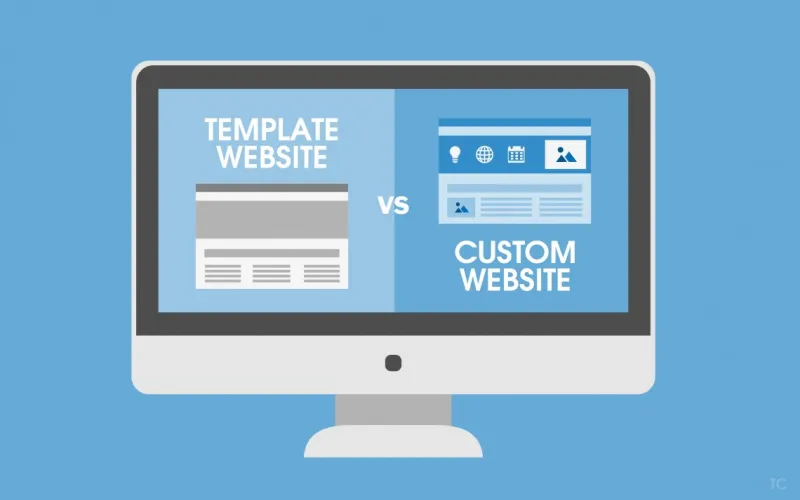
What Makes Custom Web Design Better Than Basic Templates
A website is often the first—and sometimes the only—point of contact between a business and its ... Read More
Designing for the Moment: Robert Mathews on Why Web Design Is a Act in 2024
Robert Mathews shares a perspective on 2024 web design, covering adaptive aesthetics, micro‑animat... Read More

Designing for Neurodiverse Audiences: Inclusive Web Design Strategies
Explore how to design websites that respect cognitive differences, from visual hierarchy to adaptive... Read More
Top Posts

The Quiet Power of Dedicated Hosting for Enterprise Performance
Dedicated hosting offers enterprises predictable performance, airtight compliance, and a greener footprint, making it a strategic choice for mission‑critical ...Read More

When Beauty Meets Gadgets: How Wearable Tech Is Redefining Skincare
Wearable beauty tech turns skin care into a real‑time conversation, offering personalized insights, community challenges, and proactive routines that empower ...Read More

The Alarming Rise of Online Scams: A Threat to Mental Health
Online scams are a growing threat to mental health, causing emotional distress, anxiety, and depression. Learn how to prevent online scams and prioritize your m...Read More

AI‑Driven Skincare: Navigating Hype, Privacy, and Personalization
A deep dive into AI‑powered skincare, highlighting real‑world diagnostics, personalized formulas, ingredient transparency, and essential privacy safeguards ...Read More
0 Comments
Post Comment
You will need to Login or Register to comment on this post!