
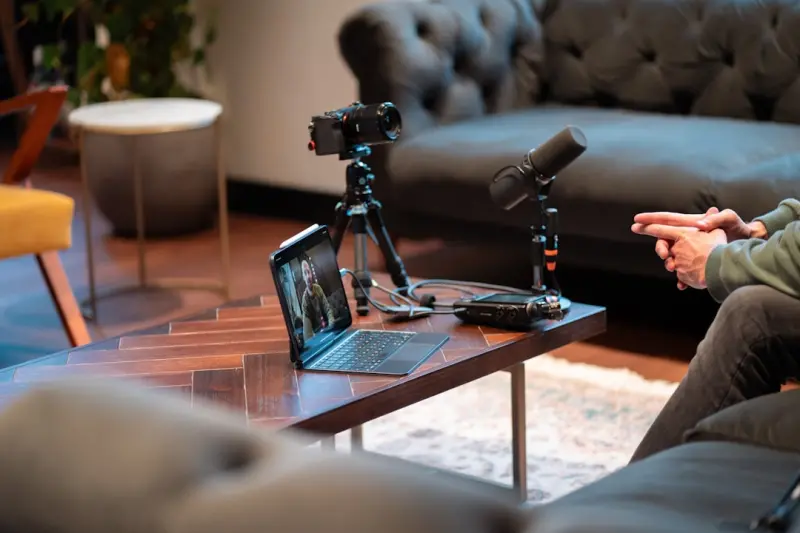
Seeing What’s Out of Sight
When the office walls dissolve into the living room, the most obvious safeguards—like fire exits and hard‑hat signs—often vanish, leaving a subtle web of risks that can creep up on anyone who spends a full day at a desk. Invisible hazards such as overloaded power strips, improperly positioned monitors, or stagnant air become the silent culprits that erode productivity and health over weeks and months, yet they rarely trigger an alarm until an accident occurs. The first step toward protection is to treat the remote workstation as a miniature industrial site, demanding the same systematic inspection and proactive mindset that keeps larger facilities safe.
Power Lines and Plugged‑In Perils
Most remote workers rely on a tangle of chargers, adapters, and lighting fixtures, creating a perfect storm for electrical overloads that can spark fires, cause equipment failure, or deliver painful shocks. By grouping devices onto a single high‑capacity surge protector, avoiding daisy‑chaining of multiple strips, and regularly inspecting cords for frayed insulation, you create a robust barrier against voltage spikes and short circuits that can otherwise go unnoticed until catastrophe strikes. Remember that even a modestly sized desktop can draw enough current to trip a circuit if paired with high‑wattage peripherals, so a disciplined approach to power distribution is essential for long‑term safety.
Ergonomic Landmines That Bite
The modern chair and laptop combo may look sleek, but without intentional adjustments it can become a breeding ground for musculoskeletal strain, neck tension, and chronic back pain that degrade work quality and overall well‑being. Position your screen so the top edge aligns with eye level, keep elbows at a 90‑degree angle, and use a keyboard tray that allows wrists to stay neutral, thereby distributing load evenly across joints and preventing the cumulative damage that accrues from hours of poor posture. Investing in a sit‑stand desk or a simple footrest can transform a static setup into a dynamic environment that encourages movement and reduces the risk of repetitive‑stress injuries.
Breathing Clean Air in Confined Spaces
Closed‑door rooms, inadequate ventilation, and the constant hum of electronics can compromise indoor air quality, leading to headaches, fatigue, and respiratory irritation that subtly erode performance. Installing a low‑noise air purifier with a HEPA filter, opening windows for fresh airflow during daylight hours, and keeping indoor plants that naturally filter pollutants are low‑cost measures that dramatically improve oxygen levels and reduce airborne contaminants. Regularly dusting surfaces, especially around fans and vents, prevents the buildup of allergens that can trigger sneezing fits or exacerbate existing conditions, ensuring that the air you breathe supports rather than hinders your work.
Trip Hazards and Cable Management
Rugs, loose cords, and cluttered floor space create a treacherous landscape where a simple step can result in a painful tumble or a damaged device, especially in dimly lit rooms where visibility is compromised. Implement a systematic cable routing plan by using Velcro ties, under‑desk trays, or wall‑mounted channels to keep wires tucked away, and arrange furniture to provide clear pathways that are free of obstacles. The following checklist can help you stay organized:
- Secure all power cords with zip ties at regular intervals.
- Route data cables behind desks rather than across the floor.
- Use rubber‑capped plug adapters to prevent accidental unplugging.
- Place floor‑standing equipment on non‑slip pads.
Physical Security of Devices and Data
While digital protection is often top‑of‑mind, the physical safety of laptops, external drives, and mobile phones is equally critical, as a stolen or damaged device can expose sensitive information and interrupt workflow. Anchor portable devices to a sturdy desk using lockable cable restraints, store backup drives in fire‑resistant safes, and maintain an inventory log that records serial numbers and purchase dates for quick reference in case of loss. For those seeking a deeper understanding of how technology trends influence broader safety practices, learn how search technology evolves and apply those insights to reinforce both digital and physical defenses.
Emergency Plans for the Unseen
Even the most meticulously arranged workspace can be caught off‑guard by power outages, severe weather, or unexpected health incidents, making a concise emergency plan a non‑negotiable component of remote safety. Keep a basic first‑aid kit within arm’s reach, program a nearby contact to receive alerts about local hazards, and maintain an uninterruptible power supply (UPS) that grants enough runtime to safely shut down critical equipment. Conduct a quarterly drill where you simulate a power loss, practice evacuating the area, and verify that all essential documents are stored in a cloud‑based backup system, ensuring continuity even when the physical environment becomes hostile.
Fatigue Management and Cognitive Resilience
Long stretches of solitary focus can lead to mental fatigue that masquerades as physical lethargy, reducing reaction times and increasing the likelihood of careless mistakes that compromise safety. Schedule micro‑breaks every 45‑60 minutes to stretch, hydrate, and shift gaze away from the screen, thereby resetting neural pathways and preventing eye strain. Incorporate brief mindfulness exercises—such as a three‑minute breathing routine—to recalibrate attention and reduce stress, creating a mental buffer that safeguards against the slip‑ups that often accompany prolonged concentration.
Putting It All Together: A Culture of Continuous Vigilance
The journey toward a truly safe remote workspace is ongoing, requiring regular audits, habit reinforcement, and a willingness to adapt as new challenges emerge. By treating each element—electrical integrity, ergonomic alignment, air quality, cable organization, physical security, emergency readiness, and cognitive stamina—as an integral part of a larger safety ecosystem, you build resilience that protects both body and mind. For readers interested in expanding their knowledge of efficient infrastructure, explore efficient hosting solutions that illustrate how streamlined systems can bolster overall stability. Embrace this proactive mindset, and turn your remote office into a sanctuary where productivity thrives without compromising safety.

David Moore is a freelance writer specializing in two dynamic and ever-evolving fields: gambling and the tech industry. With a keen eye for detail and a knack for unraveling complex topics, David delivers insightful and engaging content that keeps readers informed and entertained.
Related Posts

Everyday Safety Secrets You Need to Know
A personal guide to turning safety into a daily habit, from intuitive awareness to digital privacy, ... Read More

Holistic Safety Strategies for Remote SaaS Teams
A comprehensive guide to building a safety‑first culture that protects remote employees’ physica... Read More

Turning Safety into a Subscription Service: How SaaS Can Monetize Risk Management
Safety is evolving from a static checkbox to a revenue‑generating service. This post shows how Saa... Read More
Top Posts
Navigating Online Safety in 2026: Real‑World Tips for a Connected World
Learn actionable online safety tactics for 2026, from securing home networks and smart devices to teaching kids digital resilience, all from Melanie Wilson’s ...Read More
Design Sprints: How Fast‑Paced Thinking is Revolutionizing Web Design
Explore the power of design sprints in web design, from rapid prototyping to integrated SEO, and see how speed and creativity can deliver stunning, high‑perfo...Read More

The Decentralized Media Playbook: How Agencies Can Thrive in a Creator‑First Economy
A fresh look at the rise of decentralized content networks reveals how agencies can shift from gatekeepers to orchestrators, leveraging creator‑first partners...Read More

Maximizing Your Social Media Presence: Strategies for Sustainable Growth
Maximizing your social media presence requires a combination of understanding your audience, creating engaging content, building a community, and measuring and ...Read More
0 Comments
Post Comment
You will need to Login or Register to comment on this post!