
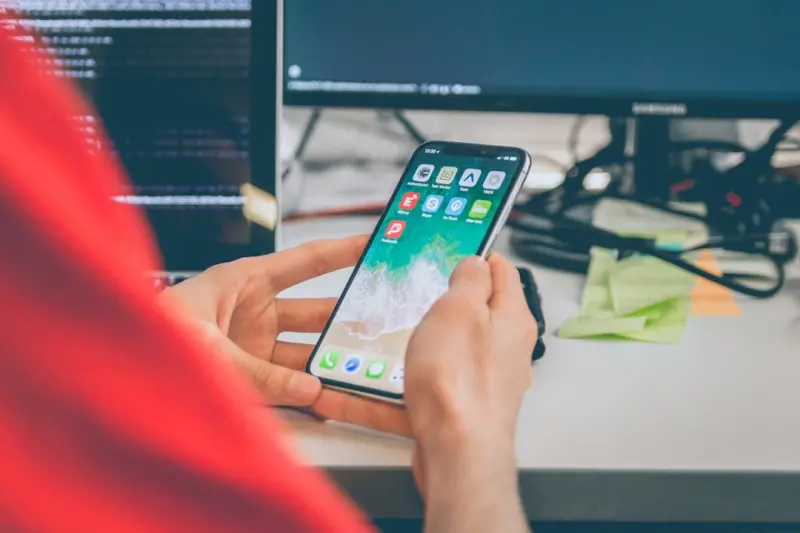
Why Inclusive Mobile Design Matters More Than Ever
When I first launched a side‑project app to help my sister manage her ADHD medication schedule, I quickly learned that “one size fits all” is a myth in the mobile world. The tiny, bright buttons that work for the average user can be overwhelming for someone who processes information differently, and a sleek dark theme might actually hinder a user with low vision. This revelation sparked a deep curiosity: how can we, as product builders, create mobile experiences that don’t just accommodate neurodiverse users but actively empower them?
Understanding Neurodiversity in the Mobile Context
Neurodiversity is an umbrella term that includes conditions such as autism, ADHD, dyslexia, and dyspraxia. While each presents unique challenges, they share common threads when it comes to interacting with apps:
- Information overload: Rapidly changing screens, pop‑ups, or animations can cause sensory overload.
- Executive‑function demands: Complex navigation or multi‑step forms strain working memory.
- Reading and comprehension differences: Text‑heavy interfaces may be difficult for dyslexic users.
- Motor coordination variances: Small touch targets can be a hurdle for dyspraxic users.
By acknowledging these pain points early, we set the stage for design decisions that are both humane and strategically sound.
From Empathy to Action: A Practical Framework
My go‑to framework for building inclusive mobile apps consists of three phases: Discover, Design, and Validate. Let’s walk through each step.
1. Discover – Deep Dive into User Contexts
Start with qualitative research that goes beyond “what” users do and dives into “why” they behave a certain way. Conduct in‑depth interviews with neurodiverse participants, and ask open‑ended questions about their daily tech habits. I’ve found that pairing these interviews with a short mobile productivity strategies questionnaire helps surface hidden friction points that typical usability tests miss.
Key takeaways to capture:
- Preferred interaction patterns (e.g., voice vs. touch).
- Environmental contexts (quiet room vs. noisy commute).
- Emotional triggers (what causes stress or delight).
2. Design – Embed Flexibility at the Core
Flexibility is the secret sauce of inclusive design. Rather than tacking on “accessibility options” after the fact, build them into the DNA of your app.
- Customizable UI density: Let users choose between “compact,” “standard,” and “spacious” layouts. This directly addresses motor‑coordination challenges.
- Adaptive color palettes: Offer high‑contrast themes, pastel modes, and even a “color‑blind safe” option that automatically swaps problematic hues.
- Progressive disclosure: Show only the most essential information upfront; hide advanced settings behind a simple toggle. This reduces cognitive load.
- Multimodal input: Support voice commands, gestures, and keyboard shortcuts alongside traditional taps. For users with dyslexia, a voice‑to‑text feature can be a game‑changer.
One powerful, yet under‑utilized, tool is AI‑driven experiences. By leveraging on‑device machine learning, apps can intelligently adapt UI complexity in real time based on user behavior—simplifying menus for a user who hesitates on certain screens, or surfacing shortcuts for a power user who breezes through tasks.
3. Validate – Iterate with the Real Users
Validation isn’t a one‑off checkbox; it’s an ongoing conversation. Deploy a beta with a diverse cohort and gather both quantitative metrics (task success rate, time on task) and qualitative feedback (emotional resonance, perceived control). Use tools like session replay that anonymize data but allow you to see where users get stuck.
When analyzing results, look for patterns that indicate hidden barriers. For instance, a high abandonment rate on a form could signal that the field order isn’t intuitive for users with working‑memory challenges. Iterate quickly, and keep the loop open—invite participants to co‑design future updates.
Ethical AI: The Double‑Edged Sword
Incorporating AI to personalize experiences is tempting, but it must be handled responsibly. Predictive algorithms that surface content or adjust UI complexity can inadvertently “learn” biases. For example, an AI model trained on predominantly neurotypical interaction data may misclassify a neurodiverse user’s navigation style as “inefficient” and over‑simplify the interface, stripping away needed functionality.
To mitigate this:
- Use diverse training datasets that represent a wide spectrum of cognitive profiles.
- Implement transparent user controls that let individuals opt‑in or opt‑out of AI‑driven adjustments.
- Conduct regular bias audits and publish findings to maintain trust.
Case Study: “FocusFlow” – A Neuro‑Friendly Task Manager
Allow me to share a quick case study from a project I consulted on last quarter. “FocusFlow” is a task‑management app aimed at professionals with ADHD. Here’s how we applied the framework:
- Discovery: Interviews revealed that users struggled with overwhelming notification stacks and lacked a clear “next‑action” cue.
- Design: We introduced a “focus mode” that dims non‑essential UI elements, provides a single “next step” button, and offers a gentle vibration reminder instead of a loud pop‑up.
- AI Integration: An on‑device model predicts the optimal time for a focus session based on calendar data and past usage patterns, but always asks for user confirmation before activating.
- Validation: After a 4‑week beta, task completion rates rose by 27 % and user‑reported stress scores dropped by 15 %.
The success of FocusFlow underscores a simple truth: when you design for the edges, the core experience becomes stronger for everyone.
Business Benefits of Inclusive Mobile Apps
Beyond the moral imperative, inclusive design unlocks tangible ROI:
- Broader market reach: Neurodiverse individuals represent a sizable segment of the population, and inclusive apps tap into this under‑served market.
- Higher retention: Users who feel understood are more likely to stay loyal, reducing churn.
- Reduced support costs: Clear, adaptable interfaces lead to fewer help‑desk tickets.
- Brand differentiation: Companies known for empathy gain a competitive edge in an increasingly socially‑conscious marketplace.
Practical Checklist for Your Next Mobile Release
Before you hit “Publish,” run through this checklist:
- [ ] Offer at least three UI density options.
- [ ] Provide high‑contrast and dyslexia‑friendly fonts.
- [ ] Enable voice input for all text fields.
- [ ] Include a “reset to default” button for all customizations.
- [ ] Ensure all AI‑driven features have a manual override.
- [ ] Conduct a short, remote usability test with at least five neurodiverse participants.
- [ ] Document accessibility decisions in your design system for future reference.
Looking Ahead: The Future of Inclusive Mobile Experiences
As edge computing becomes mainstream, the latency barrier for on‑device AI disappears, opening the door for richer, context‑aware adaptations that happen instantly, even offline. Imagine an app that senses a user’s heart rate via a smartwatch and subtly switches to a low‑stimulus mode during moments of heightened stress—without ever sending personal data to the cloud.
Such possibilities reinforce the need for a proactive, ethical stance on data privacy, especially for vulnerable users. The roadmap ahead is exciting, but it demands that we stay vigilant about consent, transparency, and continuous user education.
Final Thoughts
Inclusive mobile design isn’t a niche checklist; it’s a mindset that transforms how we think about problem‑solving. By centering neurodiverse users from discovery through validation, we create products that are more adaptable, more humane, and ultimately more successful. The next time you sketch a screen or write a user story, ask yourself: How would this experience feel for someone whose brain works a little differently? If the answer leads to meaningful change, you’re on the right track.

Freelance writer with a flare for everything. I am passionate about topics I write crafting stories and compelling content that connect with audiences. Journeying through the realms of creativity as a freelance creator. #WriterLife #ContentCreator
Related Posts
Mobile Apps as Strategic Growth Engines: From Touchpoint to Revenue Driver
Mobile apps are no longer just a supplemental channel; they’re pivotal growth engines. This post r... Read More
The Mobile App Evolution: From Utility to Personal Companion
Discover the shift from utility‑focused mobile apps to context‑aware companions, leveraging sens... Read More
The Quiet Power of Privacy‑First Mobile Apps
A privacy‑first approach turns permission dialogs into value propositions, improves app performanc... Read More
Top Posts

Power‑Independent Home Renovations: Turning Every Upgrade Into Energy Autonomy
Learn how to integrate solar‑ready roofing, battery storage, and smart devices into your next home renovation, turning each upgrade into a step toward energy ...Read More

Neurodiversity and Mental Wellness: Redesigning the Workplace for Every Mind
A deep dive into how neurodiverse talent can flourish when workplaces adopt sensory‑friendly spaces, flexible communication, and robust mental‑health resour...Read More

When Voice Becomes a Lifeline: How Seniors Are Redefining Independence with Smart Speakers
Seniors are turning smart speakers into everyday allies, using voice commands for health reminders, social connection, and simple tasks—revealing a powerful, ...Read More

The Symphony of Sound: Understanding Hearing Loss and the Art of Safe Ear Care
Our ability to hear is a profound and complex gift, a primary conduit through which we connect with the world. It allows us to engage in conversation, appreciat...Read More
0 Comments
Post Comment
You will need to Login or Register to comment on this post!