
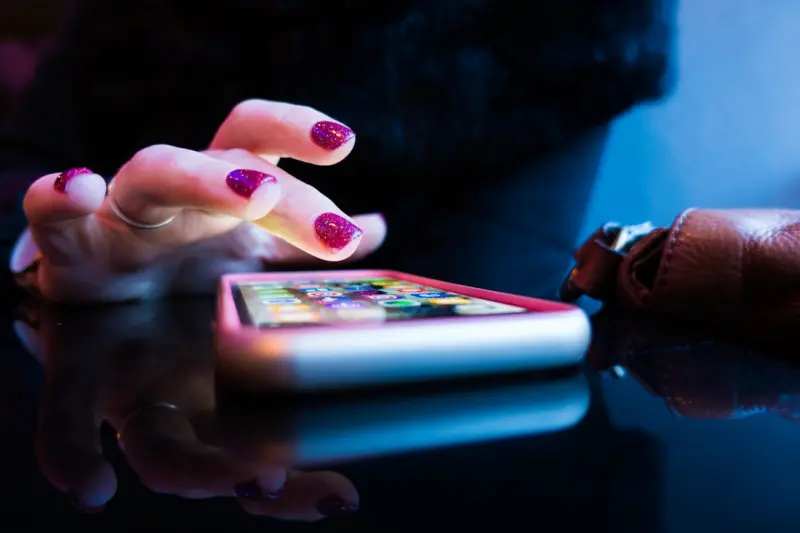
The Untapped Potential of Haptic Feedback
When most people think about mobile app design, they picture sleek visuals, buttery‑smooth animations, and clever copy, but the subtle vibration of a phone often goes unnoticed. I’ve spent countless nights testing prototypes, and the moment a well‑timed buzz replaces a generic pop‑up, users instinctively know something important has happened. That tactile cue cuts through visual clutter, anchoring a moment in the user’s memory without demanding extra screen real estate. In my experience, the quiet power of haptics can turn a functional notification into a delightful, almost instinctive interaction.
Why Your Brain Remembers Vibration More Than Pixels
The human nervous system processes touch faster than sight, a fact backed by decades of neuroscience research that shows tactile signals reach the brain in roughly 30 milliseconds, while visual processing can take up to 70 milliseconds. This speed advantage means a well‑designed haptic pulse can register before a user even reads a banner, creating a subconscious association between the sensation and the app’s intent. Moreover, the brain’s somatosensory cortex assigns greater emotional weight to physical sensations, so a gentle tap can feel more rewarding than a bright color change. By leveraging this physiological fact, developers can craft experiences that feel “alive,” prompting users to respond more quickly and remember key actions long after the screen is turned off.
Real‑World Cases Where Vibration Wins
Consider a mobile banking app that alerts you to a suspicious transaction with a discreet, three‑pulse pattern; the vibration cuts through a crowded notification drawer and signals urgency without compromising privacy. In fitness trackers, a rhythmic tap at the end of a set reinforces completion, turning a simple rep count into a satisfying physical cue that keeps users motivated. Even in casual gaming, a low‑frequency rumble when a character lands a critical hit amplifies excitement, making victories feel more tangible. These examples demonstrate that haptics are not a gimmick but a strategic layer that can elevate utility, motivation, and emotional connection across diverse app categories.
Designing Haptics That Feel Natural
Effective haptic design starts with restraint—overusing vibration can quickly become annoying, so it’s crucial to reserve it for moments that truly merit a physical response, such as confirmations, errors, or milestones. Choose intensity wisely: a soft tap for low‑stakes actions, a sharper buzz for warnings, and a longer pulse for achievements; the pattern should mirror the emotional weight of the event. Timing also matters; a haptic cue that arrives simultaneously with visual feedback reinforces the message, while a delayed buzz can create confusion. Lastly, test across device models, because hardware variations affect amplitude and frequency; a pattern that feels pleasant on an iPhone may feel harsh on an Android flagship. By treating haptics as a design language rather than an afterthought, you ensure every vibration adds meaning rather than noise.
Accessibility: Haptics for Neurodiverse and Visually Impaired Users
For users with visual impairments, vibrations serve as a primary communication channel, translating on‑screen events into perceivable cues that enable independent navigation. Similarly, neurodiverse individuals often benefit from multimodal feedback; a tactile pulse can help them confirm an action when auditory or visual signals become overwhelming. Incorporating customizable haptic settings—such as intensity sliders and pattern selectors—empowers users to tailor the experience to their sensitivity thresholds, fostering inclusivity without compromising the aesthetic for the majority. In my own development projects, adding an “assistive vibration” toggle dramatically reduced support tickets related to missed notifications, proving that thoughtful haptic design is both humane and profitable.
Business Impact: Turning Tactile Moments into Metrics
Data from several app analytics platforms shows that screens with haptic confirmation see up to a 15 % increase in conversion rates compared to visual‑only prompts, largely because users feel assured that their input was registered. Reduced churn follows as users develop a trust loop—each successful vibration reinforces confidence, encouraging repeat interaction. A recent case study highlighted in visual search and voice AI research also noted that multimodal feedback, including haptics, boosts session duration by encouraging deeper exploration. By quantifying these benefits, product teams can justify allocating development resources to fine‑tune haptic patterns, turning a seemingly minor sensory tweak into a measurable revenue driver.
Future Trends: AI‑Generated Haptic Patterns and Wearable Integration
As artificial intelligence becomes more adept at interpreting user behavior, we can expect apps to generate personalized haptic signatures on the fly—adjusting pulse length, rhythm, and intensity based on individual response patterns. Wearable devices like smartwatches and rings will soon sync with smartphones, extending the haptic canvas beyond the phone’s motor to the user’s entire body, creating immersive feedback loops for AR experiences and health monitoring. Imagine an app that gently vibrates your wrist to remind you to stand after prolonged sitting, or a meditation guide that uses a calming pulse to align breathing. These innovations promise to blur the line between digital interaction and physical sensation, making the mobile experience feel truly embodied.
Start Experimenting Today
If you’ve never built a haptic experience beyond the default “tap” feedback, now is the perfect time to dive in. Begin by mapping key user journeys—sign‑up, purchase, error handling—and prototype simple vibration patterns using the native SDKs on iOS and Android. Test with real users, gather qualitative feedback, and iterate on intensity and timing until the buzz feels like an extension of your brand’s voice. For further reading on aligning tactile cues with broader user experience strategies, see human‑centric strategies that emphasize holistic engagement. Remember, a well‑crafted vibration can turn a fleeting interaction into a lasting impression—so let your apps speak not just through sight and sound, but through touch.

Shawn DesRochers is a certified Microsoft technician and Programmer with 30+ year's experience. He has written many reviews on computer related products, software, and SEO related topics. When he's not writing reviews he can be found at one of the Oldest Directories Online Blogging Fusion Business Directory which he is the CEO of.
Related Posts
No‑Code Mobile Apps: Empowering B2B Teams to Build Internal Tools at Speed
No‑code mobile platforms are transforming B2B operations by enabling business users to build secur... Read More
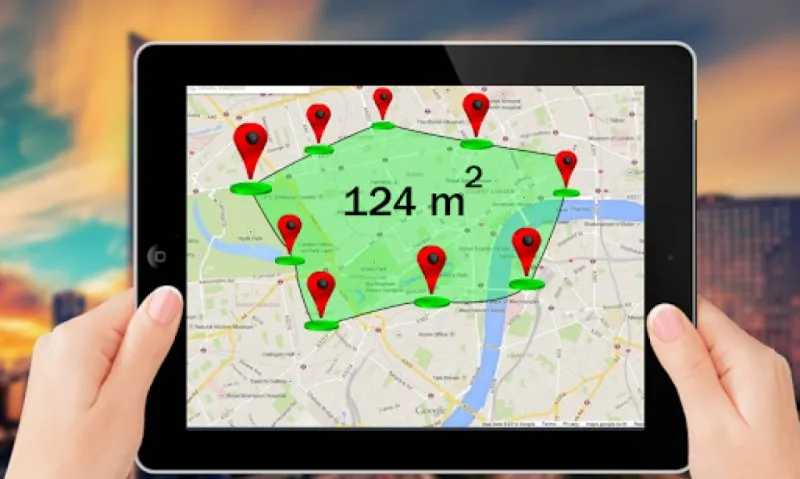
Reconstructing Real Estate : Exploring the benefits of GPS field area calculator app
For centuries, the estimation and measurement of land have been the bedrock of real estate. From anc... Read More
From Pocket to Powerhouse: Rethinking Mobile Apps for the Modern Enterprise
A deep dive into why traditional mobile apps fall short for B2B teams and how a contextual, adaptive... Read More
Top Posts

Creating a Slow‑Living Home: Timeless Decor Tips for Everyday Calm
Explore the art of slow‑living home decor, from layered textures and nature‑infused design to handcrafted details, and learn how thoughtful spaces boost wel...Read More

The Smartphone Revolution: How Mobile Technology is Changing the Way We Live
The smartphone revolution is changing the way we live, work, and interact with one another. Learn how to make the most of this technology and take advantage of ...Read More

Why On‑Demand Insurance Is the Missing Piece for the Modern Workforce
A deep dive into on‑demand insurance, highlighting its dynamic pricing, embedded SaaS integration, and real‑time risk modeling that empowers modern workers ...Read More

When Curiosity Leads the Classroom: A Fresh Take on Modern Learning
A new perspective on education that puts curiosity first, empowers student voice, reimagines assessment, and treats technology as a collaborative partner for de...Read More
0 Comments
Post Comment
You will need to Login or Register to comment on this post!