
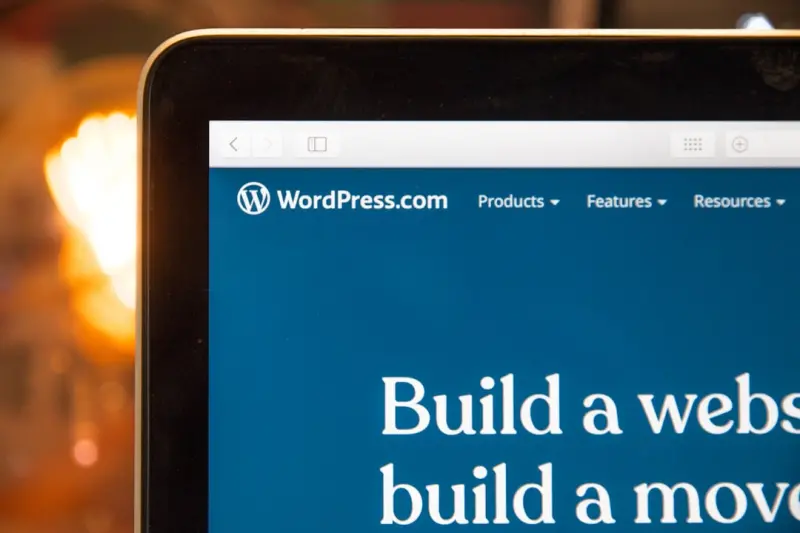
Why WordPress Is the Quiet Powerhouse Behind Modern B2B SaaS Experiences
When I first cut my teeth on content management systems, WordPress was the wild west—a place where anyone could spin up a blog with a single click. Fast forward a few iterations, and that same platform now fuels some of the most sophisticated, data‑driven experiences you’ll find in the B2B SaaS world. It’s not a nostalgic throwback; it’s a strategic advantage that many teams still overlook.
A Fresh Lens: WordPress as an Enterprise Knowledge Hub
Most conversations about WordPress orbit around themes like “best themes,” “SEO plugins,” or “e‑commerce integrations.” Those are valuable, but they miss a larger, more consequential question: How can WordPress become the central nervous system of a SaaS company’s knowledge ecosystem? Think of it as the quiet backstage crew that makes every on‑stage performance seamless—support articles, onboarding guides, API documentation, community forums, and even dynamic product roadmaps can live side by side, powered by the same core.
Here’s why this approach works:
- Unified Content Model: WordPress treats every piece of content—whether it’s a blog post, a tutorial video, or a JSON‑fed data block—as a “post.” That uniformity means you can tag, version, and search across all assets without juggling disparate systems.
- Granular Permissions: With role‑based access control (RBAC) baked in, you can let engineers publish API references while giving product marketers the ability to edit onboarding checklists, all without stepping on each other’s toes.
- Scalable Architecture: Modern WordPress can run headlessly, serving content via REST or GraphQL endpoints to any front‑end framework you fancy—React, Vue, or even a static site generator.
Building the Knowledge Hub Without Reinventing the Wheel
Let’s break down a pragmatic roadmap that a mid‑size SaaS team can follow, from concept to launch.
1. Map Your Content Landscape
Start by inventorying every knowledge asset you currently produce: help center articles, release notes, onboarding checklists, video tutorials, and internal wiki pages. Group them into logical silos—Support, Product Docs, Community, and Marketing Resources. This taxonomy will drive your WordPress taxonomy (categories, tags, custom taxonomies).
2. Choose a Headless Strategy
If you’re already delivering a React‑based SaaS dashboard, consider using WordPress purely as a content API. Install the WPGraphQL plugin (or the built‑in REST API) and expose only the fields you need. Your front‑end can then pull in articles on‑the‑fly, ensuring a snappy user experience without the overhead of a full WordPress theme.
3. Leverage Custom Post Types for Precision
Instead of cramming every document into a generic “post,” define custom post types (CPTs) that reflect your silos:
support_article– for troubleshooting guides.product_release– for changelogs and version notes.community_story– for case studies and user‑generated content.
Each CPT can have its own set of fields via Advanced Custom Fields (ACF) or Gutenberg blocks, giving you the flexibility of a database without building one from scratch.
4. Implement Search That Actually Finds Things
WordPress’s default search is notoriously limited. Plug in a robust search engine like Elasticsearch or Algolia, and index your CPTs along with metadata (tags, version numbers, product lines). This turns your knowledge hub into a self‑service portal that reduces support tickets dramatically.
5. Automate Content Lifecycles
Use WP‑Cron or an external scheduler to retire outdated docs automatically. Pair this with a “review needed” flag that notifies product managers when a document approaches its expiration date. The result is a living knowledge base that stays current without endless manual audits.
6. Secure the Hub for Internal and External Audiences
Not every piece of content belongs to the public. WordPress’s private post status, combined with membership plugins (or an SSO integration), lets you expose internal documentation only to logged‑in staff while keeping the rest of the site open for customers.
Performance Matters: Bringing Edge‑First Thinking to WordPress
Performance is the silent hero of any SaaS product. A knowledge hub that lags can erode trust faster than a buggy UI. The good news? WordPress can adopt many of the same edge‑first performance strategies that power high‑speed web applications.
- Static Caching Layers: Deploy a CDN (Cloudflare, Fastly) to cache API responses and HTML fragments at the edge. For headless setups, cache GraphQL queries for a short TTL to reduce origin load.
- Lazy Loading Assets: Serve images, videos, and even large code snippets only when they enter the viewport. The
lazyloadattribute and nativeloading="lazy"are simple wins. - HTTP/2 & HTTP/3: Modern servers automatically negotiate these protocols, but double‑check that your hosting provider supports them. Multiplexed streams cut round‑trip times dramatically.
- Database Optimization: Index your custom post type tables on fields you query most (e.g., version numbers). Periodically run
WP-CLI db optimizeto keep the MySQL engine humming.
By weaving these practices into your WordPress deployment, you ensure that your knowledge hub not only looks good on paper but also feels instant to end users.
Going Green: Aligning Your Knowledge Hub With Sustainable SaaS Goals
Environmental stewardship is no longer a nice‑to‑have; it’s a business imperative. A lean, efficient WordPress installation can contribute to a greener SaaS practice by reducing server load, cutting energy consumption, and shrinking carbon footprints.
Here’s how to make your WordPress knowledge hub eco‑friendly:
- Choose Green Hosting: Providers that run on renewable energy (e.g., GreenGeeks, Kualo) offset a large portion of the emissions generated by your site.
- Optimize Media: Compress images with WebP, serve videos via streaming services that use adaptive bitrate, and purge unused media files regularly.
- Minimize Plugins: Each extra plugin adds PHP execution time and memory usage. Stick to well‑maintained, lightweight plugins, and remove the rest.
- Implement Server‑Side Rendering Sparingly: Only pre‑render the most critical pages; let the client handle dynamic content to balance load.
When sustainability aligns with performance, you win on two fronts: delighting customers and supporting corporate responsibility goals.
Case Study: A SaaS Firm’s Journey From Disparate Docs to a Unified WordPress Hub
Let’s look at a hypothetical yet plausible scenario—Acme Analytics, a B2B SaaS that provides data visualization tools to enterprise clients.
- Problem: Their support team juggled three separate systems—Zendesk for tickets, Confluence for internal docs, and a static HTML site for public guides. Customers complained about inconsistent information, and the support load was 30% higher than industry benchmarks.
- Solution: The product team migrated all public and internal documentation into a single WordPress instance, using custom post types for “Support Articles,” “API Reference,” and “Customer Stories.” They enabled WP‑GraphQL for their React‑based portal and introduced Algolia for instant search.
- Outcome: Within three months, first‑response time dropped by 22%, support tickets fell by 18%, and the company reported a 12% increase in user activation due to clearer onboarding guides.
This transformation didn’t require a full rebuild of the product; it was a strategic overlay that leveraged WordPress’s flexibility.
Best Practices Checklist
Before you close this article, keep this cheat sheet handy as you architect your WordPress knowledge hub:
- Define clear taxonomies and custom post types.
- Adopt a headless architecture if you have a modern front‑end.
- Integrate a robust search engine (Elasticsearch, Algolia).
- Implement automated content review cycles.
- Apply edge‑first performance tactics (caching, lazy loading, HTTP/2+).
- Choose sustainable hosting and media practices.
- Monitor analytics: search success rates, article view duration, and support ticket deflection.
Final Thoughts: WordPress Isn’t Just a Blog, It’s a Strategic Asset
For B2B SaaS teams, knowledge is power—and the delivery mechanism matters. By treating WordPress as a modular, performance‑optimized, and environmentally conscious knowledge hub, you give your customers the self‑service tools they crave while freeing up your support staff to focus on high‑value interactions.
If you’re still skeptical, remember that the same platform that powers a quarter of the web can be coaxed into running an enterprise‑grade knowledge engine. All it needs is a clear vision, a disciplined implementation plan, and a willingness to look beyond the “blog” label.
Ready to turn your WordPress installation into a silent super‑hero for your SaaS product? The roadmap is laid out—now it’s time to take the first step.

Margaret Thomson is a seasoned freelance writer specializing in the dynamic worlds of marketing and advertising. With a career deeply rooted in the marketing field, Margaret brings a wealth of practical experience and insightful knowledge to her writing.
Related Posts

Most Common WordPress Errors and How to Fix Them
WordPress, the world's most popular content management system, powers over 40% of all websites. Its ... Read More
How to Master WordPress Block Themes Without Coding
Learn step‑by‑step how to build beautiful, SEO‑friendly WordPress sites using block themes, vi... Read More

The Power of WordPress: How This Platform Can Revolutionize Your Online Presence
WordPress is a powerful and versatile platform that can revolutionize your online presence. Learn ab... Read More
Top Posts

Rethinking Web Hosting for SaaS Success
Web hosting is now a strategic differentiator for SaaS firms. This post explains edge‑first architectures, zero‑trust security, and sustainable hosting, off...Read More
Redesigning Education: A Blueprint for Interdisciplinary, Project‑Based Learning
Discover how project‑based, interdisciplinary education can transform classrooms, leveraging technology, AI, and community ties to build critical thinkers rea...Read More

Designing Spaces That Nurture Creativity and Wellness
Discover the latest interior design trends that prioritize human experience, from color psychology to smart tech and biophilic elements, and learn actionable st...Read More

Small Wins, Huge Impact: Building Everyday Momentum
A practical guide to harnessing micro‑habits for lasting lifestyle change, showing how small, consistent actions boost energy, focus, and happiness without ov...Read More
0 Comments
Post Comment
You will need to Login or Register to comment on this post!