
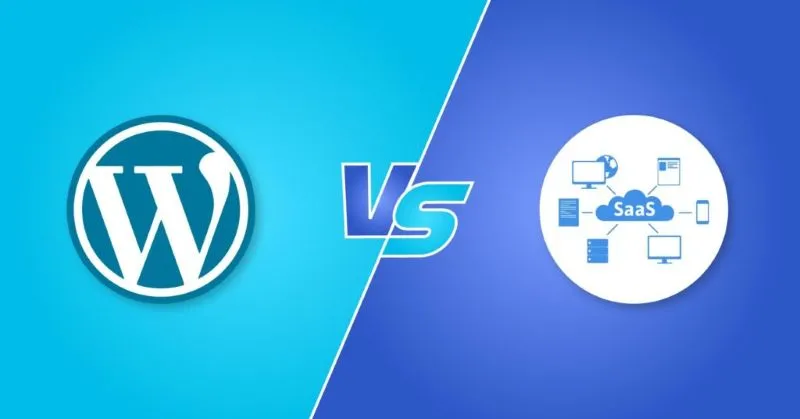
In the fast-paced world of Software as a Service (SaaS), performance is the cornerstone of user satisfaction, retention, and revenue growth. For businesses leveraging WordPress as their SaaS platform, optimizing performance isn’t just a technical task—it’s a strategic imperative. A delay of even half a second in page load time can significantly reduce user engagement and conversions. This article explores actionable strategies to supercharge WordPress performance, ensuring your SaaS platform scales efficiently, delivers seamless user experiences, and stays ahead of the competition.
Why Performance Matters for SaaS on WordPress
WordPress powers nearly 40% of websites globally, making it a popular choice for SaaS startups and enterprises alike. Its flexibility, extensive ecosystem, and cost-effectiveness are undeniable advantages. However, as your SaaS product grows, so do the demands on your WordPress site. From handling high traffic volumes to ensuring lightning-fast feature loading, performance becomes a non-negotiable component of scalability. Poor performance can lead to:
- Increased bounce rates: Users abandon slow sites, directly impacting customer acquisition.
- Higher support costs: Frustrated users contacting support over site glitches.
- Lost revenue: Delays in onboarding or payment processing can derail monetization.
To avoid these pitfalls, a holistic approach to performance optimization is critical. Let’s dive into actionable steps.
1. Leverage Advanced Caching Strategies
Caching is the bedrock of WordPress performance. By storing static versions of dynamic content, caching reduces server load and speeds up load times. For SaaS platforms, a multi-layered caching strategy is essential:
- Page Caching: Tools like WP Super Cache or W3 Total Cache generate static HTML files, drastically reducing PHP processing.
- Object Caching: Use an object cache like Redis or Memcached to store repetitive database queries, minimizing latency.
- OPCODE Caching: Enable tools like OPcache to store precompiled PHP scripts, improving execution speed.
- Browser Caching: Set expiration headers for assets (CSS, JavaScript, images) so returning visitors load pages faster.
For SaaS platforms with real-time features (e.g., dashboards or notifications), combine caching with smart cache invalidation to ensure data stays updated without overloading servers.
2. Optimize Hosting and Server Configuration
Your hosting environment directly impacts performance. Shared hosting, while budget-friendly, often lacks the resources to handle SaaS scalability. Consider these hosting upgrades:
- Managed WordPress Hosting: Providers like WP Engine, Kinsta, or Flywheel specialize in WordPress, offering optimized environments, automatic updates, and premium support.
- VPS or Cloud Hosting: As your SaaS scales, a Virtual Private Server (VPS) or cloud solution (e.g., AWS, Google Cloud) gives you granular control over server resources.
- SSD Storage: Ensure your hosting provider uses solid-state drives (SSDs) for faster data access.
- Server Configuration: Optimize PHP settings (e.g., increase memory limits, optimize
php.ini), enable HTTP/2, and use a lightweight web server like Nginx for better concurrency.
For global SaaS users, distributing traffic via geographically distributed cloud servers reduces latency and improves load times.
3. Database Optimization: Clean and Streamline
A bloated or unoptimized database can slow down WordPress significantly. SaaS platforms, which often host large customer bases and feature-rich interfaces, must prioritize database efficiency:
- Regular Maintenance: Use plugins like WP-Optimize to clean up post revisions, spam comments, and transient data.
- Indexing: Add indexes to frequently queried database tables to speed up query execution.
- Caching: Combine caching plugins with Redis or MariaDB for persistent query caching.
- Database Sharding: For massive SaaS platforms, consider sharding databases to distribute the load.
Additionally, minimize the use of bloated plugins that write excessive data. For custom solutions, work with a developer to normalize database structures and reduce redundancy.
4. Accelerate Assets with CDNs and Media Optimization
Static assets (images, videos, and scripts) often constitute the bulk of a WordPress site’s data. Optimizing them is key to improving load times:
- Content Delivery Networks (CDNs): Services like Cloudflare, KeyCDN, or Amazon CloudFront cache content on global servers, delivering it closer to users. For SaaS platforms with global audiences, CDNs reduce latency and bandwidth costs.
- Image Optimization: Compress images using tools like ShortPixel, EWWW Image Optimizer, or Imagify. Use next-gen formats like WebP and AVIF for smaller file sizes.
- Lazy Loading: Load images and iframes only when they enter the viewport. WordPress 5.5+ includes native lazy loading, but plugins like Lazy Load offer more control.
- Minify CSS/JS: Use plugins like Autoptimize or WP Rocket to concatenate and minify code, reducing the number of HTTP requests.
For video-heavy SaaS platforms, consider hosting videos on Vimeo or Wistia and embedding them instead of uploading directly to WordPress.
5. Choose Lightweight Themes and Plugins
Themes and plugins are both a blessing and a curse for WordPress. While they add functionality, poorly coded ones can cripple performance. For SaaS platforms:
- Stick to Lightweight Themes: Opt for themes designed for speed, such as Astra, GeneratePress, or Neve. Avoid heavily customized themes unless necessary.
- Audit Plugins: Deactivate unused plugins. Tools like P3 (Plugin Performance Profiler) identify resource-heavy plugins.
- Prioritize PHP Quality: Use plugins with clean code, regular updates, and positive reviews. For custom features, hire developers to write optimized, modular code.
- Use Headless WordPress (Optional): For complex SaaS products, consider a headless WordPress setup, where WordPress acts as a backend CMS, and the frontend is built with a framework like React for faster, decoupled performance.
6. Security as a Performance Tool
Security and performance are intertwined. Vulnerabilities can lead to hacks, DDoS attacks, or malware that degrade site speed. Prioritize:
- Web Application Firewalls (WAFs): Use Cloudflare, ** Sucuri**, or iThemes Security to block malicious traffic.
- Regular Updates: Keep WordPress core, themes, and plugins updated to avoid deprecated functions.
- Two-Factor Authentication (2FA): Limit brute-force attacks that strain server resources.
7. Monitor and Continuously Improve
Performance optimization is an ongoing process. Implement tools to track progress and identify bottlenecks:
- Performance Analytics: Use Google PageSpeed Insights, GTmetrix, or Pingdom to audit load times and receive actionable recommendations.
- Real-Time Monitoring: Tools like UptimeRobot or New Relic alert you to downtime or spikes in server load.
- Code Profiling: Developers can use Query Monitor or Blackfire.io to debug slow queries and code inefficiencies.
Conclusion: Performance as a Competitive Advantage
For SaaS businesses, WordPress performance is not a one-time fix but a continuous investment. By combining caching, optimized hosting, database tuning, and asset acceleration, you can ensure your platform scales seamlessly and delights users. Remember: A fast, reliable site isn’t just a technical win—it’s a direct boost to customer satisfaction, retention, and revenue.
Start with the high-impact optimizations (caching, CDNs, and hosting upgrades), then progressively eliminate deeper bottlenecks. With a proactive approach, your SaaS startup can harness WordPress’s power while delivering a performance experience that rivals even the most robust custom-built platforms.
Optimize today, scale smart—because in the SaaS world, speed is the only thing faster than your users’ expectations.

Steph Sanderson is a Toronto-based freelance writer and content creator with a clear passion: crafting compelling articles. With a dedication to clear, engaging prose and a knack for storytelling, Steph brings a wealth of experience to every project.
Related Posts

How to Turn WordPress into Your Personal Knowledge Hub
Learn to repurpose WordPress from a blog into a powerful, self‑hosted second brain—complete with... Read More
WordPress Goes Headless: Turning the Classic CMS into a Modern Content Engine
Discover why shifting WordPress to a headless architecture unlocks faster performance, component‑d... Read More

The Ultimate Guide to WordPress SEO
WordPress is the backbone of over 40% of the internet, lauded for its flexibility and inherent SEO-f... Read More
Top Posts

AI in 2024: Riding the Wave of Authentic, Sustainable Innovation
Ryan Stuart dives into AI’s 2024 impact, blending authenticity, sustainability, and actionable tips for creators navigating the new AI‑driven landscape....Read More

The Future of AI: How Google Gemini is Revolutionizing the Way We Interact
Google Gemini is a cutting-edge AI model that's poised to revolutionize the way we interact with information. Learn more about its capabilities and implications...Read More

Brand Architecture Meets Human Experience: Designing Brands That Feel Like Places
This article introduces Brand Narrative Architecture, a fresh way to view branding as a designed environment where purpose, sensory cues, and user co‑creation...Read More

The Nomadic Professional’s Playbook: Turning Travel Into a Growth Engine
Explore a strategic approach to travel that combines cutting‑edge tools, eco‑friendly choices, and real‑world networking, turning each trip into a catalys...Read More
0 Comments
Post Comment
You will need to Login or Register to comment on this post!