
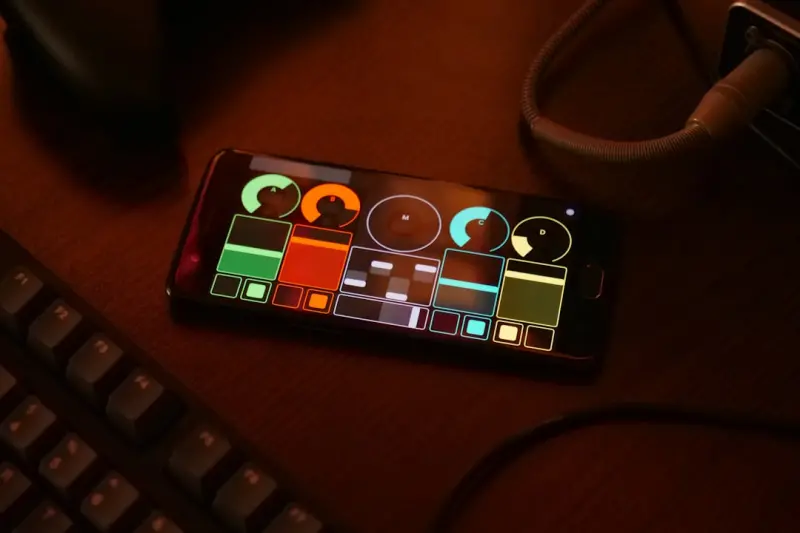
When I first sketched a mobile app wireframe in a coffee‑stained notebook, I was thinking about screens, flows, and the inevitable “wow” moment. Fast forward a few years, and the conversation has shifted from “how flashy can we get?” to “who exactly are we building for?” As a product leader who’s spent a decade juggling B2B SaaS, consumer tools, and a handful of side‑hustles, I’ve learned that the most sustainable competitive edge comes from designing for users who have historically been left out of the UX conversation: neurodiverse individuals.
Why Neurodiversity Deserves a Front‑Row Seat in Mobile App Design
Neurodiversity isn’t a buzzword; it’s a reality that affects roughly 15‑20% of the global population. From ADHD and dyslexia to autism spectrum traits, these cognitive variations shape how users perceive colors, process information, and interact with touch gestures. Ignoring them means you’re unintentionally alienating a sizable slice of your market—and losing out on the loyalty that comes from inclusive experiences.
Beyond the ethical imperative, there’s a compelling business case:
- Higher Retention. Users who feel understood are more likely to stick around. A study from the Nielsen Norman Group showed a 23% lift in retention for apps that incorporated accessibility features.
- Broader Reach. Accessibility improvements often double as usability upgrades for the general population. Think larger tap targets that benefit both seniors and busy professionals.
- Reduced Support Costs. Clearer navigation and better error handling mean fewer “I can’t find the button!” tickets.
In short, designing for neurodiverse users isn’t a niche add‑on; it’s a growth engine.
Getting Grounded: What Does Neurodiversity Mean for Mobile?
Before you start tweaking UI components, it helps to map the most common neurodiverse traits to concrete design considerations:
- Attention Variability (ADHD) – Shorter attention spans, susceptibility to overstimulation. Solution: declutter screens, use progressive disclosure, and limit animation loops.
- Processing Speed Differences (Dyslexia, Dyscalculia) – Difficulty with dense text and complex data. Solution: use clear headings, bullet points, and visual hierarchy.
- Sensory Sensitivities (Autism Spectrum) – Sensitivity to bright colors, sound, and haptic feedback. Solution: offer customizable color themes, optional sound cues, and adjustable vibration intensity.
These guidelines dovetail nicely with universal design principles, but they demand a more intentional, data‑driven approach.
From Theory to Practice: A Step‑by‑Step Playbook
Below is a practical roadmap that you can embed into any mobile development sprint.
1. Conduct Neuro‑Inclusive Research Early
Invite participants who self‑identify as neurodiverse to your usability labs. Use scenario‑based tasks rather than generic “find this feature” tests; the former reveals how they approach problem‑solving under real‑world pressure.
Pro tip: Combine qualitative insights with smartphone sensor data (like motion and gaze) to detect moments of confusion or frustration without asking users to articulate it.
2. Adopt a Modular UI Kit with Adaptive Elements
Build your components with flexibility in mind. For example, a button component should expose properties for:
- Size (default, large, extra‑large)
- Contrast (standard, high‑contrast)
- Animation (on, off, reduced)
When these knobs are exposed in a style guide, designers and developers can rapidly iterate on customizations for different user profiles.
3. Implement “Preference Profiles” in Settings
Give users the power to toggle a Neuro‑Diverse Mode. This single switch could automatically:
- Increase tap target size by 30%
- Switch to a muted color palette
- Turn off non‑essential animations
- Enable text‑to‑speech for form fields
Behind the scenes, store these preferences in a secure, encrypted blob so they persist across devices.
4. Test with Real‑World Interruptions
Neurodiverse users often multitask or experience environmental noise. Simulate these conditions during QA:
- Run UI tests while a low‑volume background soundtrack plays.
- Introduce random network latency spikes to see how loading states are communicated.
- Check that error messages are concise, actionable, and avoid jargon.
5. Leverage Analytics for Continuous Improvement
Instrument your app with event streams that capture:
- Time spent on each screen
- Number of taps per action (e.g., “Add to Cart”)
- Frequency of “Help” button activations
When you notice a particular screen causing high “Help” usage, dive deeper to see if the layout is confusing for users with processing differences.
6. Communicate Your Commitment
Transparency builds trust. Add a dedicated Accessibility & Inclusion section in your app store description, and share your roadmap publicly. Users love to see that you’re listening and evolving.
Tooling that Makes Neuro‑Inclusive Development Feasible
Here are a few tools that have become staples in my workflow:
- Stark – Real‑time contrast checking and color blindness simulation.
- Microsoft Accessibility Insights – Automated UI scans for missing labels, touch target sizes, and more.
- Figma Plugins: “A11y – Color Contrast Analyzer” – Lets designers see how changes affect readability instantly.
- Amplitude’s Behavioral Cohorts – Helps you segment users who enable Neuro‑Diverse Mode and compare their lifecycle metrics against the baseline.
Integrating these tools early—ideally at the design stage—prevents costly rework later in the development cycle.
Measuring the Impact: KPIs That Matter
To convince stakeholders that neuro‑inclusive design isn’t just a feel‑good initiative, track the following metrics:
- Feature Adoption Rate. Percentage of users who enable Neuro‑Diverse Mode.
- Task Completion Time. Compare average times before and after UI adjustments.
- Support Ticket Volume. Look for a dip in “I can’t find X” tickets.
- Net Promoter Score (NPS) Segmentation. Measure NPS among users who have the mode enabled versus the overall cohort.
When you see a steady climb in these numbers, you’ve got solid proof that inclusivity drives growth.
Future‑Proofing: The Next Wave of Neuro‑Inclusive Mobile Experiences
Two emerging trends will amplify the relevance of neuro‑diverse design:
- Context‑Aware AI Assistants. Imagine an AI that senses when a user is struggling—perhaps based on repeated taps or lingering on a screen—and offers a gentle nudge or alternative workflow.
- Wearable Integration. Devices like smart glasses can provide visual cues or auditory prompts that complement the mobile UI, creating a multimodal experience that caters to a variety of sensory preferences.
Both of these pathways intersect with broader sustainability conversations. For instance, an AI that intelligently reduces unnecessary animations also cuts down on battery consumption—tying directly into the principles outlined in Eco‑Friendly SaaS: Building a Greener Software Stack. By aligning inclusivity with eco‑efficiency, you can position your product at the nexus of two powerful market forces.
Closing Thoughts
Designing for neurodiversity isn’t a checklist; it’s a mindset shift that asks you to view every interaction through the lens of cognitive variety. The payoff is twofold: you deliver a genuinely delightful experience to users who have been underserved for far too long, and you unlock a competitive moat that’s hard for rivals to replicate.
If you’re ready to turn this philosophy into tangible product value, start small—introduce a Neuro‑Diverse Mode, gather data, iterate, and let the numbers tell the story. The mobile app landscape is crowded, but the users who feel seen and respected will be the ones who stay, advocate, and drive your growth.

Seth Samual is a name that's quickly becoming synonymous with compelling and insightful writing. As a freelance writer, Seth has carved a niche for himself by delivering high-quality content across a diverse range of subjects.
Related Posts
Inclusive Mobile Apps: Boost Business with Accessibility
Accessibility isn’t just a legal requirement—it’s a strategic growth engine. Learn how designi... Read More
Designing Mobile Apps for Neurodiverse Users: A Fresh Playbook
Learn practical strategies to create mobile apps that serve neurodiverse users, from discovery to va... Read More
No‑Code Mobile Apps: Empowering B2B Teams to Build Internal Tools at Speed
No‑code mobile platforms are transforming B2B operations by enabling business users to build secur... Read More
Top Posts

3 Things You Should Consider When Buying a Used Luxury Vehicle
The allure of a luxury vehicle is undeniable. The whisper-quiet cabins, the exhilarating performance, the sumptuous interiors, and the undeniable prestige—all...Read More
The Sensory Subscription Box Boom: A New Playbook for Modern Parents
A deep dive into the rise of sensory subscription boxes, highlighting their developmental benefits, community support, and the digital tools that make modern pa...Read More
Navigating the Security Frontier in 2026: AI, Zero Trust, and Sustainable Defenses
A deep dive into 2026’s security challenges—AI‑driven attacks, zero‑trust adoption, smart‑home protection, and sustainable defenses—offering actiona...Read More

Micro-Adventure: Redefining Outdoor Recreation One Tiny Trip at a Time
Micro‑adventure offers a fresh, low‑commitment way to experience nature daily. Learn how smart minimal gear, sensory‑rich trails, and community micro‑hi...Read More
0 Comments
Post Comment
You will need to Login or Register to comment on this post!