

Why WordPress Is No Longer Just a Blog Engine
When I first fell in love with WordPress, it felt like discovering a trusty notebook that could magically turn into a magazine, a storefront, or even a community hub with a few clicks. Today, the platform has shed its old skin and is morphing into a powerful API‑first engine that feeds content to any front‑end you can imagine, from static sites to immersive mobile experiences. This shift isn’t a trend; it’s a fundamental rethinking of how we separate content creation from presentation, and it opens doors for developers who crave both the familiar WordPress admin and the lightning speed of modern JavaScript frameworks.
Understanding the Headless Paradigm
In a headless setup, WordPress becomes a pure content repository, exposing data through REST or GraphQL endpoints while the “head” – the user‑facing UI – lives elsewhere, often built with React, Vue, or Svelte. The separation yields measurable performance gains because the front‑end can be statically generated, cached at the edge, and delivered without the overhead of PHP rendering on every request. Moreover, you gain the flexibility to reuse the same content across multiple channels—web, mobile apps, digital signage—without duplicating effort or maintaining parallel editorial workflows.
Choosing the Right API: REST vs GraphQL
WordPress ships with a robust REST API out of the box, offering predictable endpoints for posts, pages, and custom post types, which makes it a solid starting point for most projects. However, when your front‑end demands precise data shapes and you want to avoid over‑fetching, GraphQL shines by letting you request exactly what you need in a single round‑trip. The WPGraphQL plugin adds a full‑featured GraphQL layer, and while it introduces an extra dependency, the payoff is often worth the trade‑off for complex, data‑heavy applications.
Infrastructure Considerations for a Headless WordPress
Running a headless WordPress means you’re essentially managing two separate environments: the CMS back‑end and the static or server‑rendered front‑end. For the CMS, a lightweight VPS that can scale on demand is ideal, especially when you anticipate bursts of content publishing or plugin updates. If you’re unsure where to start, check out Choosing a VPS That Grows With Your Side‑Project for a practical guide on matching resources to traffic patterns without overspending.
Modeling Content with Gutenberg Blocks
Gutenberg isn’t just a visual editor; it’s a block‑based content model that translates beautifully into JSON when you query the API. By designing reusable block patterns—hero sections, testimonial carousels, product showcases—you create a library of modular pieces that front‑end developers can render consistently across frameworks. This approach reduces the need for custom field plugins and aligns the editorial experience with the component‑driven architecture that modern UI libraries champion.
Integrating Modern Front‑Ends
With the API in place, the next step is wiring up a front‑end framework. Tools like Next.js or Nuxt.js provide built‑in static‑site generation (SSG) and server‑side rendering (SSR) capabilities, allowing you to fetch WordPress data at build time for blazingly fast page loads, or on‑the‑fly for dynamic pages such as user dashboards. The key is to keep the data fetching layer abstracted—often a tiny service module that swaps between REST and GraphQL—so you can pivot without rewriting the entire UI.
SEO Strategies for Headless Deployments
Headless architectures can inadvertently break traditional SEO signals if you’re not careful, especially when content is rendered client‑side only. To preserve crawlability, generate static HTML snapshots for critical pages, embed structured data directly in the markup, and ensure that your meta tags are populated server‑side or via prerendering services. A well‑crafted SEO‑friendly headless setup not only retains ranking potential but also leverages the performance benefits that search engines love.
Continuous Delivery and Version Control
One of the hidden gems of going headless is the ability to treat your front‑end as code, fully versioned in Git and deployed through CI/CD pipelines. Every content change in WordPress can trigger a webhook that rebuilds the static site, ensuring the live site is always in sync without manual intervention. This automation reduces human error, speeds up iteration cycles, and gives you the confidence to experiment with new UI patterns without fear of breaking the production environment.
Maintaining a Healthy Headless Ecosystem
While the separation of concerns offers many advantages, it also demands disciplined governance. Regularly audit your plugins, keep the WordPress core up‑to‑date, and monitor API response times to avoid bottlenecks. Embrace a layered security approach—use application firewalls, enforce strong authentication, and consider a dedicated security plugin that aligns with your headless strategy. By treating the CMS as a micro‑service, you preserve its reliability while freeing the front‑end to innovate at the speed of JavaScript.

Seth Samual is a name that's quickly becoming synonymous with compelling and insightful writing. As a freelance writer, Seth has carved a niche for himself by delivering high-quality content across a diverse range of subjects.
Related Posts

Why WordPress Is the Secret Engine Behind Modern B2B Content Hubs
Learn why treating WordPress as a strategic, API‑first content platform—rather than just a websi... Read More
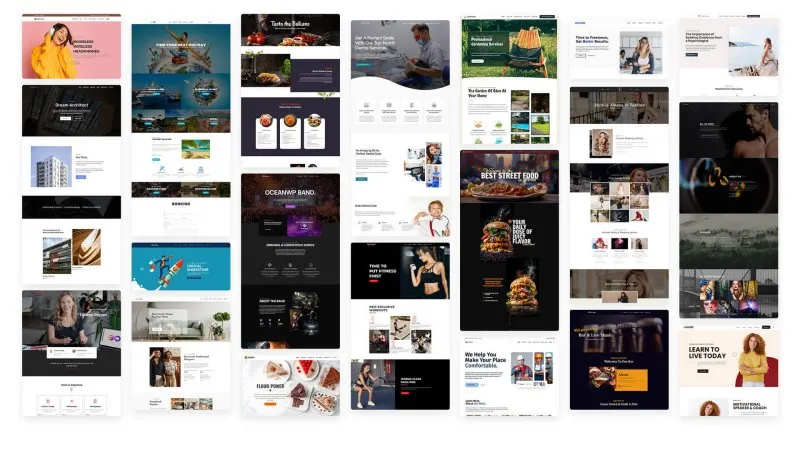
Harnessing All-in-One WordPress Themes for Comprehensive Digital Strategy
In the rapidly evolving landscape of digital presence, the challenge is no longer merely building a ... Read More

The Power of WordPress: How This Platform Can Revolutionize Your Online Presence
WordPress is a powerful and versatile platform that can revolutionize your online presence. Learn ab... Read More
Top Posts

When AI Takes the SERP: Navigating the New Search Frontier
The SERP is evolving into an AI‑powered discovery engine. This post breaks down the new AI‑generated features, why they matter to SaaS marketers, and practi...Read More

Crafting a Meaningful Digital Legacy: A Roadmap for Professionals
A digital legacy protects your data, reputation, and knowledge for future collaborators. This guide outlines practical steps, tools, and ethical considerations ...Read More

The Anticipated Holidays: A Professional Outlook on This Christmas Season's Must-Have Toys
As the festive season approaches, the global toy market enters its most dynamic period, characterized by intense innovation, strategic marketing, and fervent co...Read More

Eco‑Play Revolution: The Shift to Biodegradable Toys
Biodegradable toys are transforming play by combining eco‑friendly materials, smart design, and parental demand, offering a sustainable alternative that educa...Read More
0 Comments
Post Comment
You will need to Login or Register to comment on this post!