
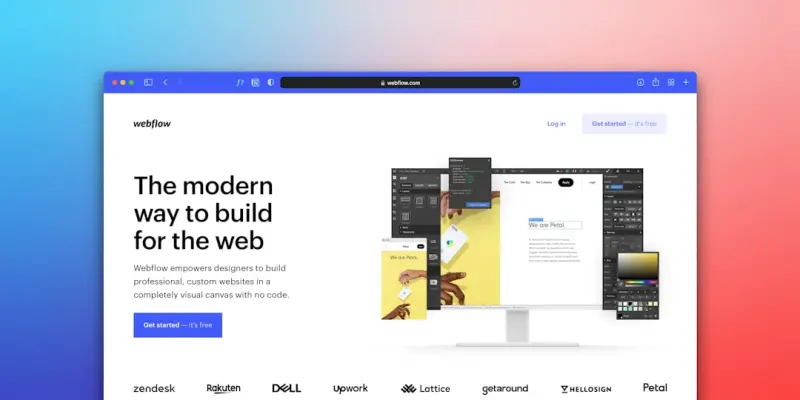
Why Block Themes Are the Game‑Changer I’ve Been Waiting For
When I first opened the WordPress dashboard after a long hiatus, the familiar left‑hand menu felt like a relic from a bygone era, yet the new “Site Editor” greeted me like a sleek, modern studio, promising the kind of visual freedom I’d only dreamed of when I was sketching landing pages on paper; the realization that I could redesign my entire site without a single line of code sparked a thrill that reminded me why I fell in love with web creation in the first place, and it pushed me to dive deeper into the world of block themes, a paradigm shift that blends design intuition with the robustness of the WordPress core. As someone who balances client work with a bustling family life, the promise of a truly drag‑and‑drop experience feels like a breath of fresh air, cutting down the endless back‑and‑forth with developers and freeing up precious hours for creative brainstorming. In this post I’ll walk you through the practical steps I’ve taken to master block themes, share the shortcuts that saved me weeks of trial‑and‑error, and reveal how you can launch a polished, performance‑optimized site without ever opening a code editor.
Understanding the Anatomy of a Block Theme
A block theme is essentially a collection of HTML, CSS, and JSON files that tell WordPress how to render each block, replacing the older PHP‑heavy template hierarchy with a more modular, JSON‑driven system that feels like assembling Lego bricks; this means every piece of your site—from headers to footers, from single posts to archive layouts—can be edited directly in the visual interface, granting you granular control over structure and style without the fear of breaking a PHP function. What truly sets block themes apart is the concept of template parts, reusable sections that can be placed across multiple pages, ensuring brand consistency while allowing for rapid updates; for instance, a single change to a navigation block propagates site‑wide, eliminating the tedious process of editing header files one by one. Grasping this new architecture may feel daunting at first, but once you see how each block translates into a self‑contained component, the learning curve smooths out, and the excitement of building a site becomes almost tactile.
Crafting Layouts with the Site Editor: My Step‑by‑Step Workflow
My go‑to workflow begins with the “Add New” button in the Site Editor, where I select a blank canvas or a starter template, then immediately switch to the block inserter to stack sections like hero banners, content columns, and call‑to‑action blocks, treating each addition as a visual storyboard that maps the user journey; I love the “Pattern Library” because it offers pre‑designed block groups that can be dropped in and customized, cutting down design time dramatically. Once the skeleton is in place, I refine spacing and alignment using the built‑in layout controls, taking advantage of the responsive settings that let me preview how the design behaves on mobile, tablet, and desktop—all without opening a separate responsive design tool. Finally, I lock sections that are finalized to prevent accidental edits, a habit that has saved me from countless “Oops, I moved the footer!” moments, and I publish the draft to a staging environment for a quick stakeholder review before going live.
Leveraging Template Parts for Consistency and Speed
One of the most powerful aspects of block themes is the ability to create reusable template parts, such as a “Featured Product” block or a “Newsletter Signup” section, and then embed them across pages with a single click; I built a custom “Testimonial Carousel” template part that pulls in content from a reusable block, meaning each new testimonial only requires a simple text entry, and the carousel updates automatically site‑wide, which has been a game‑changer for my client projects that demand fresh social proof weekly. To keep things organized, I name each template part clearly—using a naming convention like “Header‑Primary” or “Footer‑Legal”—and store them in the “Template Parts” directory, where they’re easy to locate and edit later; this practice not only improves workflow efficiency but also reduces the risk of duplicate code and styling conflicts. By treating template parts as modular assets, I can iterate on design elements in isolation, test variations with A/B experiments, and roll out updates across the entire site in minutes, freeing up time for strategic initiatives like content marketing or audience engagement.
Global Styles: The Secret Sauce for Brand Cohesion
The Global Styles panel feels like a designer’s dream control room, allowing you to define typography, color palettes, and spacing scales that cascade through every block, ensuring brand cohesion without manually tweaking each element; I set my primary brand color and a complementary accent, then assign them to button blocks, headings, and links, which instantly updates the visual language across the site, creating a harmonious look that would have otherwise required a stylesheet overhaul. I also take advantage of the “Typography” settings to lock down font families and sizes for headings, paragraphs, and captions, which not only speeds up the design process but also improves accessibility by maintaining consistent contrast ratios and line heights. When a client requests a seasonal color shift, I simply adjust the global palette, hit “Save,” and watch the entire site adopt the new vibe, a workflow that feels both magical and incredibly efficient, especially when paired with a style guide that outlines usage rules for future content creators.
Boosting Content Creation with AI Assistance
Writing compelling copy used to be a bottleneck for my projects, but integrating ChatGPT as Your Everyday Creative Partner into the block editing workflow has transformed the process, allowing me to generate headline options, meta descriptions, and even full‑length blog sections directly within the editor by prompting the AI with a brief brief; I simply highlight a paragraph block, invoke the AI sidebar, and receive three polished alternatives in seconds, which I then fine‑tune to match the brand voice. This synergy not only accelerates content production but also sparks creative ideas I might not have considered, such as incorporating storytelling hooks or SEO‑friendly phrasing that resonates with readers; the AI’s ability to suggest internal linking opportunities, like referencing relevant case studies, further enhances site architecture. By treating the AI as a collaborative teammate rather than a replacement, I maintain editorial control while leveraging its speed and breadth of knowledge, ultimately delivering richer, more engaging experiences for visitors.
SEO Foundations for Block‑Based Sites
Search engine visibility doesn’t take a backseat in the block‑centric world; in fact, the structured nature of blocks can improve semantic markup, especially when you use heading blocks, list blocks, and image blocks with proper alt text, which search crawlers love; to deepen my SEO strategy, I reference semantic SEO principles, ensuring each block’s HTML reflects the content hierarchy and meaning, thereby enhancing relevance signals. Additionally, I enable the “HTML Anchor” option on heading blocks to create clean, descriptive URLs for in‑page navigation, which aids both user experience and crawlability. While block themes handle many technical aspects, I still audit core web vitals, optimize image sizes, and employ lazy loading, all of which contribute to faster load times and higher rankings; the combination of visual design freedom and SEO rigor makes block themes a compelling choice for anyone serious about growing organic traffic.
Performance Tuning: Hosting, Caching, and Minimalist Design
Even the most beautiful block theme can falter if the underlying infrastructure isn’t optimized, so I always start by selecting a WordPress‑optimized host that supports PHP 8, HTTP/2, and built‑in object caching, which provides a solid foundation for the lightweight nature of block‑based sites; I also enable a page‑cache plugin that respects the block editor’s dynamic content, ensuring visitors receive fast, cached pages without sacrificing personalized elements like forms. Next, I audit the block library for unnecessary blocks—removing unused patterns and deregistering nonessential scripts reduces HTTP requests and improves load times, a practice that aligns with the minimalist ethos that block themes encourage. Finally, I leverage the “Critical CSS” feature in the Global Styles panel to inline essential styles for above‑the‑fold content, allowing the browser to render the page immediately while the rest of the stylesheet loads asynchronously, a technique that consistently pushes my Lighthouse scores into the “Excellent” range.
Takeaway: Your Next Site Can Be a Block‑Powered Masterpiece
Embracing block themes has reshaped the way I approach web design, turning what once felt like a complex code‑heavy process into an intuitive, visual craft that anyone with a clear vision can master; by understanding the anatomy of a block theme, leveraging template parts, harnessing global styles, and supplementing your workflow with AI tools, you can launch a site that looks professional, performs flawlessly, and ranks well—all without a single line of PHP. I encourage you to experiment with a free block theme, play with the Site Editor’s layout controls, and revisit the internal resources linked throughout this article to deepen your knowledge; the WordPress ecosystem is evolving rapidly, and block themes are at the forefront of that evolution, offering a powerful, accessible pathway to bring your digital ideas to life.

Amanda is a passionate writer exploring a kaleidoscope of topics from lifestyle to travel and everything in between.
Related Posts

Beyond Themes: How Headless WordPress Powers Modern B2B SaaS Experiences
Headless WordPress transforms the traditional blog platform into a flexible content hub for B2B SaaS... Read More
WordPress as the Engine Behind a Seamless SaaS Knowledge Hub
Learn why WordPress can serve as the central nervous system for SaaS knowledge—covering architectu... Read More
5 Reasons Why Everyone is Moving Their Website to WordPress
In today's hyper-connected world, a robust online presence isn't just an advantage – it's an absol... Read More
Top Posts

Shared Hosting: A Pragmatic Launchpad for Bootstrapped SaaS Teams
Discover why shared hosting remains a viable, low‑cost option for early‑stage SaaS products, and get a practical playbook for performance, security, and hyb...Read More

The Quiet Revolution of Sensory Play: Turning Everyday Moments into Brain‑Boosting Adventures
Discover the power of sensory play in everyday life, from simple texture trays to smart safety solutions, and learn how micro‑routines can transform your todd...Read More

Beyond the Grain: Unpacking the Nutritional Benefits of "Nuts" and Their Health Benefits
The term "nut" often conjures images of familiar favorites like almonds, walnuts, and peanuts. These crunchy snacks are widely celebrated for their health-promo...Read More

Neurodiversity and Mental Wellness: Redesigning the Workplace for Every Mind
A deep dive into how neurodiverse talent can flourish when workplaces adopt sensory‑friendly spaces, flexible communication, and robust mental‑health resour...Read More
0 Comments
Post Comment
You will need to Login or Register to comment on this post!