
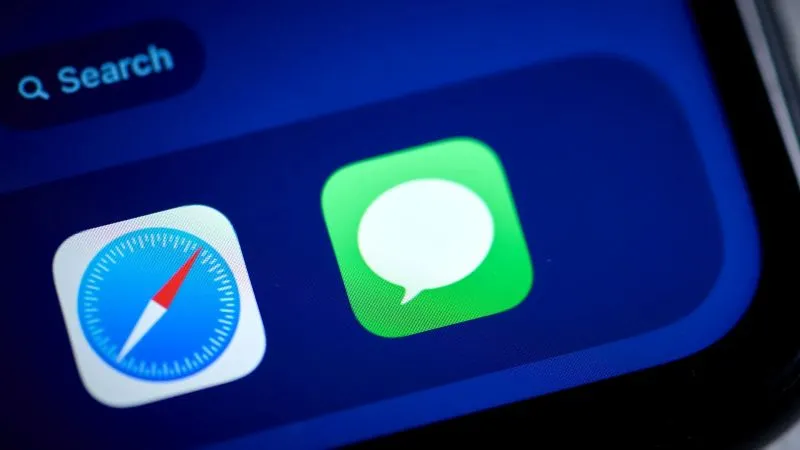
In the evolving landscape of mobile communication, staying connected securely is more important than ever. With the release of iOS 18, Apple finally brought the Rich Communication Services (RCS) standard to the iPhone, promising a more modern texting experience. A primary benefit of this upgrade is that users can now enjoy Encrypted communication when texting between platforms. If you are wondering how to verify that your conversations are private, you have come to the right place.
Moving beyond the traditional SMS and MMS protocols, RCS provides a feature-rich environment that mimics modern messaging apps. However, because this is a cross-platform transition, ensuring your settings are correct is essential. This guide will walk you through the steps to confirm your device is utilizing these security protocols, keeping your digital conversations safe from prying eyes.
Understanding RCS on iPhone
Before diving into the configuration steps, it is helpful to understand why this shift matters. Historically, blue bubbles (iMessage) were secure, while green bubbles (SMS/MMS) were not. By integrating the Universal Profile for RCS, Apple has bridged the gap, ensuring that Encrypted Messages are no longer limited strictly to the Apple ecosystem.
RCS brings features like typing indicators, read receipts, and high-quality media sharing to green-bubble chats. Most importantly, it introduces the security standard necessary for modern digital privacy. This update represents a major win for privacy advocates who communicate with friends and family on Android devices.
The Role of Carriers in Security
While Apple provides the software interface, your cellular carrier plays a significant role in enabling these features. Not every carrier has fully supported the Universal Profile for RCS in the past, but the global rollout is nearly universal now. If your carrier does not support the specific RCS implementation required for these security features, you may find that you remain restricted to standard SMS protocols.
Most major carriers in the United States, Europe, and Asia have enabled this functionality for iOS users. If you find that the features are missing, ensure your carrier settings are up to date. You can check for these updates by navigating to Settings, tapping General, and selecting About.
Verifying Your Settings
Enabling these protections is usually automatic, but it is always best to verify that your iPhone is configured correctly. A quick check of your menu settings will confirm that you are not missing out on the added privacy benefits of the modern messaging standard. Follow these steps to ensure your device is ready.
- Open the Settings app on your iPhone.
- Scroll down until you locate the Apps section.
- Tap on Messages.
- Look for the section labeled RCS Messaging.
Once you are in this menu, you should see a toggle for RCS Messaging. Ensure this toggle is switched to the "On" position. If it is turned off, your iPhone will default to the older, insecure messaging formats. By activating this, you tell your device to negotiate secure connections with other devices whenever possible.
What to Look For in Chats
How do you know if a specific conversation is actually protected? The user interface provides subtle clues that indicate the level of security for your ongoing threads. When you are in a text thread, the input field will often explicitly label the conversation type. If you see the letters "RCS" inside the text box, you are using the modern protocol.
Furthermore, you can inspect the details of the conversation. Tapping on the contact name or the group icon at the top of the chat will show you specific information about the thread. If the protocol is active, the chat will indicate that the messages are supported by the modern standard, ensuring your data remains private.
Troubleshooting Common Issues
Sometimes, technology does not work as intended. If you are certain that both you and the recipient have compatible devices and carriers, but you still see "Text Message" instead of "RCS," there are several steps you can take to troubleshoot the connection. Most issues stem from outdated software or network sync errors.
Start by verifying that both parties are running the latest version of iOS. Apple’s transition to this standard is software-dependent, and earlier versions of the mobile operating system lack the necessary integration. If you are lagging behind on updates, you will not be able to access the high-security features required for modern messaging.
Checking the Recipient’s Capability
Remember that privacy protocols are a two-way street. For a conversation to be truly protected, both the sender and the receiver must be using devices and messaging clients that support the protocol. If the person you are messaging is using an outdated Android phone or has disabled the feature, the system will automatically fall back to insecure SMS.
You can encourage your contacts to check their own settings. By ensuring their messaging apps are updated, you help maintain a secure standard across your entire contact list. It is a collaborative effort that relies on both ends of the digital pipeline being properly configured to maintain the integrity of the data.
Why Privacy Matters in Texting
In an age where data breaches are common, the importance of securing your personal correspondence cannot be overstated. Standard SMS, which has been the default for decades, sends your text messages as plain text over cellular networks. This makes them vulnerable to interception by unauthorized parties or network operators.
By moving toward a standard that supports robust cryptographic protocols, we ensure that only the intended recipient can read the content of our chats. This transition is not just about cool features like high-resolution photos or typing bubbles; it is about reclaiming the right to private communication in a digital world.
The Future of Mobile Communication
The adoption of RCS is a significant milestone for mobile interoperability. It signifies that companies are finally prioritizing the user experience and security over walled-garden strategies. As we move forward, we expect these protocols to become even more sophisticated, offering even higher levels of protection for global users.
As you continue to use your iPhone, stay vigilant about your settings. Regular check-ins with your device configuration will ensure that your security features remain active. Technology is always changing, and keeping an eye on your privacy settings is the best way to safeguard your digital footprint.
Best Practices for Continued Security
Maintaining security is an ongoing process that goes beyond just toggling a switch. Even with the best protocols in place, practicing good digital hygiene is essential. Be mindful of the links you click and the attachments you download within any chat thread. No amount of encryption can prevent a user from clicking on a malicious link.
Additionally, always ensure your device is locked with a strong passcode or biometric authentication. If someone gains physical access to your unlocked phone, they can bypass the network-level protections entirely. Security is a layered approach, and your device settings are just one vital component of that strategy.
Staying Informed
Technology trends move quickly, and Apple often releases security patches that refine these protocols. Keep your iPhone updated to the latest version of iOS to benefit from the most recent security improvements. You can enable automatic updates in the Settings menu under General to ensure you never miss a critical patch.
Engaging with tech communities or reading official Apple support documentation can also keep you ahead of the curve. Being informed is your first line of defense in the digital age. By taking these proactive steps today, you are ensuring that your private life stays exactly that—private.
In conclusion, the integration of advanced messaging standards on the iPhone is a major improvement for all users. By following the steps outlined in this article, you can rest assured that your texts are handled with the highest level of care possible. Check your settings today, confirm your carrier support, and enjoy the peace of mind that comes with knowing your conversations are properly secured.
Communication is the cornerstone of our social lives, and securing it should be a priority for everyone. As the digital landscape continues to evolve, the tools we use to protect our data will become increasingly sophisticated. Embrace these changes, verify your setup, and communicate with confidence knowing that your words are protected by the latest industry standards.
If you encounter any persistent issues while trying to enable these features, consider reaching out to Apple Support or your cellular service provider. They can provide carrier-specific instructions that might resolve deep-seated network issues. Sometimes, a simple reset of your network settings—found in the Transfer or Reset iPhone menu—can clear out old configurations that conflict with new standards.
Remember that your digital presence is your own. Taking these few minutes to verify your messaging security is an investment in your personal privacy. Stay safe, stay connected, and enjoy the seamless, secure communication that your modern iPhone was designed to provide in this new era of connectivity.

Shawn DesRochers is a certified Microsoft technician and Programmer with 30+ year's experience. He has written many reviews on computer related products, software, and SEO related topics. When he's not writing reviews he can be found at one of the Oldest Directories Online Blogging Fusion Business Directory which he is the CEO of.
Related Posts
How to Locate a Lost iPhone, iPad, Apple Watch, and MacBook: A Comprehensive Guide to Finding Your Apple Devices
Losing an Apple device – whether it’s your indispensable iPhone, your versatile iPad, your trust... Read More

The Quiet Powerhouse in Your Pocket: Rethinking Smartphones for Business Efficiency
Explore how smartphones can be transformed into a central workflow hub, sensor‑driven intelligence... Read More

Modular Magic: Reimagining Smartphones for a Sustainable Future
Modular smartphones let you swap out batteries, cameras, and more, turning your phone into a sustain... Read More
Top Posts

When Your Refrigerator Starts Thinking: The Quiet Revolution of Empathetic Appliances
Modern appliances are evolving from cold, silent tools into empathetic partners that learn, anticipate, and collaborate, offering sustainability, data transpare...Read More

The Dark Side of Social Media: How Online Safety Can Impact Your Mental Health
Social media can have a significant impact on our mental health, both positively and negatively. Learn how to prioritize online safety and promote a healthier o...Read More

How to Combat Itchy Eyes Caused By Allergies
Few sensations are as maddeningly persistent and disruptive as the relentless itch of the eyes. When allergies strike, this common symptom can transform a clear...Read More
Dedicated Hosting: The Strategic Backbone for AI‑Ready SaaS Platforms
Dedicated hosting provides the predictable performance, low latency, and security needed for AI‑centric SaaS platforms, enabling cost‑effective scaling and ...Read More
0 Comments
Post Comment
You will need to Login or Register to comment on this post!