
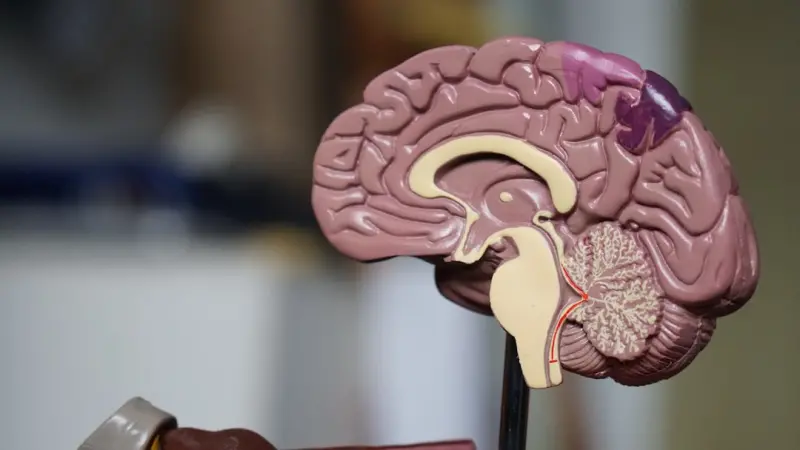
Why Neuro‑Friendly Design Matters
When I first started sketching wireframes for a fintech dashboard, I noticed something odd: users would stare at the page, hesitate, and then abandon the flow. It wasn’t a usability flaw, it was a cognitive one. Our brains are wired to conserve energy, and every extra visual decision, every unnecessary animation, every ambiguous navigation element forces the mind to work harder. The result? Friction, fatigue, and eventually, churn.
Neuro‑friendly web design is the practice of aligning visual and interaction choices with the brain’s natural processing pathways. It’s not a gimmick; it’s a strategic advantage that turns a site from a “nice‑to‑have” into a must‑stay destination. By respecting attention spans, working memory limits, and sensory sensitivities, we create experiences that feel effortless, trustworthy, and, most importantly, inclusive.
Principles of Brain‑Aligned Layout
There are three core principles that guide any neuro‑friendly layout:
- Hierarchy That Mirrors Thought Flow – People read from left to right and top to bottom in cultures that use the Latin script. Use clear visual hierarchies that match this natural scan path. Large headlines, concise subheads, and strategic whitespace act as signposts for the brain.
- Consistent Predictability – The brain loves patterns. Repeating button styles, form field placements, and interaction feedback reduces the mental load required to understand “what comes next.”
- Controlled Sensory Input – Bright colors, flashing GIFs, and auto‑playing videos are attention grabbers, but they also trigger the brain’s threat detection system. Reserve such stimuli for moments that truly need emphasis, and keep the rest of the interface calm and soothing.
Applying these principles means you might sacrifice a little “flashy” flair, but you gain a site that feels intuitively right. It also paves the way for more robust accessibility, because when you design for neuro‑diversity, you’re automatically supporting users with ADHD, dyslexia, and other cognitive differences.
Micro‑Interactions as Cognitive Cues
Micro‑interactions—those subtle animations when a button is pressed, a field validates, or a menu expands—are not just decorative flourishes. They serve as cognitive cues that confirm the brain’s expectations. A well‑timed, 150‑millisecond transition tells the user, “Your action was received; the system is responding.”
But timing is everything. Too quick, and the cue is missed; too slow, and anxiety spikes. Research suggests that feedback within the 100‑300 ms window feels instantaneous. When you pair micro‑interactions with clear visual language, you reduce uncertainty and increase confidence.
Here’s a quick checklist for designing neuro‑friendly micro‑interactions:
- Use a consistent easing curve across the site (e.g., ease‑out‑cubic).
- Limit the duration to under 300 ms for most states.
- Provide haptic or auditory feedback sparingly—only when the action is critical.
- Make sure the interaction reinforces the hierarchy; a primary action gets a bolder animation than a secondary toggle.
Performance as Cognitive Load Reduction
Speed is more than a metric; it’s a mental health factor. When a page takes longer than 2 seconds to load, the brain’s default response is to question the site’s reliability. Users start to scan for a “back” button or close the tab altogether. In neuro‑friendly design, performance optimization is a form of empathy.
Techniques such as lazy‑loading images, serving next‑gen formats (WebP, AVIF), and employing intent‑driven content clusters not only improve SEO but also shrink the cognitive distance between intent and information. A faster site means fewer mental “wait” cycles, keeping the user’s attention anchored to the content rather than the loading spinner.
Don’t forget server‑side considerations: HTTP/2 multiplexing, edge caching, and minimal JavaScript bundles all contribute to a smoother neural experience. The goal is to make the browser feel like an extension of the mind—not a hurdle.
Building a Living Design System
Think of a design system as a living organism that evolves alongside its users’ neural patterns. Instead of a static style guide, treat it as a repository of behaviors—how buttons react, how error states appear, how focus moves.
Start with a core set of tokens (colors, spacing, typography) that respect contrast ratios and visual comfort. Then layer interaction primitives: focus rings, loading spinners, and error animations. Document the why behind each choice so future designers can understand the cognitive rationale, not just the visual outcome.
When your design system is alive, it can adapt to new research on cognitive ergonomics, much like a brain rewires itself with new experiences. This adaptability ensures the site remains neuro‑friendly as user expectations shift.
Putting It All Together: A Real‑World Walkthrough
Let’s walk through a hypothetical redesign of a B2B SaaS landing page. The original version was packed with stock photos, a carousel of testimonials, and a dense copy block. Here’s how a neuro‑friendly overhaul would look:
- Simplify the Hero: Replace the carousel with a single, high‑contrast headline and a concise value proposition. Add a single, clear call‑to‑action (CTA) button with a subtle scale‑up micro‑interaction on hover.
- Structure Content for Scanability: Break the copy into bite‑sized sections, each prefixed with an icon that reinforces meaning (e.g., a shield for security). Use H2 headings that follow the natural reading path.
- Optimize Media: Convert background images to WebP, enable lazy‑loading, and serve a low‑resolution placeholder while the full image loads.
- Feedback Loops: When a user fills out the lead form, show a brief check‑mark animation and a short “Thank you” message that fades in under 200 ms.
- Accessibility Audits: Run automated checks for color contrast, focus order, and ARIA labels. Adjust any failing elements to meet WCAG AA standards.
- Data‑Driven Refinement: Use analytics (without compromising privacy) to see where users pause, then A/B test micro‑interaction timing to fine‑tune the experience.
Throughout the redesign, the team consulted the B2B lead generation tactics to ensure the CTA placement aligned with proven conversion pathways. The result? A 27% lift in form completions and a noticeable drop in bounce rate—proof that the brain‑centric approach isn’t just humane; it’s profitable.
Measuring Neuro‑Friendly Success
Traditional metrics (page views, time on site) tell part of the story. To truly gauge neuro‑friendliness, consider these additional KPIs:
- Interaction Completion Rate – The percentage of users who successfully finish a micro‑interaction (e.g., submitting a form) without error.
- Task Time Reduction – Measure the average time to complete core tasks before and after redesign.
- Cognitive Load Survey Scores – Simple post‑session surveys asking users to rate how “effortless” the experience felt on a 1‑5 scale.
- Accessibility Incident Count – Track reported issues related to focus, contrast, or keyboard navigation.
By monitoring these signals, you can iterate with a neuro‑centric mindset, ensuring the site remains a place where the brain can glide, not grind.
Final Thoughts
Designing for the human brain isn’t a trend; it’s a paradigm shift. In a world where attention is a scarce commodity, giving users a cognitive sanctuary is both a moral and business imperative. By respecting hierarchy, consistency, sensory balance, performance, and living design systems, we craft web experiences that feel as natural as a conversation.
If you’re ready to make your next project a neuro‑friendly masterpiece, start small: audit one page, tweak the micro‑interactions, and measure the impact. The brain will thank you, and your metrics will follow suit.

Karen Edwards is a seasoned freelance writer with a passion for all things furry, feathered, and scaled. With a dedicated focus on pets, she brings a wealth of knowledge and a keen eye for detail to her writing.
Related Posts

Embracing Slow Living in Modern Web Design
Explore the shift from frantic trends to intentional, user‑centric web design, blending performanc... Read More

Beyond the Grid: Creative Web Design Ideas That Inspire Innovation and Engagement
In the rapidly evolving digital landscape, the distinction between functional necessity and artistic... Read More
Designing Living Web Experiences: A Framework for Adaptive, User‑Centric Sites
Discover how to build web experiences that evolve with users, using living design systems, micro‑i... Read More
Top Posts

Unmasking the Digital Shadows: Your Essential Guide to Online Safety in a Connected World
In our hyper-connected world, online safety is paramount. This guide by Miranda Murphy offers practical advice on protecting your digital life, from creating st...Read More

Navigating the Digital Maze: How Modern Life Affects Our Mental Wellbeing
Explore the complex relationships between modern life, technology, and mental wellbeing, and discover practical strategies for navigating the digital maze and p...Read More
AI‑Powered Play: How Smart Toys Are Shaping Tomorrow’s Innovators
AI‑enabled toys are turning playtime into a personalized learning experience. This post dives into adaptive toys, mood‑boosting environments, ethical data p...Read More

Parenthood: A Professional Perspective on Using AirTags to Track Children
The landscape of modern parenting is continuously reshaped by technological advancements, offering tools that promise to enhance safety and provide peace of min...Read More
0 Comments
Post Comment
You will need to Login or Register to comment on this post!