

Why Personal Automation Is the New Superpower for Software Professionals
In a world where every minute saved translates into a competitive edge, the ability to automate routine tasks has shifted from a luxury to a necessity for anyone who lives and breathes software. I’ve watched countless colleagues drown in repetitive ticket triage, manual data entry, and endless context switches, only to realize that the true bottleneck isn’t the code they write but the processes that surround it. By stepping back and treating our daily workflow as a system to be engineered—rather than a series of chores—we unlock a level of efficiency that feels almost magical, freeing mental bandwidth for creative problem‑solving. This mindset doesn’t require a Ph.D. in computer science; it merely demands curiosity, a willingness to experiment, and the right set of no‑code tools that let us prototype automation faster than we ever could with traditional scripting. The result? A personalized productivity engine that runs in the background, quietly handling the grunt work while we focus on building the next breakthrough feature.
Identifying the Repetitive Tasks Worth Automating
The first step toward building a robust automation workflow is a disciplined audit of the tasks that consume the bulk of your day. I start by keeping a running log for a week, noting every action that feels “mechanical” or “routine”—from pulling API logs into a spreadsheet to sending nightly build notifications to a Slack channel. Once the list materializes, I rank each item by frequency, time consumption, and error proneness, because the sweet spot lies where high frequency meets high friction. For example, my nightly report generation used to take fifteen minutes of copy‑pasting and formatting; automating that single step alone reclaimed an hour each week. By focusing on high‑impact tasks first, you create early wins that justify the initial investment of time and keep momentum alive as you expand into more complex workflows.
Choosing the Right No‑Code Platform for Your Needs
With a clear inventory of pain points, the next decision revolves around selecting a no‑code platform that aligns with your technical comfort level and integration requirements. Tools like Zapier, Make (formerly Integromat), and n8n each offer distinct strengths: Zapier shines with its extensive library of pre‑built connectors, Make excels at visual flow design for multi‑step logic, while n8n provides open‑source flexibility for self‑hosted solutions. I personally gravitate toward Make because its drag‑and‑drop interface lets me map out intricate branching conditions without ever opening a code editor, yet it also supports custom JavaScript snippets when I need that extra edge. If you’re already comfortable with WordPress, the no‑code web builders ecosystem can serve as a launchpad for automations that interact directly with your site’s content and user data. Whichever platform you choose, ensure it offers robust error handling, clear logging, and a community of users who share templates you can adapt to your own environment.
Mapping the Workflow Logic: From Idea to Execution
Designing an automation is akin to drafting a blueprint for a piece of software, only the language is visual and the constraints are often more about API limits than compile‑time errors. Begin by sketching the flow on paper or a digital whiteboard: identify the trigger (e.g., a new GitHub issue), the intermediate steps (e.g., enrich the issue with metadata from Jira), and the final action (e.g., post a summary to a Teams channel). From there, translate each node into the corresponding module in your chosen platform, paying special attention to data mapping—ensuring that fields align correctly across services. For more complex scenarios, incorporate conditional branches that route data differently based on content type or priority, and embed delay modules to respect rate limits or business hour restrictions. Remember to document every decision, because a well‑annotated workflow becomes a living artifact that teammates can troubleshoot, iterate, and scale without needing a deep dive into your thought process.
Testing, Iterating, and Adding Resilience
Even the most thoughtfully designed automation will stumble when confronted with real‑world variability, so a rigorous testing regimen is non‑negotiable. I treat each workflow like a unit test suite: start with a handful of controlled inputs, verify that the expected outputs appear in the target system, and then progressively introduce edge cases such as missing fields or API timeouts. Most no‑code platforms provide built‑in logging dashboards where you can monitor each step’s success or failure in near‑real time; leverage these to set up alerts that notify you via email or Slack when something goes awry. To future‑proof your automation, embed retry logic and exponential back‑off mechanisms, and consider adding a “dead‑letter” queue where failed items are parked for manual review. If you need to incorporate advanced decision‑making, a brief foray into AI-powered automation can help classify unstructured data, but always keep a human in the loop for high‑risk actions.
Integrating Automation with Existing Toolchains
Automation reaches its full potential only when it becomes a seamless layer within your existing ecosystem, rather than a siloed add‑on. Identify the primary platforms where your team collaborates—be it Jira, GitHub, Microsoft Teams, or a custom internal dashboard—and ensure your workflow can both read from and write to those systems using secure API tokens or OAuth flows. For instance, linking a ticket‑creation trigger in Jira to an automated code‑review request in GitHub eliminates the manual hand‑off that often introduces delays. Additionally, expose key metrics from your automation—such as the number of processed items per day—through a simple webhook that feeds into your internal analytics dashboard, giving stakeholders visibility into the ROI of the effort. When you embed these automations into daily rituals, they become invisible assistants that enhance, rather than disrupt, the established rhythm of your team.
Scaling and Maintaining Your Automation Portfolio
As you accumulate a suite of automations, the challenge shifts from building to governing them. Adopt a version‑control mindset: export your workflows as JSON or YAML definitions, store them in a Git repository, and review changes through pull requests just as you would with source code. This practice not only provides an audit trail but also enables collaborative refinement and rollback capabilities. Periodically revisit each workflow to assess its relevance—business processes evolve, APIs deprecate, and new features become available that can simplify existing logic. Establish a quarterly “automation health check” where you audit trigger frequencies, error rates, and performance metrics, pruning outdated flows and consolidating overlapping ones. By treating automation as a living codebase, you safeguard against technical debt and ensure that the time saved today continues to compound tomorrow.
Future‑Proofing Your Personal Automation Strategy
The automation landscape is in constant flux, with emerging standards like Webhooks 2.0, serverless functions, and generative AI poised to reshape how we orchestrate tasks. To stay ahead, cultivate a habit of continuous learning: subscribe to newsletters from leading no‑code platforms, experiment with beta features in a sandbox environment, and participate in community forums where users share novel use cases. Consider hybrid approaches that blend low‑code scripts with no‑code connectors, granting you the flexibility to handle edge cases without abandoning the visual simplicity you love. Finally, remember that automation is a means, not an end; always align new workflows with strategic goals—whether that’s reducing time‑to‑market, improving data quality, or freeing up creative bandwidth. By embedding this strategic lens into every automation project, you build a resilient, adaptable productivity engine that grows alongside your career and the ever‑evolving software landscape.

In the world of freelance writing, where creativity and adaptability are paramount, Michelle Fisher stands out as a dedicated and versatile professional. With a passion for crafting compelling narratives and a keen eye for detail, Michelle has established herself as a trusted voice.
Related Posts

Why Developer Enablement Is the New Growth Engine for SaaS
Developer enablement transforms code into a strategic growth lever. This article explains why invest... Read More
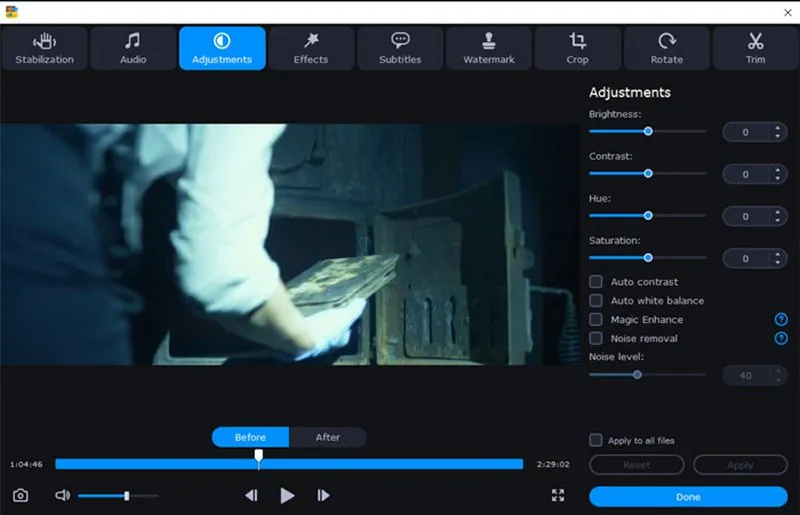
Movavi's video stabilizer a must have
In an age where nearly everyone carries a high-definition camera in their pocket, the sheer volume o... Read More

Developer Experience: The SaaS Game Changer
A deep dive into why investing in developer experience—clear docs, self‑service onboarding, and ... Read More
Top Posts

The Quiet Powerhouse in Your Pocket: Rethinking Smartphones for Business Efficiency
Explore how smartphones can be transformed into a central workflow hub, sensor‑driven intelligence platform, and sustainable asset, delivering measurable busi...Read More

This Small Security Camera Is My New Favorite No-Subscription Choice
For years, the smart home security market has operated on a "razor and blade" business model. We buy the hardware—often at a premium—only to realize that th...Read More

Re‑Thinking Classroom Infrastructure: How SaaS Is Redefining the Learning Space
A deep dive into how SaaS fundamentals—virtual private servers, mobile‑first tools, and interoperable platforms—are reshaping classrooms, empowering teach...Read More

The Transparent Beauty Revolution: Tech‑Driven Skincare That Actually Works
Modern consumers demand transparency, data‑backed efficacy, and sustainability. This post reveals how AI, microbiome research, smart packaging, and communityâ...Read More
0 Comments
Post Comment
You will need to Login or Register to comment on this post!