
Why WordPress Needs a Security‑First Development Mindset
When I first started building sites on WordPress, the mantra was simple: get the theme up, install the plugins, and launch. Security was an afterthought, a checkbox you ticked just before going live. Fast forward a few years, and the landscape has shifted dramatically. Attackers are more sophisticated, supply‑chain compromises are commonplace, and a single breach can cripple a brand’s reputation overnight. In today’s fast‑paced SaaS world, treating WordPress security as a bolt‑on is no longer viable. It must be baked into the DNA of every development cycle.
The Real Cost of Complacency
Consider the average cost of a WordPress breach. Beyond the immediate downtime, you face data loss, legal liabilities, and a steep drop in customer trust. A recent industry survey found that 48 % of compromised sites never fully recover their traffic levels. Those numbers aren’t just statistics—they’re a clear warning that the old “patch‑and‑pray” approach is dead.
Even well‑intentioned site owners can fall prey to hidden dangers:
- Outdated core or plugins that haven’t received a security update in months.
- Misconfigured file permissions that give attackers a foothold.
- Supply‑chain attacks where a popular plugin is compromised upstream.
What’s missing is a proactive, systematic approach that catches these issues before they become catastrophes.
Shifting to a Security‑First Development Mindset
Adopting a security‑first mindset isn’t a single tool or checklist; it’s a cultural shift. It starts with leadership setting the tone: security isn’t a blocker, it’s an enabler. Here’s how to embed that philosophy across your WordPress projects:
- Define security as a core requirement in every project brief, alongside performance and UX.
- Allocate budget and time for security tasks—think of them as feature work, not overhead.
- Empower developers with training, clear guidelines, and the right tooling.
- Measure success with security‑specific KPIs (e.g., time to patch, number of vulnerabilities discovered in CI).
Embedding Threat Modeling Early
Before you write a line of PHP, ask yourself: what could go wrong? Threat modeling forces you to anticipate attack vectors and design mitigations up front. A simple Zero‑Trust WordPress Security mindset can guide this process—assume every component could be compromised and enforce strict verification at every step.
Use a lightweight framework like STRIDE (Spoofing, Tampering, Repudiation, Information disclosure, Denial of service, Elevation of privilege). For each user story, map potential threats and assign mitigations. For example:
- Spoofing: Enforce strong password policies and two‑factor authentication for admin accounts.
- Tampering: Sign core files and use version control to detect unauthorized changes.
- Information disclosure: Limit database error messages and sanitize all inputs.
Documenting these decisions early creates a living security blueprint that guides developers, reviewers, and ops teams alike.
Automated Scanning & CI/CD Integration
Manual code reviews are valuable, but they’re not scalable. Modern CI pipelines can automatically scan your WordPress codebase for known vulnerabilities, insecure functions, and configuration drift. Here’s a practical workflow:
- Static Application Security Testing (SAST): Run tools like PHPStan with security rules or Psalm to catch insecure patterns.
- Dependency Scanning: Use Composer Audit or GitHub Dependabot to flag vulnerable libraries.
- Dynamic Scanning: Spin up a temporary environment and run a tool like WPScan against it.
- Fail the Build if any critical findings appear, forcing remediation before merge.
Integrating these steps ensures that security isn’t an afterthought—it’s a gatekeeper that blocks unsafe code from ever reaching production.
Real‑Time Monitoring & Incident Response
Even the best‑hardened site can be probed by attackers. Real‑time monitoring provides the early warning signs you need to respond swiftly. A robust monitoring stack includes:
- Web Application Firewall (WAF): Choose a WAF that understands WordPress-specific traffic patterns and can block malicious requests before they hit your server.
- Log Aggregation: Forward Apache/Nginx and PHP error logs to a central system (e.g., Elastic Stack or Splunk) for correlation.
- File Integrity Monitoring: Tools like OSSEC or AIDE alert you when core files or plugins change unexpectedly.
- Alerting & Playbooks: Define thresholds (e.g., 5 failed logins in 30 seconds) and tie them to automated Slack or PagerDuty alerts. Couple alerts with runbooks so your team knows exactly how to respond.
When an incident does occur, a pre‑defined response plan reduces chaos. Include steps for containment, forensic imaging, password resets, and post‑mortem analysis.
Leveraging Managed Hosting for Built‑In Defenses
Choosing the right hosting partner can dramatically reduce your security burden. Managed WordPress hosts often provide:
- Automatic core, theme, and plugin updates.
- Server‑level WAFs tuned for WordPress traffic.
- Isolated container environments that limit cross‑site contamination.
- Regular backups with instant restore options.
For teams that prefer a Managed WordPress Hosting approach, these features act as a first line of defense, letting you focus on application‑level security instead of server administration.
The Human Element: Training & Culture
Tools and processes only go so far; people are the weakest link and the strongest defense. Establish a continuous security education program:
- Monthly “Security Sprints”: Dedicate a week each quarter to address technical debt and security enhancements.
- Gamified Training: Use platforms like HackTheBox or OWASP Juice Shop to simulate attacks and teach defensive tactics.
- Peer Reviews: Pair junior developers with senior security champions for code reviews.
- Policy Awareness: Distribute concise, actionable security policies (e.g., “Never store passwords in plaintext”).
When security becomes part of daily conversation, the whole organization moves from reactive to proactive.
Future‑Proofing with AI‑Assisted Defense
AI is no longer a buzzword; it’s reshaping how we detect and block threats. Emerging solutions use machine learning to:
- Identify anomalous login patterns across multiple sites.
- Predict zero‑day exploits based on code similarity to known vulnerabilities.
- Automatically generate remediation patches for common plugin flaws.
While AI tools aren’t a silver bullet, they complement traditional security layers and give you a head start against novel attacks. Keep an eye on reputable AI‑driven WAFs and scanning services—integrate them into your CI/CD pipeline for continuous, adaptive protection.
Practical Checklist: Security‑First WordPress Development
Turn the concepts above into a tangible checklist for your next project:
- Define security requirements in the project brief.
- Perform threat modeling using STRIDE.
- Enforce strong authentication and role‑based access control.
- Integrate SAST, dependency scanning, and dynamic scans into CI.
- Deploy a WordPress‑aware WAF and enable file integrity monitoring.
- Set up centralized logging and real‑time alerts.
- Choose a managed host with built‑in patching and backups.
- Schedule regular security training and sprint cycles.
- Evaluate AI‑driven security tools for anomaly detection.
- Document an incident response playbook and conduct tabletop exercises.
By following this checklist, you transform WordPress from a “quick‑launch” platform into a resilient, enterprise‑grade solution that can withstand today’s threat landscape.
Conclusion: Security as a Competitive Advantage
In the B2B SaaS arena, trust is currency. A WordPress site that consistently demonstrates robust security practices not only protects data but also signals professionalism to clients, partners, and investors. The shift from reactive patching to a security‑first development lifecycle isn’t optional—it’s a strategic imperative. Start embedding threat modeling, automation, monitoring, and culture today, and you’ll find that security becomes a catalyst for growth rather than a constraint.

Jim Pearse, a seasoned freelance writer, brings a wealth of knowledge and passion to the world of home and garden. From the intricacies of landscaping to the nuances of interior design, Jim delves into every aspect of creating comfortable, beautiful, and functional living spaces.
Related Posts
Zero‑Trust Culture: Reinventing WordPress Security
Discover a zero‑trust approach to WordPress security that integrates hardened development pipeline... Read More
Zero Trust for WordPress: Harden Your Site Like a Pro
Zero Trust transforms WordPress security by treating every user, request, and plugin as untrusted un... Read More
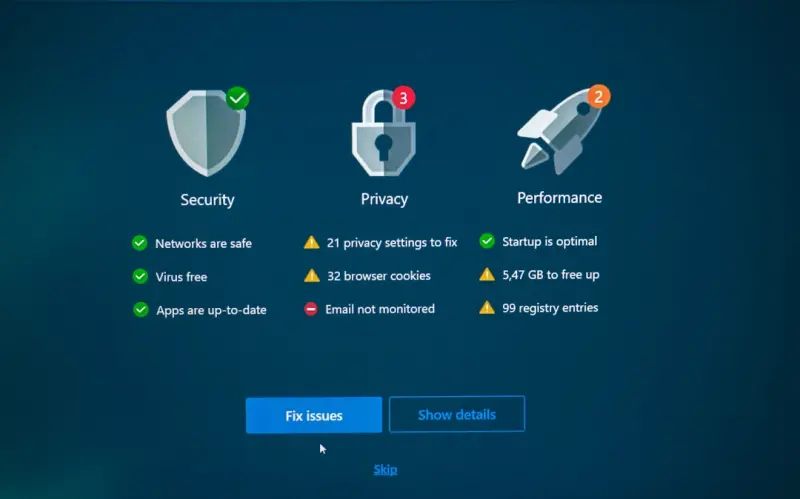
Implementing a Zero‑Trust Mindset for WordPress Security
A deep dive into zero‑trust strategies for WordPress, covering passwordless authentication, VPS is... Read More
Top Posts

Zero‑Click Search Is Redefining SEO Strategy
Zero‑click search is reshaping SEO. Learn why SERP features matter, how structured data wins position zero, and what new metrics replace clicks in today’s s...Read More

Increasing Your Exposure With LinkedIn Publisher
In today's hyper-connected professional landscape, standing out is no longer an aspiration but a necessity. While traditional networking remains valuable, the d...Read More

Recognizing and Responding to Suspicious Activity in Your Banking Accounts
In an era where our financial lives are almost entirely digital, the convenience of online banking comes with the sobering reality of heightened cyber risk. Fin...Read More

The Silent Ring Deception: How Visa Transaction Voicemail Scams are Designed to Trick You
In today's world of sophisticated scams, even the absence of a ringing phone can be a warning sign. A prevalent and increasingly convincing tactic employed by f...Read More
0 Comments
Post Comment
You will need to Login or Register to comment on this post!