
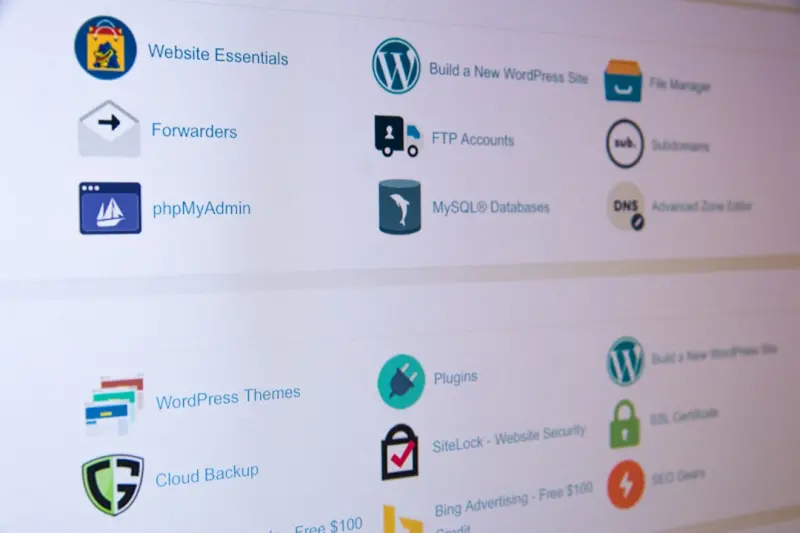
When I first started managing WordPress sites for fast‑growing SaaS teams, I was dazzled by the platform’s flexibility. It felt like a Swiss army knife for content—except every blade was a potential entry point for attackers. Over time I realized that the real power of WordPress isn’t just in the plugins we install, but in the security mindset we bake into every piece of the workflow. This post is my attempt to shift the conversation from “patch the plugin” to “design a zero‑trust culture that protects WordPress from the moment a line of code is written to the second it’s rendered in a browser.
Why Zero‑Trust Makes Sense for WordPress
Zero‑trust isn’t a buzzword; it’s a set of principles that assume no component—user, device, or service—should be automatically trusted. For a CMS that thrives on third‑party extensions, community themes, and frequent content updates, that assumption is a lifesaver.
- Never trust the network. Even a well‑secured internal LAN can be compromised.
- Verify every request. Every API call, every admin login, and every webhook must be authenticated and authorized.
- Least‑privilege access. Users only get the permissions they truly need, no more.
Applying these tenets to WordPress forces us to ask hard questions: Who really needs admin access? How do we keep our development pipeline clean? What does “secure by design” look like for a theme that’s constantly being tweaked?
Step 1: Harden the Development Pipeline
Most WordPress breaches happen because a vulnerable piece of code makes it from a local dev environment to production without proper vetting. The solution starts long before the code touches a live server.
- Git‑based version control. Every change lives in a repository with branch protection rules. No direct pushes to
mainwithout a pull‑request review. - Static analysis tools. Tools like PHPStan or Psalm catch insecure functions (e.g.,
eval(), unsanitized SQL) before they become a problem. - Automated security scans. Integrate Semantic SEO: Building an Entity‑First Strategy for B2B Growth style pipelines—where a scan is a non‑negotiable gate before a merge can be approved. Treat findings as build failures, not optional chores.
When the pipeline itself is locked down, you reduce the attack surface dramatically. Think of it as a “security gatekeeper” that never sleeps.
Step 2: Adopt Immutable Infrastructure for WordPress Hosting
Traditional shared hosting feels comfortable, but it’s a single point of failure. Immutable infrastructure—where servers are rebuilt from a known good image on every deployment—eliminates “drift” and the hidden backdoors that often linger in long‑running instances.
- Containerize WordPress. Use Docker or podman to bundle the core, your theme, and vetted plugins into a single image.
- Infrastructure as Code (IaC). Tools like Terraform let you version‑control your entire stack, from the web server to the database subnet.
- Automated rollbacks. If a new image fails a security scan, the orchestrator automatically rolls back to the last clean version.
Immutable servers embody zero‑trust: you never “trust” a machine because you never reuse it. Each deployment starts fresh, with only the components you explicitly approved.
Step 3: Enforce Granular User Roles and MFA
WordPress’s built‑in role system (Administrator, Editor, Author, etc.) is a good baseline, but it’s far too coarse for most teams. Extend it with a capability‑based approach.
- Custom capabilities. Create a “publish‑restricted” capability that only senior editors receive. Assign it to a custom role, leaving day‑to‑day contributors with “edit_posts” only.
- Multi‑factor authentication (MFA). Enforce MFA for any user with the
edit_theme_optionsormanage_optionscapabilities. Passwords alone are no longer enough. - Session timeout policies. Reduce the window of opportunity for session hijacking by forcing re‑authentication after a short idle period.
These measures ensure that even if a password is compromised, the attacker still needs a second factor and the right role to cause real damage.
Step 4: Deploy a Runtime Application Self‑Protection (RASP) Layer
Static scans are great, but they can’t catch everything that happens at runtime. A RASP solution sits inside the PHP interpreter and monitors behavior in real time.
- Detect unexpected file writes. If a plugin suddenly tries to write to
/wp‑content/uploadswithout proper sanitization, RASP can block it. - SQL injection mitigation. Even if a developer missed a prepared statement, RASP can flag and stop suspicious queries.
- Automatic alerts. Integrate alerts with your incident‑response Slack channel so the whole team knows when something abnormal occurs.
Think of RASP as a “real‑time security guard” that watches every request, not just the ones that pass your CI checks.
Step 5: Implement a Content‑Centric Trust Model
WordPress is ultimately a publishing platform. The most common attack vectors—cross‑site scripting (XSS) and malicious iframes—come from content creators who inadvertently embed unsafe code.
- Rich‑text sanitization. Use the
wp_kses()function with a whitelist of allowed HTML tags and attributes for any user‑generated content. - Content Security Policy (CSP). Deploy a strict CSP header that only permits scripts from your own domain and trusted CDNs. This mitigates the impact of any stray
<script>tags that slip through. - Automated image scanning. Every image uploaded is scanned for hidden malware using a service like VirusTotal before it’s stored.
By treating each piece of content as a potential attack surface, you close the gap that most attackers exploit: the trust we place in our own editors.
Step 6: Secure the Plugin Ecosystem with Intent‑Driven Vetting
WordPress’s greatest strength—its extensibility—can also be its Achilles’ heel. Rather than installing any plugin that promises a quick fix, adopt an Intent‑Driven Link Building: Transforming Backlinks into Trust Engines mindset for plugins.
- Intent analysis. Ask: What specific problem does this plugin solve? Does it align with a documented security requirement?
- Source reputation. Prefer plugins from vendors with a proven track record, open‑source contributions, and transparent security policies.
- Continuous monitoring. Subscribe to the plugin’s change log and CVE feeds. If a vulnerability is disclosed, have a rollback plan ready.
This disciplined approach turns the plugin selection process from a “grab‑and‑go” to a strategic decision that reinforces your overall zero‑trust posture.
Step 7: Conduct Regular Threat‑Modeling Workshops
Security isn’t a one‑time checklist; it’s a living process. Gather developers, designers, and product owners for a quarterly threat‑modeling session.
- Identify assets. List everything: the database, API endpoints, admin dashboard, and even the theme’s customizer.
- Map attack vectors. Consider credential stuffing, supply‑chain compromise, and insider threats.
- Prioritize mitigations. Use a risk matrix to decide which controls (MFA, RASP, CSP, etc.) get immediate attention.
These workshops keep security top‑of‑mind and ensure that new features are designed with threats in mind—not bolted on after the fact.
Step 8: Build a Transparent Incident‑Response Playbook
Even the most hardened WordPress installation can be compromised. When that happens, speed and clarity matter.
- Define roles. Who is the incident commander? Who handles forensic logs? Who communicates with stakeholders?
- Establish a communication channel. A dedicated Slack or Teams room with pre‑written templates speeds up reporting.
- Post‑mortem ritual. After every incident, conduct a blameless post‑mortem. Capture what went wrong, what was fixed, and how the playbook evolves.
A well‑rehearsed response can turn a breach into a learning experience and preserve customer trust.
Step 9: Leverage External Audits and Bug‑Bounty Programs
Internal testing is essential, but a fresh pair of eyes often finds what you missed.
- Third‑party code audits. Hire security firms to review custom themes and plugins annually.
- Bug‑bounty platforms. Offer rewards for responsibly disclosed vulnerabilities. This crowdsourced approach can surface edge‑case exploits faster than any internal team.
- Compliance certifications. If you serve regulated industries, consider ISO 27001 or SOC 2 audits to demonstrate a mature security posture.
These external checks reinforce the zero‑trust principle: never assume your own code is flawless.
Step 10: Keep Learning—Security is a Journey, Not a Destination
My own security philosophy evolved after a small, seemingly innocuous plugin introduced a remote code execution flaw. It reminded me that complacency is the enemy of security. The best defense is a culture that encourages curiosity, continuous education, and a willingness to question the status quo.
Invest in regular training—whether it’s a monthly “security lunch‑and‑learn,” an online course, or a conference ticket. Celebrate security wins publicly to reinforce that protecting WordPress is a shared responsibility, not just the IT team’s burden.
When every team member, from the copywriter to the CTO, embraces the zero‑trust mindset, your WordPress site becomes more than a collection of pages—it becomes a resilient digital asset that can weather the storms of an ever‑evolving threat landscape.
By embedding these practices into the DNA of your WordPress workflow, you move from reactive patching to proactive protection. The result? A site that not only performs beautifully but also stands firm against the relentless tide of modern cyber threats.

In the world of freelance writing, where creativity and adaptability are paramount, Michelle Fisher stands out as a dedicated and versatile professional. With a passion for crafting compelling narratives and a keen eye for detail, Michelle has established herself as a trusted voice.
Related Posts

Zero‑Trust Security Playbook for WordPress Sites
A comprehensive guide to shifting WordPress security from reactive checklists to a proactive zero‑... Read More

Zero‑Trust WordPress: Fortifying Your Site Against Modern Threats
A deep dive into zero‑trust architecture for WordPress, offering practical steps to harden core, v... Read More

Beyond Plugins: A Holistic Approach to WordPress Security
Explore a multi‑layered WordPress security strategy that extends beyond core updates and plugin ch... Read More
Top Posts

The Role of Counseling and Therapy in Alcohol Rehab
Alcohol addiction, clinically recognized as Alcohol Use Disorder (AUD), is a chronic, relapsing brain disease characterized by an impaired ability to stop or co...Read More

A Comprehensive Guide to Utilizing Fall Leaves as Superior Garden Mulch
The annual descent of autumn leaves presents the conscientious gardener and landscape professional not with a disposal chore, but with a foundational resource f...Read More

Creating a Sustainable Home: Eco-Friendly Improvements for a Greener Future
Learn how to create a sustainable home with eco-friendly improvements, reducing your environmental impact while saving money. Explore energy-efficient upgrades,...Read More

Designing a Health‑First Digital Habitat for Modern Professionals
A guide to redesigning your digital surroundings for better sleep, focus, and overall wellbeing, featuring actionable tips on visual clarity, soundscapes, notif...Read More
0 Comments
Post Comment
You will need to Login or Register to comment on this post!