

Why a Plugin‑First Mindset Changes the Game
When I first started tinkering with extensions for my favorite tools, I felt like a kid in a candy store—every new add‑on promised a shortcut, a sparkle, a hidden superpower. That excitement quickly turned into overwhelm as the sheer volume of options threatened to dilute focus rather than sharpen it. Over time I learned that the real magic isn’t in hoarding every shiny widget, but in curating a purposeful, layered ecosystem that amplifies the work you already love.
The Art of Plugin Layering
Think of plugins as the layers of a well‑crafted sandwich: each slice should add flavor without drowning the whole thing. By arranging them in logical tiers—core functionality, optional enhancements, and experimental boosters—you create a structure that’s easy to navigate and resilient to change. This approach lets you swap out a garnish without compromising the bread, keeping the core experience stable while you experiment with new tastes.
Defining Purpose Before You Click Install
Before you even open the marketplace, write down the exact problem you’re trying to solve. Is it automating repetitive data entry, improving visual consistency, or extending analytics beyond the default dashboard? When the goal is crystal clear, you can filter candidates by relevance, performance ratings, and community support, dramatically narrowing the field and preventing “shiny‑object syndrome.”
Sandboxing New Add‑Ons Safely
Every new plugin deserves a trial run in a controlled environment—think of a sandbox or a staging site—where you can observe its impact without jeopardizing live workflows. In this safe space you can monitor load times, conflict warnings, and data integrity, catching issues before they ripple outward. By treating each install as an experiment, you preserve productivity and protect client trust.
Maintaining Hygiene: Updates, Audits, and Security
Plugins, like any software, evolve, and so do the threats that target them. Set a regular cadence—weekly or monthly—to review version histories, read changelogs, and apply patches. Conduct quick audits to retire extensions that no longer serve a purpose; dormant code is a silent invitation for vulnerabilities. A disciplined update rhythm keeps the ecosystem lean and safe, much like regular garden weeding.
Automation Plugins: Turning Repetition into Rhythm
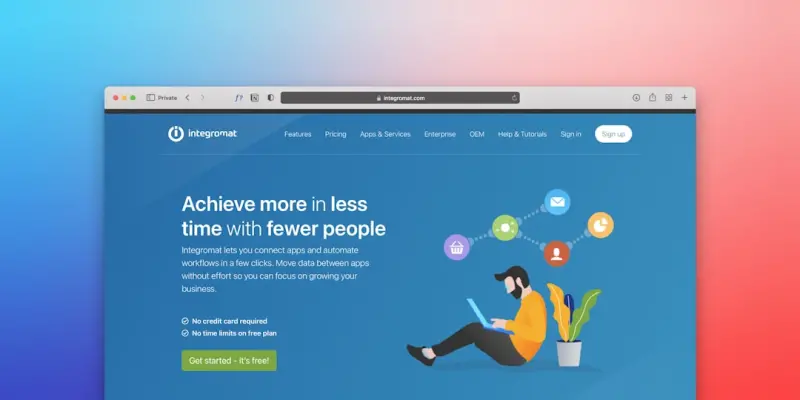
Automation‑focused extensions are the unsung heroes of efficient workflows. Whether you’re connecting a form builder to a CRM, syncing calendar events across platforms, or auto‑formatting images for the web, these tools let you set a rhythm and let the software do the heavy lifting. The result is more mental bandwidth for creative thinking rather than endless manual clicks.
Curating a Minimal Yet Mighty Toolkit for Creators
For content creators, the temptation to fill every niche with a dedicated plugin is real, but restraint breeds mastery. I keep my toolkit to a handful of versatile extensions: one for SEO insights, another for image optimization, a third for version control, and a fourth for social scheduling. This lean selection ensures each tool receives regular attention, updates, and mastery, turning them into reliable allies rather than forgotten accessories.
Future‑Proofing with Knowledge‑Focused Plugins
One of the smartest investments you can make is a plugin that transforms your platform into a living knowledge repository. By capturing notes, tagging resources, and linking related content, you build a searchable archive that grows with every project. If you’re on WordPress, explore how to turn it into a personal knowledge hub—a move that not only centralizes information but also future‑proofs your workflow against platform migrations.
Take the Next Step: Build Your Own Layered Ecosystem
Now that you understand the philosophy behind a layered plugin strategy, it’s time to put it into practice. Start by mapping your core needs, select one or two high‑impact extensions, and test them in a sandbox. As confidence builds, add optional boosters and keep a vigilant eye on updates. With a purposeful, well‑maintained stack, you’ll find yourself working faster, safer, and with far more creative freedom.

When it comes to the world of blogging and writing, Rose DesRochers is a name that stands out. Her passion for creating quality content and connecting with her audience has made her a trusted voice in the industry. Aside from her skills as a writer and blogger, Rose is also known for her compassionate nature.
Related Posts

Why Plugins Are the Secret Engine Driving SaaS Growth
Plugins have evolved from optional add‑ons to strategic growth engines. Learn how to design, gover... Read More

AI‑Powered Plugins Are Rewriting SaaS Workflows
AI‑powered plugins are turning static SaaS platforms into adaptive ecosystems. Learn the cultural ... Read More
Beyond the Core: Leveraging Plugins to Accelerate SaaS Growth
A deep dive into building, monetizing, and marketing a robust plugin marketplace that turns a SaaS c... Read More
Top Posts

Reimagining Child Safety: From Smart Homes to Community Watch 2.0
A fresh look at child safety shows how smart home sensors, sustainable cleaning routines, neuro‑sensitive design, and digital neighborhood networks together c...Read More

Why Audio‑First Social Platforms Are the Next Frontier for B2B Brands
Amanda shares why B2B marketers should embrace audio‑first social platforms, offering a step‑by‑step strategy, data‑driven measurement tactics, and futu...Read More

10 Best WordPress SEO Plugins For Higher Rankings
In today's highly competitive digital landscape, merely having a website isn't enough. To truly stand out, reach your target audience, and convert visitors into...Read More

Turning Side Projects into Career Superpowers
Side projects are more than hobbies—they’re strategic experiments that sharpen skills, expand networks, and future‑proof your career. Learn how to turn th...Read More
0 Comments
Post Comment
You will need to Login or Register to comment on this post!