
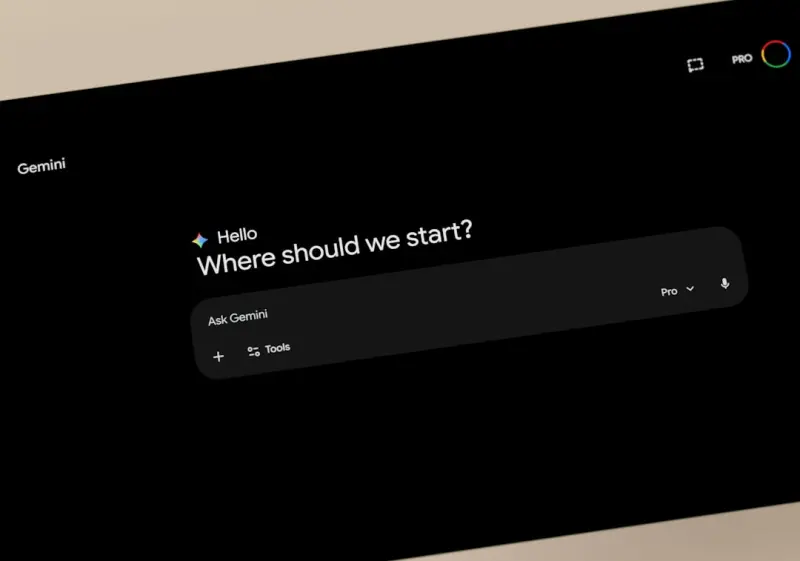
Gemini’s Multimodal Engine: A New Playbook for SaaS Collaboration
When I first heard about Google Gemini, my initial reaction was the same one I get every time a new AI model drops: curiosity tempered by a healthy dose of skepticism. As a product leader who spends her days juggling roadmaps, user feedback, and the endless chase for tighter engineering cycles, I’ve learned that hype rarely translates into real‑world impact without a clear integration strategy. Gemini, however, feels different. It isn’t just another large language model; it’s a multimodal engine that can understand text, images, and even code snippets in a single conversational thread. That capability opens a whole new dimension for SaaS teams that need to collaborate across disciplines—product, engineering, design, and customer success—without forcing anyone to step outside their native workflow.
From “One‑Way” Chatbots to Bidirectional Knowledge Hubs
Traditional chat‑based AI assistants excel at answering questions, but they tend to operate in a one‑way fashion: you ask, they respond. Gemini flips that script by allowing the assistant to ingest visual artifacts—wireframes, error screenshots, data visualizations—right alongside textual queries. Imagine a product manager uploading a high‑fidelity mockup and asking, “What accessibility concerns should I address before the next sprint?” Gemini can parse the layout, flag insufficient contrast ratios, and even suggest code‑level ARIA attributes. The result is a collaborative loop where the AI becomes a co‑author rather than a distant oracle.
Embedding Gemini Directly Into Your SaaS Toolchain
The magic happens when you embed Gemini where your team already lives. A few approaches have proven especially effective:
- In‑Product Help Widgets: Instead of static FAQs, embed a Gemini‑powered widget that can interpret screenshots uploaded by users. When a customer support rep sees a user’s error screen, they can paste it into the widget and instantly receive a triage checklist, reducing mean time to resolution.
- Design Review Channels: Connect Gemini to Slack or Teams. A designer drops a new UI concept image, tags the channel, and the AI replies with a quick heuristic review—layout balance, brand consistency, and even potential performance concerns.
- Code Review Assistants: For engineering teams, Gemini can ingest a diff snapshot and annotate it with suggestions, such as refactoring opportunities or security best practices. Because it understands both natural language and code, the feedback feels conversational rather than a barrage of lint errors.
These integrations transform Gemini from a “nice‑to‑have” chatbot into a living knowledge hub that continuously learns from the artifacts your team creates.
Why Multimodality Matters for Remote Engineering
Remote work has forced many SaaS companies to rely heavily on text‑heavy tools: tickets, specifications, and endless email threads. While text is powerful, it often lacks the nuance that visual context provides. Gemini’s ability to bridge that gap reduces the friction of “explain‑your‑problem” back‑and‑forth. A developer can paste a stack trace screenshot, ask Gemini to summarize the root cause, and receive a concise explanation that includes a link to the relevant documentation—all in seconds.
Case Study: Accelerating Feature Delivery With Gemini
One of our beta customers, a mid‑size SaaS platform focused on project management, integrated Gemini into their internal Confluence space. Their workflow looked like this:
- A product manager drafts a feature brief and attaches a quick UI sketch.
- The brief is sent to the engineering squad’s channel, where Gemini automatically extracts acceptance criteria from the text and visual cues from the sketch.
- Developers start coding, and whenever they hit a roadblock, they drop a screenshot of the error into the same channel. Gemini returns a step‑by‑step troubleshooting guide, citing relevant code snippets from the repo.
- During QA, testers upload video recordings of edge‑case behavior. Gemini flags potential regressions and suggests additional automated test cases.
Within six weeks, the team reported a 30% reduction in cycle time and a noticeable lift in cross‑functional alignment. The key wasn’t just the AI; it was the fact that Gemini could understand and act on the same visual language the team used every day.
Balancing Automation With Human Judgment
It would be a mistake to think Gemini can replace human expertise. The model excels at surface‑level synthesis—identifying patterns, surfacing documentation, and offering first‑draft suggestions. The final decision, especially for high‑impact product changes, still rests with the team. Think of Gemini as a “first responder” that clears the low‑hangfire tasks, freeing senior engineers and product leaders to focus on strategic thinking.
Data Governance and Security Considerations
Embedding a multimodal AI into a SaaS workflow raises legitimate concerns around data privacy. Gemini processes content in the cloud, so you need to ensure that any proprietary designs, code, or customer data are either anonymized before ingestion or that your organization has a strict data‑processing agreement with Google. A practical approach is to create a “sandbox” channel where only non‑sensitive artifacts are shared with the AI, while a separate, tightly controlled environment handles confidential material with additional encryption layers.
Integrating Gemini With Existing Low‑Code Pipelines
If your organization already leverages low‑code integration platforms, you’ll be pleased to know that Gemini plays nicely with them. For example, you can pair Gemini’s multimodal insights with a low‑code data orchestration tool to automatically enrich incoming support tickets. When a ticket arrives with an attached screenshot, Gemini extracts the error code, enriches the ticket with a knowledge‑base link, and routes it to the appropriate engineer—all without writing a single line of code. To learn more about building such pipelines, check out Low‑Code Data Integration: Turning Fragmented Sources into Real‑Time Insight.
Future‑Proofing Your Product With Gemini
Google is already hinting at next‑generation features like real‑time video analysis and interactive code generation. By establishing a Gemini‑centric collaboration culture now, you position your SaaS product to adopt those upgrades seamlessly. The habit of treating AI as a co‑creator rather than a static tool will make future integrations feel like natural extensions rather than disruptive overhauls.
Practical First Steps
Ready to experiment? Here’s a quick starter checklist:
- Identify a low‑risk use case: Something that doesn’t involve sensitive data—perhaps internal design reviews or public documentation generation.
- Set up a dedicated channel: Create a Slack or Teams channel solely for Gemini interactions to keep the conversation focused.
- Define success metrics: Track time saved per ticket, reduction in clarification loops, or improvement in sprint velocity.
- Iterate fast: Collect feedback from the first users, refine prompts, and expand the scope gradually.
If you’re looking for inspiration on how AI can already enhance other aspects of SaaS, the article Semantic SEO for Dynamic Apps: Turning JavaScript into Rankings offers a great example of leveraging AI for technical optimization. The underlying principle—using AI to translate complex artifacts into actionable intelligence—is the same one we’re applying with Gemini.
Conclusion: A Collaborative AI That Speaks Your Team’s Language
Gemini is more than a headline‑grabbing model; it’s a multimodal collaborator that can ingest the same visual and textual cues your team uses every day. By embedding it directly into the tools you already trust, you create a feedback loop that accelerates decision‑making, reduces friction, and frees up human talent for higher‑order problems. The future of SaaS product development isn’t about replacing people with AI—it’s about augmenting our collective intelligence with a partner that can see, read, and suggest—all at the speed of a chat message.
So, the next time you’re drafting a feature spec, sketching a UI, or debugging a rogue error screen, consider pulling Gemini into the conversation. You might just discover a new rhythm of work that feels both faster and more human.

Lauren Miller is a true outdoors enthusiast who has found her passion in the trades. When she's not working hard on the job, you can find her writing, camping, fishing, and exploring all that nature has to offer. A dedicated partner to her wife Beth, Lauren loves nothing more than spending quality time together and experiencing the great outdoors side by side.
Related Posts

Google Gemini: The Playbook for the Next AI Wave
Discover how Google Gemini reshapes AI with multimodal magic, SEO shifts, and practical steps for re... Read More

Why Google Gemini Is the Secret Sauce for Smarter B2B SaaS Operations
Google Gemini’s multimodal capabilities let SaaS teams unify text, images, audio, and video into s... Read More
Unpacking Google Gemini: A New Playbook for Data‑Driven Product Roadmaps
Google Gemini’s multimodal capabilities let SaaS teams blend text, images, and code into actionabl... Read More
Top Posts

Are Free VPNs Worth It? Top Advantages You Need to Know
The use of Virtual Private Networks (VPNs) has skyrocketed in recent years due to the growing concern for online privacy and security. VPNs encrypt your interne...Read More

When SaaS Turns Into a Scam: Spotting Dark Patterns and Hidden Fees
A deep dive into the tactics scammers use in SaaS—dark UI tricks, subscription fatigue, and data‑leverage extortion—and practical steps to safeguard your ...Read More

Building SEO Resilience: Strategies to Thrive Amid Algorithm Turbulence
Discover a resilience‑first approach to SEO that combines diversified keyword clusters, robust technical foundations, user‑experience signals, and authentic...Read More

The Hidden ROI of Ethical Influencer Partnerships for Media Agencies
A deep dive into why ethical influencer partnerships are the untapped growth engine for media agencies, offering higher ROI, brand trust, and long‑term client...Read More
0 Comments
Post Comment
You will need to Login or Register to comment on this post!