
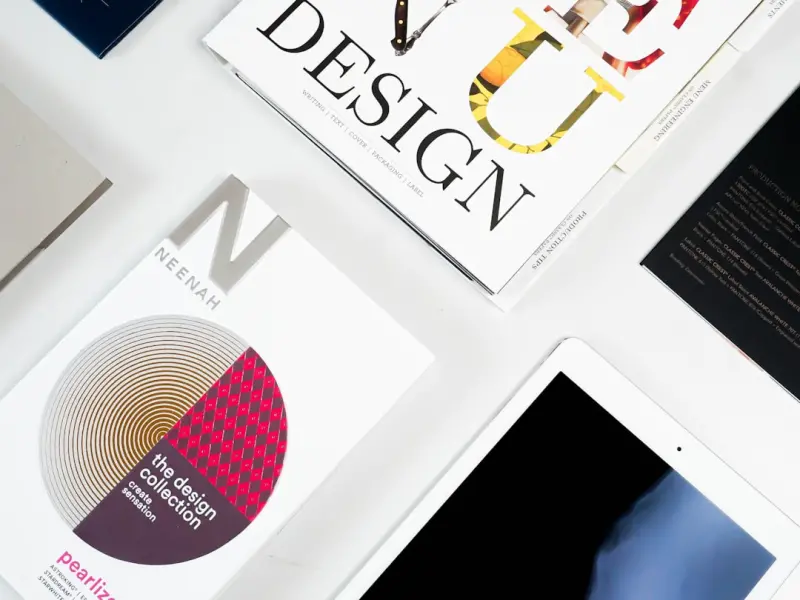
When I first stumbled upon the term “legal design,” I felt a flicker of déjà vu. It was the same moment I realized that the dense, labyrinthine contracts that haunted my desk could be reimagined as clear, navigable experiences—much like a well‑crafted app or a thoughtfully designed public space. As a seasoned attorney who has spent the better part of two decades drafting, negotiating, and litigating, I’ve learned that the law’s greatest power lies not in its complexity, but in its accessibility. This post is a deep dive into why legal design, bolstered by emerging technology, is the antidote to the opacity that has long plagued our profession.
Why Traditional Legal Documents Fail the Modern User
At their core, legal documents are contracts between people. Yet, the average contract reads like a foreign language: archaic terms, endless clauses, and a layout that discourages even a cursory glance. The consequences are tangible:
- Compliance gaps: When parties can’t grasp obligations, they inadvertently breach them.
- Increased litigation: Misunderstandings fuel disputes, draining resources for both firms and clients.
- Client dissatisfaction: A client who feels bewildered by the paperwork is less likely to stay loyal.
These outcomes are not merely inefficiencies; they erode trust in the legal system itself. The question, then, is not “how can we write clearer contracts?” but “how can we redesign the entire experience of interacting with the law?”
Defining Legal Design: More Than Just Pretty Layouts
Legal design is an interdisciplinary practice that blends law, UX design, psychology, and technology. It asks three fundamental questions:
- What is the user’s primary goal?
- What information do they truly need to achieve that goal?
- How can we present that information in the most intuitive way?
In practice, this means moving away from dense blocks of black‑letter text toward modular, visual, and interactive formats. Think of a contract that uses:
- Clear headings and subheadings that act as signposts.
- Icons or color‑coded risk indicators that instantly flag critical clauses.
- Expandable sections that let users dive deeper only when needed.
The result is a document that feels less like a legal labyrinth and more like a guided journey.
The Technological Catalysts Powering Legal Design
Technology isn’t just a nice‑to‑have add‑on; it’s the engine that makes large‑scale legal design feasible. Below are three tech trends that have a direct impact:
- Artificial intelligence: AI can automatically flag ambiguous language, suggest plain‑English alternatives, and even generate first‑draft clauses based on user intent.
- Interactive web platforms: Cloud‑based editors allow multiple stakeholders to collaborate in real time, embedding visual aids and conditional logic without needing a designer’s hand.
- Data‑driven storytelling: By analyzing how users interact with a contract—where they pause, what they highlight—law firms can iterate on design patterns that truly resonate. For an inspiring example of turning data into narrative, see data‑driven storytelling.
These tools, when combined with a design‑first mindset, transform a static legal document into a living, adaptive experience.
From Theory to Practice: A Step‑by‑Step Blueprint
Adopting legal design isn’t a overnight overhaul. Below is a pragmatic roadmap that any firm—large or boutique—can follow.
1. Conduct a User Research Sprint
Gather real users (clients, partners, internal teams) and observe how they currently interact with your documents. Capture pain points, language they struggle with, and the moments where they abandon the reading altogether.
2. Map the User Journey
Create a visual map that outlines each touchpoint: receipt of the document, review, signing, and post‑signing obligations. Highlight decision‑making nodes where clarity is critical.
3. Draft with Plain Language Principles
Replace jargon with everyday terms. When a legal term is unavoidable, pair it with a succinct definition in a tooltip or footnote. This technique mirrors the human‑centric branding approach that places the user’s comprehension front and center.
4. Introduce Visual Hierarchy
Utilize typography, spacing, and icons to guide the eye. Critical obligations can be highlighted with a bold color bar, while optional clauses sit in a lighter shade. The goal is to reduce cognitive load.
5. Prototype with Interactive Tools
Leverage platforms that support conditional logic—e.g., “If you select ‘Option A,’ then Clause X appears.” This mirrors the adaptability seen in modern SaaS products, ensuring the document evolves with the user’s selections.
6. Test, Iterate, and Scale
Run usability tests with a small cohort, gather quantitative metrics (time to complete, error rate), and qualitative feedback (confidence levels). Refine the design before rolling it out firm‑wide.
Real‑World Illustrations of Legal Design in Action
To illustrate the transformative power of legal design, let’s explore two contrasting case studies.
Case Study A: A FinTech Startup’s Onboarding Contract
The startup originally used a 30‑page PDF full of dense legalese. Users abandoned the onboarding process 42% of the time. By applying legal design principles, they:
- Reduced the contract to a 5‑page interactive web flow.
- Embedded visual risk meters next to fee clauses.
- Implemented AI‑generated plain‑English summaries for each section.
The result? Completion rates jumped to 89%, and the customer support team reported a 63% drop in contract‑related queries.
Case Study B: A Municipal Government’s Public‑Policy Ordinance
Local governments often publish ordinances that are inaccessible to everyday citizens. By collaborating with a design studio, the city transformed its zoning ordinance into a searchable, map‑driven interface. Residents could click on a neighborhood, view the relevant rules, and see visual overlays that explained restrictions in plain language.
Citizen engagement increased dramatically, and the city observed a 27% reduction in compliance violations during the first year.
Overcoming Cultural Resistance Within Law Firms
Even the most compelling data can’t silence a deeply entrenched culture that equates “legal rigor” with “complex language.” Here are three strategies to win internal champions:
- Show, don’t tell: Conduct a live demo of a redesigned contract and let the team experience the ease of use firsthand.
- Quantify benefits: Track metrics such as reduced review time, lower amendment cycles, and fewer client escalations. Numbers speak louder than aesthetics.
- Integrate design into existing workflows: Pair a design lead with a senior associate on a pilot project, ensuring that design becomes a collaborative, not a disruptive, effort.
When the firm recognizes that design improves accuracy—not compromises it—skepticism fades.
The Emerging Landscape: Where Legal Design Meets Emerging Tech
Looking ahead, three innovations promise to push legal design beyond static documents:
- Smart contracts on blockchain: These self‑executing agreements can be visualized through dashboards that display real‑time status, payment triggers, and compliance alerts.
- Voice‑activated legal assistants: Imagine a client asking, “What does my lease say about subletting?” and receiving a concise, spoken summary drawn from the contract’s clause hierarchy.
- Augmented reality (AR) overlays: For complex construction contracts, AR could project risk zones directly onto a building site, linking contractual obligations to physical locations.
Each of these advances hinges on the same principle: making the law intuitive, interactive, and instantly understandable.
Practical Tips for Solo Practitioners and Small Firms
Legal design isn’t exclusive to multinational firms. Solo practitioners can start small:
- Use free design tools: Platforms like Canva or Figma have templates for contracts that emphasize clean typography and visual hierarchy.
- Leverage AI writing assistants: Tools such as ChatGPT can suggest plain‑English alternatives and generate clause summaries.
- Iterate with client feedback: After each engagement, ask a simple question: “Did the contract make sense to you?” Use the response to refine the next version.
Conclusion: A Call to Re‑Imagine the Law’s Interface
The law has always been a living system—adapting to new societies, technologies, and expectations. Legal design is simply the next evolutionary step, a bridge that connects the rigor of statutes with the lived experience of people. By embracing design thinking, harnessing AI, and committing to user‑centric iteration, we can finally deliver contracts, policies, and disclosures that empower rather than intimidate.
If you’re ready to start this journey, remember that the first draft is never perfect; it’s the continuous process of testing, learning, and redesigning that creates lasting impact. The law will be better for it, and your clients will thank you for the clarity you provide.

Margaret Thomson is a seasoned freelance writer specializing in the dynamic worlds of marketing and advertising. With a career deeply rooted in the marketing field, Margaret brings a wealth of practical experience and insightful knowledge to her writing.
Related Posts

When a Common Law Relationship Ends: Navigating the Breakup
Common law relationships, also known as cohabitation agreements in some jurisdictions, are increasin... Read More

The Intersection of Law and Technology: Navigating the Complexities of Online Security
The intersection of law and technology has significant implications for online security. Learn how t... Read More

AI-Generated Contracts: Risks and Rewards
AI is rapidly entering the contract drafting arena, offering unprecedented speed and data‑driven i... Read More
Top Posts

Why Managed WordPress Hosting Is the Quiet Engine Behind Scalable SaaS Sites
A practical guide from Karen Edwards on why managed WordPress hosting is essential for SaaS growth, covering hidden costs of DIY hosting, key benefits, integrat...Read More

The Sustainable Food Revolution: How Eco-Friendly Practices are Changing the Way We Eat
The sustainable food revolution is changing the way we eat. Learn how eco-friendly practices, plant-based diets, and sustainable food systems are promoting a he...Read More

The Secret Power of Curated Experience Gifts
Turn ordinary celebrations into unforgettable memories with experience‑focused gifts that speak to personality, purpose, and lasting impact. From cooking clas...Read More

Beyond the Mirror: How AI and AR Are Redefining Beauty Experiences
A deep dive into the technologies—AI, AR, smart packaging, and community‑driven insight—revolutionizing the beauty industry, delivering hyper‑personaliz...Read More
0 Comments
Post Comment
You will need to Login or Register to comment on this post!