
Why Your SaaS Knowledge Base Is the Secret SEO Weapon You’ve Ignored
When I first stepped into the SaaS arena, I thought SEO was all about keyword research, backlinks, and the occasional blog post. That mindset served me well for a while, but it also left a massive chunk of organic potential untapped. The hidden goldmine lives right under your nose: the product documentation, help center, and knowledge base that you already publish for existing customers. These assets are not just support tools; they’re high‑intent landing pages that search engines love when they’re structured correctly.
From Support Hub to Search Engine Magnet
Think about the typical search journey of a B2B buyer. Before they ever request a demo, they’re Googling questions like “how to set up single sign‑on in product X” or “troubleshoot API rate limit errors”. If your knowledge base answers those queries with clear, concise content, you’re already ranking for the very terms that drive qualified leads.
But most SaaS companies treat their docs as a static afterthought: a PDF dump or a simple list of articles with no SEO strategy. That’s a lost opportunity. By aligning the architecture of your knowledge base with search intent, you can capture demand that your sales team hasn’t even heard about yet.
The Three Pillars of a Search‑Optimized Knowledge Base
- Intent‑First Content Structuring – Organize articles around the questions your users ask, not around internal product modules.
- Technical SEO Foundations – Schema markup, clean URLs, and fast loading speeds are non‑negotiable for crawlers.
- Authority Signals – Earn backlinks and internal link equity by treating each article as a mini‑landing page.
When you master these pillars, your knowledge base transforms from a silent support desk into a bustling traffic generator.
Step 1: Map User Intent Before You Write a Word
Start with a thorough audit of the queries that bring users to your support portal. Tools like Google Search Console, Ahrefs, or even the internal search logs can reveal high‑volume, low‑competition phrases. For instance, you might discover that “integrate product X with Salesforce” gets 450 searches per month but only a few low‑ranking results.
Take each query and turn it into a topic cluster. The cluster’s hub is a comprehensive guide—think “Complete Integration Guide for Product X and Salesforce”—and the spokes are detailed articles covering sub‑questions, such as “OAuth setup”, “field mapping”, and “error handling”. This structure not only satisfies user intent but also signals to Google that your site has depth on the subject.
Step 2: Optimize the Technical Backbone
Technical SEO is often overlooked in SaaS docs, yet it’s where the magic happens. Begin with clean, descriptive URLs. Instead of /kb/article?id=12345, use /kb/integrations/salesforce-oauth-setup. This improves click‑through rates and helps crawlers understand the content hierarchy.
Next, implement Semantic Authority through structured data. Use FAQPage and HowTo schema to give search engines a clear picture of the Q&A format. The result? Rich snippets that boost visibility and drive higher CTRs from the SERPs.
Don’t forget site speed. A knowledge base that loads in under two seconds not only pleases users but also aligns with Google’s Core Web Vitals. Leverage a CDN, compress images, and serve content over HTTP/2 to keep the page feather‑light.
Step 3: Build Internal Link Equity Like a Pro
Every article in your knowledge base should be part of a well‑orchestrated internal linking network. When you create a new “How‑to” article, link back to the hub page and to related articles. This distributes link equity throughout the cluster, helping each page rank higher.
Beyond internal links, treat each doc as a link‑worthy resource for external sites. Reach out to industry blogs, SaaS review sites, and partner companies, offering them a direct link to your comprehensive guides. Not only does this earn backlinks, but it also positions your brand as a trusted authority in the niche.
Step 4: Leverage User‑Generated Content for Freshness
Customer forums, community Q&A, and even support tickets are treasure troves of language that real users employ. Repurpose high‑value questions into new knowledge base articles, and make sure to embed the exact phrasing people use in search queries. This practice boosts relevance and helps your pages stay fresh—two factors that Google rewards heavily.
In addition, encourage satisfied customers to leave reviews or testimonials on your docs pages. A short, authentic quote can act as a trust signal and enrich the page’s content with naturally occurring keywords.
Step 5: Measure, Iterate, and Scale
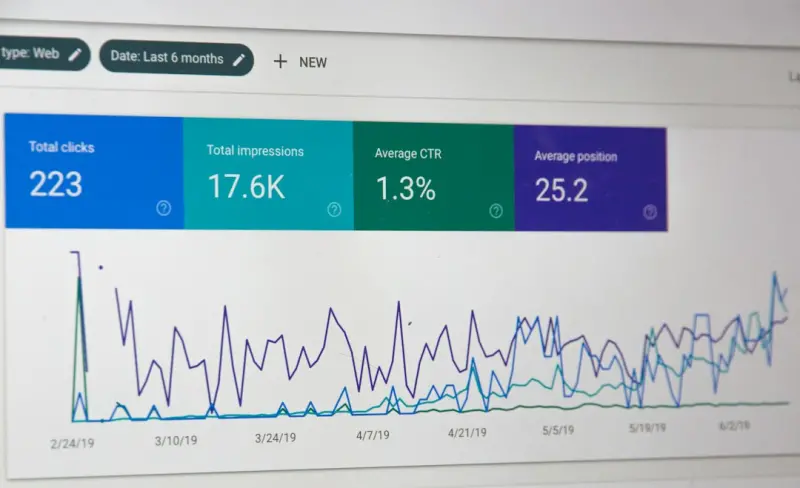
SEO is a marathon, not a sprint. Set up dashboards that track impressions, clicks, and average position for each knowledge base URL. Identify pages that are gaining traction and double down on them—add more internal links, expand the content, or promote them through newsletters.
Conversely, flag underperforming articles and revisit the intent mapping. Sometimes a simple tweak in the headline—adding a power word or a more specific phrase—can push a page from page two to the coveted top three results.
Case Study: Turning a Low‑Traffic API Guide into a Lead Magnet
One of our clients, a mid‑size SaaS platform, had an API documentation page that barely attracted 100 organic visits per month. We applied the framework above: we renamed the URL to /kb/api/v2-authentication, added FAQPage schema, and linked it from a newly created “API Integration Hub”. Within three months, organic traffic to the API docs surged to 2,500 visits per month, and the conversion rate for trial sign‑ups from that page jumped from 0.8% to 4.5%.
The key was treating the API guide not as a hidden technical reference but as a searchable asset that solves a concrete business problem: “How can I securely connect my app to Product X?”
Future‑Ready: Aligning Knowledge Base SEO with Emerging Search Trends
While we’re not focusing on generative search (that’s a whole other conversation), it’s worth noting that search engines are increasingly rewarding content that can be parsed into clear, factual answers. By embedding schema, using concise headings, and structuring content in a Q&A format, you future‑proof your knowledge base for voice assistants, AI‑driven snippets, and beyond.
Moreover, as privacy regulations tighten, Privacy‑First Web Hosting becomes a differentiator. A secure, compliant knowledge base not only protects user data but also earns trust signals that can positively influence rankings.
Integrating Low‑Code Tools for Rapid Content Scaling
Creating and updating dozens of knowledge base articles can be labor‑intensive. That’s where Low‑Code Innovation shines. By using low‑code platforms, product teams can generate documentation directly from API specifications or code comments, ensuring consistency and reducing manual effort.
Automation also helps maintain SEO hygiene—auto‑generated meta titles, description tags, and schema are applied uniformly, eliminating human error and keeping the entire knowledge base aligned with SEO best practices.
Wrap‑Up: Make Your Knowledge Base Work for You
In the noisy world of B2B SaaS marketing, the smartest growth hacks often come from looking inward. Your documentation is already a high‑intent asset; you just need to give it the SEO framework it deserves. By mapping intent, fortifying technical foundations, building internal and external link equity, leveraging user‑generated content, and measuring performance, you turn a support function into a sustainable traffic engine.
Give your knowledge base the spotlight it deserves, and watch as organic leads start flowing in—not from a flashy ad campaign, but from the very place your customers already turn to for answers.

Dale Peterson is a freelance writer with a passion for technology, travel, law and personal finance. With 10 years of experience crafting compelling and informative content, he's dedicated to delivering high-quality writing for Blogging Fusion that engages audiences and achieves specific goals.
Related Posts

The Next Wave of SEO: Intent, AI, and Experience Over Keywords
Explore the evolving SEO landscape where user intent, AI assistance, and experience outweigh keyword... Read More

Top SEO Audit Tools for Better Website Analysis in 2023
In the ever-evolving world of search engine optimization (SEO), staying ahead of the competition req... Read More

Ahrefs vs. SEMrush: A Comprehensive Analysis to Determine the Right SEO Tool for Your Business
In the competitive landscape of digital marketing, a robust Search Engine Optimization (SEO) strateg... Read More
Top Posts

The Dark Side of Gaming: How Online Gaming Affects Mental Health
Excessive online gaming can have negative effects on mental health, including anxiety, depression, and social isolation. Learn how to promote healthy gaming hab...Read More

The Impact of Technology on Mental Health: A Growing Concern
The way we interact with technology can have a profound impact on our mental health. Learn how to promote healthy technology use and mitigate its negative effec...Read More

10 Foods You Shouldn't Cook in Your Instant Pot
Instant Pots have taken the world by storm with their multi-functionality and ease of use. They have become a kitchen staple for many households, allowing for q...Read More

Powering the Future: Inside the Next Generation of Smartphone Batteries
A deep dive into the emerging battery revolution for smartphones, covering graphene and solid‑state chemistries, ultra‑fast and OTA charging, AI‑driven po...Read More
0 Comments
Post Comment
You will need to Login or Register to comment on this post!