
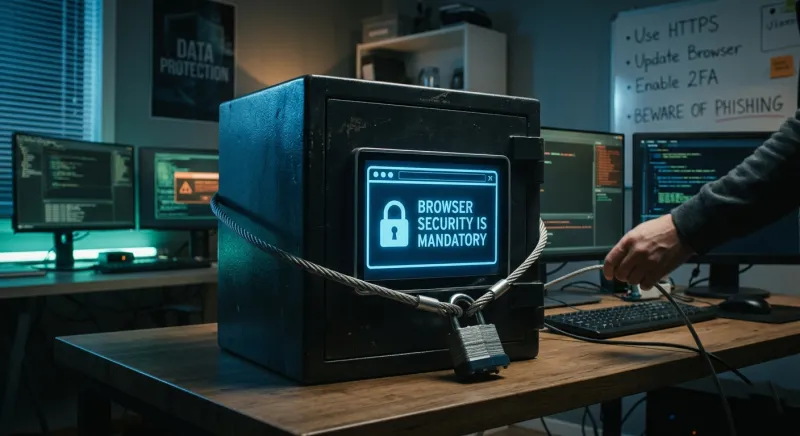
For the modern professional, the web browser is no longer a mere application; it is the primary operating system for our working lives. We live in tabs. From managing sensitive cloud infrastructure to handling proprietary financial data and conducting private communications, the browser is the centralized hub of our digital existence. Yet, for years, my attitude toward browser security was one of passive reliance. Like many, I trusted the "green padlock" icon and the built-in protections of a default Chrome or Safari installation to shield me from the complexities of the modern threat landscape.
The shift from complacency to a posture of "Zero Trust" browsing did not happen because of a single catastrophic breach. Instead, it was an incremental awakening triggered by a specific set of diagnostic and defensive tools. These tools pulled back the curtain on the invisible, often predatory, mechanics of the modern web. They revealed that the browser is not a fortress, but a high-traffic gateway—one that requires active governance, granular control, and a fundamental shift in mindset.
Here are the tools that convinced me to take browser security seriously, and the lessons they taught me about the reality of the digital frontier.
1. Burp Suite: Uncovering the Invisible Conversation
My journey toward security mindfulness began when I first used Burp Suite, a professional-grade web proxy and vulnerability scanner. While typically used by penetration testers to find flaws in web applications, using it for personal "traffic analysis" was a revelation.
When you browse the web normally, you see a polished interface of images and text. When you view that same session through Burp Suite, you see the "invisible conversation"—the massive volume of requests and responses occurring in the background. I observed, with increasing alarm, how much metadata my browser was broadcasting to third-party servers with every click.
A single visit to a mainstream news site triggered hundreds of requests to domains I had never heard of, many of them carrying unique identifiers, device specifications, and even fragments of session data. This "over-sharing" by design highlighted a critical vulnerability: the browser, by default, is an extremely talkative agent. It wants to facilitate connectivity at the expense of privacy and security. Burp Suite taught me that I could not trust the browser to decide what information was "necessary" to share.
2. uBlock Origin: The Architecture of Content Control
While many view ad blockers as tools for convenience or aesthetic cleanliness, uBlock Origin (specifically when used in "Hard Mode") transformed my understanding of the browser as an attack surface.
In its advanced settings, uBlock Origin allows users to see a real-time matrix of every script, frame, and third-party domain attempting to execute code on a page. This tool turned the web into a permission-based environment rather than a free-for-all. I began to see the "Supply Chain" of the web. A legitimate website might be secure, but the third-party JavaScript library it loads from a different server for "analytics" or "commenting" might not be.
This is the essence of "Malvertising" and "Cross-Site Scripting" (XSS). By observing the sheer density of third-party scripts blocked by uBlock, I realized that every external script is a potential vector for code injection. This tool shifted my perspective from "ignoring ads" to "minimizing the attack surface." It convinced me that a professional security posture requires the ability to audit and veto the execution of third-party code in real-time.
3. BrowserLeaks and the Reality of Fingerprinting
The third tool that fundamentally altered my worldview was not a software installation but a diagnostic service: BrowserLeaks.com. For a long time, I believed that clearing my cookies and using a VPN was sufficient for anonymity and security. BrowserLeaks proved me wrong in less than ten seconds.
Through tests for Canvas Fingerprinting, WebRTC leaks, and Font Enumeration, the tool demonstrated that my browser possessed a "digital fingerprint" so unique that I could be tracked across the internet without a single cookie ever being dropped on my machine. It showed me that my browser was leaking my local IP address even behind a VPN and providing a list of every font installed on my system—a combination of signals that made my machine one-in-a-million.
This was a turning point. It illustrated that the modern web is designed for "Persistence." Security is not just about blocking viruses; it is about managing the "leakage" of identity. This discovery led me to adopt "Hardened" browser configurations, such as using Librewolf or Firefox with strict about:config adjustments, to neutralize these fingerprinting vectors. It taught me that privacy and security are two sides of the same coin: if you can be uniquely identified, you can be specifically targeted.
4. Bitwarden and Hardware Security Keys (YubiKey)
The final piece of the puzzle dealt with the "Keys to the Kingdom." We often allow browsers to save our passwords for convenience, but tools like Bitwarden (a dedicated password manager) and the integration of physical hardware keys (YubiKeys) convinced me of the inherent risks of browser-native credential storage.
By moving my credentials into an encrypted, audited vault like Bitwarden, I realized how vulnerable I was when my passwords lived within the same application used to browse untrusted sites. The "aha" moment came when I coupled this with a YubiKey for Multi-Factor Authentication (MFA). Using a hardware-based FIDO2/WebAuthn tool meant that even if a sophisticated phishing attack compromised my password, the attacker could not gain access without physical possession of the key.
This shifted my mindset toward "Defense-in-Depth." It taught me that the browser should never be the final arbiter of security. By offloading credential management to a dedicated tool and adding a physical layer of verification, I acknowledged that software-based security has its limits. The browser is a window, and while we can strengthen the glass, the most valuable assets should be kept in a separate safe.
The Shift to a "Zero Trust" Philosophy
Collectively, these tools did more than just provide utility; they facilitated a professional evolution. I no longer view the browser as a neutral tool, but as a contested space. My current approach is built on three pillars derived from these experiences:
- Isolation: I use "Container Tabs" to ensure that my banking, social media, and professional work never share the same session data. This mimics the professional security principle of "Network Segmentation."
- Explicit Consent: No script or third-party connection is allowed unless it is essential for the functionality I require. I have moved from a "Blacklist" approach (blocking known bad actors) to a "Whitelist" approach (allowing only known good factors).
- Hardware-Rooted Identity: My most sensitive identities are tied to physical hardware, ensuring that even a total browser compromise cannot result in an account takeover.
In a professional context, we often spend thousands of dollars on enterprise firewalls and endpoint detection, only to ignore the fact that our employees (and we ourselves) spend eight hours a day inside a browser that is constantly being probed for vulnerabilities. The tools I’ve described—Burp Suite, uBlock Origin, BrowserLeaks, and Bitwarden—convinced me that browser security is the "front line" of modern cybersecurity.
The "Safe Green Lock" was a comfortable fiction. The reality is a complex, high-stakes environment where the user must be an active participant in their own defense. By taking browser security seriously, we do more than protect our data; we reclaim control over our digital presence in an increasingly transparent world.

Jimmy Anand is a content creator that gets inspired by many aspects of life, internet or whatever inspires him at that moment. When he's not online he's gaming and when he is not gaming he is online trolling discussion boards.
Related Posts

Beyond Passwords: Cultivating a Security‑First Culture at Home
Learn practical steps to turn security into a shared habit at home, from password management to netw... Read More

Beyond Passwords: Building a Human‑Centric Security Culture
Explore the shift from static passwords to a culture where people, technology, and sustainability un... Read More

Wireless Video Doorbell
The concept of a doorbell, a simple mechanism to announce a visitor, has existed for centuries. From... Read More
Top Posts

Elevating On‑Page SEO: From Intent Mapping to AI‑Assisted Content
Learn how to future‑proof your pages with intent‑driven layouts, semantic HTML, AI‑assisted content checks, visual SEO tactics, and a 7‑day action plan ...Read More

Why Edge‑Centric Multi‑Cloud Hosting Is the Future of Real‑Time Apps
Edge‑centric multi‑cloud hosting moves compute closer to users, slashing latency and improving resilience. This post explains the architecture, FinOps consi...Read More

5 Reasons Why Everyone is Moving Their Website to WordPress
In today's hyper-connected world, a robust online presence isn't just an advantage – it's an absolute necessity. From nascent startups to multinational corpor...Read More

From Balcony to Bounty: Mastering Micro‑Urban Farming
Learn to transform a small balcony into a productive garden by mastering container selection, soil science, smart irrigation, and seasonal planning, all while b...Read More
0 Comments
Post Comment
You will need to Login or Register to comment on this post!