
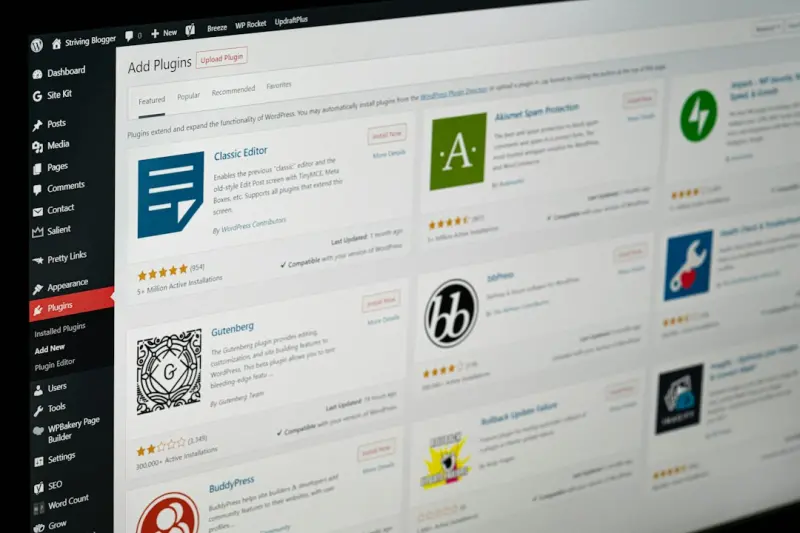
Opening the Black Box: What “Managed” Really Means for WordPress in B2B SaaS
When a B2B SaaS team talks about “our website,” most of us picture a sleek landing page, a blog that churns out thought‑leadership, and a docs portal that never crashes. What rarely surfaces in that conversation is the infrastructure that makes it all happen. In my experience, the moment a SaaS product hits the 10‑k‑visitor‑a‑day mark, the “good enough” shared hosting plan turns into a liability faster than a beta feature in production.
That is why I’m betting heavily on Managed WordPress Hosting—not as a convenience, but as a strategic platform that can power performance, security, and scalability while freeing product teams to focus on the core value proposition.
The Cost of “Just a Server” – Hidden Scaling Friction
Most enterprises start with a generic cloud VM, slap a LAMP stack on it, and point their domain to wp‑admin. It works—until it doesn’t. The hidden costs manifest in three ways:
- Performance degradation: As traffic spikes, PHP processes queue, database queries stall, and your page load time creeps past the 3‑second sweet spot. Search engines and prospects alike start to drift away.
- Operational overhead: Your devops team spends hours each week patching core, plugins, and the underlying OS—time that could be spent building product features.
- Security blind spots: A single outdated plugin can become the entry point for a ransomware attack that wipes out weeks of content.
Managed WordPress Hosting services are engineered to eliminate these friction points before they become roadblocks.
Performance By Design: Edge Caching, Auto‑Scaling, and Smart CDN Integration
What sets a true managed platform apart is its built‑in edge network. Instead of relying on a single data center, requests are routed to the nearest POP (Point of Presence), and static assets are served from a global CDN automatically.
For B2B SaaS, the payoff is measurable:
- Reduced Time to First Byte (TTFB): Edge nodes serve cached HTML in milliseconds, shaving off up to 70% of latency compared to a traditional VM.
- Dynamic content acceleration: Modern managed hosts use Smart Purge algorithms that invalidate only the changed fragments of a page, keeping the rest of the cache warm.
- Auto‑scaling compute: When a product launch drives a traffic surge, the platform instantly provisions additional PHP workers without a manual intervention, preventing the dreaded “500 Internal Server Error.”
These performance gains translate directly into higher conversion rates on pricing pages, lower bounce rates on documentation, and better SEO rankings—critical levers for any B2B growth engine.
Security as a Service: From Zero‑Day Patches to Role‑Based Access
Security in the Managed WordPress world is no longer an afterthought. Providers roll out core and plugin patches the moment they are released, often before the vulnerability is publicly disclosed.
Beyond automatic updates, many platforms embed:
- Web Application Firewalls (WAF): Rulesets tuned specifically for WordPress attack vectors (e.g., XML‑RPC abuse, admin‑brute force).
- Two‑Factor Authentication (2FA) & SSO integration: Seamlessly tie into your existing Identity Provider (Okta, Azure AD) to enforce enterprise‑grade access controls.
- Granular role‑based permissions: Content editors can publish without ever touching the server, while developers retain SSH access only when absolutely necessary.
While I’m a fan of the Zero‑Trust Plugin Security philosophy, Managed WordPress Hosting brings that mindset to the entire stack, creating a “security‑first” posture that aligns with the compliance expectations of B2B customers.
Developer Experience Reimagined: Git‑Driven Deployments and Staging Pipelines
One of the biggest pain points for SaaS marketing teams is the lack of a reliable, repeatable deployment workflow for content. Traditional hosts require you to upload files via FTP, risking human error and downtime.
Managed platforms now ship with Git‑based CI/CD pipelines out of the box:
- Push changes to a
themeorpluginrepository, and the platform builds a staging environment automatically. - Run automated tests—PHPUnit for custom code, Lighthouse for performance—before you merge to production.
- Rollback to a previous release in a single click, preserving SEO equity and visitor experience.
This workflow mirrors the developer experience you already have for your core SaaS product, reducing friction and keeping your brand site on the same cadence as your application releases.
Data as a Growth Lever: Integrated Analytics & Personalization
When you host WordPress on a generic VM, you’re left to stitch together disparate analytics tools, often paying extra for heatmaps, session replay, or A/B testing.
Managed WordPress providers are beginning to embed these capabilities directly into the dashboard:
- First‑party analytics: GDPR‑compliant visitor tracking that sidesteps third‑party cookie restrictions.
- Content personalization engines: Show different case studies or product features based on visitor firmographic data pulled from your CRM.
- Conversion funnel dashboards: Visualize the journey from blog post to trial signup without leaving the admin UI.
These insights empower product marketers to iterate faster, test messaging, and ultimately drive higher qualified‑lead volume.
Predictable Costs: From Variable Cloud Bills to Flat‑Rate Subscriptions
One of the silent killers for B2B SaaS budgeting is the “surprise cloud bill.” On a traditional VM, traffic spikes, backup storage, or data egress can push your monthly spend well beyond the forecast.
Managed WordPress Hosting typically offers a flat‑rate pricing model that includes:
- Unlimited bandwidth (subject to fair‑use policies)
- Automated daily backups with one‑click restore
- Built‑in SSL certificates and CDN services
This transparency lets finance teams allocate spend with confidence and eliminates the need for constant cost‑optimization drills.
Vendor Lock‑In vs. Platform Lock‑In: Making a Smart Choice
It’s easy to assume that moving to a managed solution means you’re stuck forever. In practice, most reputable providers adhere to open standards:
- Content can be exported via the native WordPress
WXRformat. - Database access is available through a read‑only replica for analytics pipelines.
- APIs allow you to sync media assets with external DAM (Digital Asset Management) systems.
Before you sign up, ask the provider about data portability and migration support. A well‑architected managed host should make the switch painless, not a hostage situation.
Future‑Proofing: Edge Functions, AI‑Powered Image Optimization, and Headless WordPress
The WordPress ecosystem is evolving at a breakneck pace. Here are three trends that will shape the next wave of Managed WordPress for SaaS:
- Edge Functions: Serverless JavaScript or Rust functions that run at the CDN edge, enabling real‑time personalization without round‑trips to the origin.
- AI‑Driven Media: On‑the‑fly image compression and video transcoding powered by machine learning, ensuring optimal visual quality across devices while slashing load times.
- Headless Architecture: Decouple the front‑end (React, Vue, or Next.js) from the WordPress back‑end, giving you the flexibility to serve content via GraphQL while still leveraging WordPress as a robust CMS.
Choosing a managed host that already supports—or at least roadmap‑commits—to these capabilities ensures you won’t need a disruptive migration in two years.
Real‑World Example: Turning a SaaS Landing Page into a Revenue Funnel
Let’s walk through a hypothetical scenario that illustrates the cumulative impact of the points above.
- Initial State: A SaaS company runs its marketing site on a shared host. PageSpeed scores hover around 50, SSL is manually installed, and security updates are quarterly.
- Migration: They switch to a Managed WordPress provider that offers automatic core & plugin updates, built‑in WAF, and a global CDN.
- Performance Gains: LCP (Largest Contentful Paint) drops from 4.2 seconds to 1.3 seconds, boosting conversion on the pricing page by 12%.
- Security Posture: A zero‑day exploit in a popular form plugin is patched within minutes, averting a potential data breach.
- Developer Workflow: Content updates now flow through a Git branch, pass automated tests, and deploy to staging in minutes, cutting release time from days to hours.
- Revenue Impact: With faster pages, higher trust, and a personalized case‑study carousel, MQLs (Marketing Qualified Leads) increase by 18% and the average deal size grows by 5% due to better product fit messaging.
This cascade of improvements showcases how Managed WordPress Hosting can be the unsung engine behind B2B SaaS growth.
Connecting the Dots: Managed Hosting, Privacy, and Compliance
While performance and developer experience often dominate the conversation, compliance cannot be ignored—especially for SaaS companies serving regulated industries. A Privacy‑First Web Hosting approach ensures that data residency, encryption at rest, and audit logging meet standards like GDPR, HIPAA, or SOC 2.
Many managed WordPress providers now offer region‑specific clusters, automated data‑deletion policies, and comprehensive compliance certifications as part of the standard package, turning a traditionally “nice‑to‑have” feature into a competitive moat.
Final Thoughts: Make Managed WordPress Part of Your Product Strategy
In the B2B SaaS world, the website is not a vanity project—it is a critical acquisition channel, a support portal, and often the first touchpoint for potential customers. Treating it as an afterthought can undermine the very growth you’re trying to achieve.
By embracing a purpose‑built Managed WordPress Hosting solution, you gain:
- Lightning‑fast performance at scale
- Enterprise‑grade security updates without manual effort
- Developer‑friendly CI/CD pipelines that align with your product release cadence
- Integrated analytics and personalization that turn data into actionable insights
- Predictable, flat‑rate budgeting that keeps finance happy
- Future‑ready capabilities like edge functions and headless delivery
When you align your website infrastructure with the same rigor you apply to your SaaS product, you create a unified growth engine that can accelerate acquisition, nurture leads, and reinforce brand trust—all while keeping operational overhead low.

Ryan Stuart is a seasoned freelance features writer, editor, and professional photographer with a passion for exploring the world and capturing its beauty through words and images.
Related Posts
The Quiet Power of Managed WordPress Hosting for Modern Creators
Explore why managed WordPress hosting is the invisible engine behind faster sites, stronger security... Read More

Beyond Speed: How Managed WordPress Hosting Powers Agile Digital Teams
Managed WordPress hosting is more than faster page loads—it’s an enabler for agile teams, provid... Read More
Why Managed WordPress Hosting Is the Secret Weapon for Modern Sites
Managed WordPress hosting delivers lightning‑fast performance, rock‑solid security, and effortle... Read More
Top Posts

Predictive Maintenance: Turning Your Appliances Into Proactive Partners
Explore the rise of predictive maintenance in home appliances, learning how smart sensors, AI, and seamless integration can save you money, energy, and unexpect...Read More

What is Web to Print Software? A Comprehensive Overview
In the modern era of digitalization, businesses are increasingly adopting online platforms to streamline their operations and improve efficiency. One such techn...Read More

The Secret Sauce for Modern Web Development
Adopt the mindset to accelerate web development, balancing speed, performance, and accessibility for faster, user‑friendly sites that keep visitors engaged an...Read More

The Intersection of Fashion and Technology: How Online Shopping is Revolutionizing the Industry
The world of fashion is undergoing a significant transformation, driven by advances in technology. Online shopping has revolutionized the way we buy and interac...Read More
0 Comments
Post Comment
You will need to Login or Register to comment on this post!