

Why Google Workspace is the Quiet Engine Powering Distributed SaaS Teams
When I first joined a fast‑growing SaaS startup, the biggest hurdle wasn’t the code—it was the endless chase for the right context at the right moment. Who owned that feature request?What did the latest customer feedback actually say? In a world where remote work is the norm, the answer to those questions often lives in scattered Slack threads, half‑filled Confluence pages, or a dozen Google Docs with overlapping titles.
Over the past year, I’ve watched Google quietly roll out a suite of Workspace enhancements that feel less like a product update and more like an evolution in how knowledge is captured, shared, and acted upon. In this post, I’ll walk you through three game‑changing capabilities that have transformed my team’s workflow, and I’ll show you how you can harness them to turn your docs into a traffic engine while keeping the friction to a minimum.
1. Real‑Time Knowledge Graphs: Turning Chaos into Clarity
Google’s new “Smart Canvas” isn’t just a fancy way to embed tables and checklists. It’s a live, cross‑application knowledge graph that auto‑links concepts, people, and files as you type. Here’s why that matters for SaaS product teams:
- Instant Contextual Linking – When a developer mentions “feature flag rollout”, Workspace automatically surfaces the related design brief, the latest A/B test results, and the responsible product manager’s contact card—all without leaving the document.
- Dynamic Updates – As the underlying data changes (e.g., a new version of the feature flag matrix is uploaded to Google Sheets), every linked reference updates in real time. No more hunting for “the latest version”.
- Unified Search Experience – Google’s powerful search now crawls these live connections, meaning a single query can surface a doc, a meeting recording, and a relevant productivity‑boosting extension all at once.
In practice, we set up a Feature Hub in Google Docs that lives at the heart of our roadmap. Each feature gets its own section, auto‑linked to design mockups in Slides, user stories in Sheets, and sprint tickets in our project board. The moment a UX designer updates the mockup, the doc reflects the change instantly. This eliminates the “out‑of‑date doc” nightmare that used to plague our quarterly reviews.
2. AI‑Powered Assistants: From Passive Search to Proactive Guidance
Google Workspace now embeds generative AI assistants directly into Docs, Sheets, and Slides. These aren’t the generic chatbots you’ve seen in marketing demos; they’re trained on your organization’s data (with strict privacy controls) and can:
- Summarize long meeting transcripts into actionable bullet points.
- Suggest the next logical step in a product spec based on previous releases.
- Auto‑populate a release checklist by pulling requirements from related tickets.
During a recent sprint planning session, I asked the AI to “outline the dependencies for the new onboarding flow”. Within seconds, it generated a table pulling data from our roadmap sheet, identified which engineering squads were already allocated, and highlighted any missing design assets. The whole team could then prioritize in real time, cutting a 30‑minute status update into a 5‑minute alignment.
What’s especially powerful is the assistant’s ability to learn from feedback. When I corrected a suggested metric—changing “conversion rate” to “activation rate”—the model adjusted its future recommendations accordingly. This creates a feedback loop that continuously refines the assistant’s relevance.
3. Seamless Integration with Third‑Party SaaS Tools
One of the biggest criticisms of Google Workspace has historically been its “walled garden” feel. The last few releases, however, have turned that narrative on its head. With the new Connector Hub, you can embed live views of almost any SaaS product directly into a Google Sheet or Doc. Here’s how we’ve leveraged this:
- Customer Support Dashboard – By embedding our help‑desk analytics (from a popular ticketing platform) into a shared Sheet, support leads can see live ticket volumes, sentiment scores, and SLA breaches without toggling between apps.
- Feature Adoption Heatmaps – Using a connector to our product analytics tool, we surface a real‑time heatmap inside a Slide deck. Stakeholders can discuss usage trends during quarterly business reviews without exporting CSVs.
- Billing Alerts – A simple Apps Script watches for anomalous spikes in our Stripe data and pushes an in‑doc alert. Finance and product teams get the same warning in the same place.
These integrations reduce context switching, a silent productivity killer for SaaS teams. Instead of juggling three or four tabs, the whole squad works off a single, living document that reflects the state of every critical system.
Putting It All Together: A Day in the Life of a Distributed SaaS Team
Imagine a typical workday for a product manager, a developer, and a designer spread across three continents:
- Morning Sync (15 minutes) – Everyone opens the Team Pulse Google Doc, which auto‑populates the day’s top metrics from the analytics connector. The AI assistant has already drafted a brief “what’s hot” summary based on the latest data.
- Design Review (30 minutes) – The designer shares a new prototype in Slides. As they present, Workspace auto‑links any referenced feature to its spec in Docs, and the AI suggests updated user stories in the adjacent Sheet.
- Development Handoff (20 minutes) – The developer clicks a button in the doc to generate a release checklist that pulls in all required assets, test cases, and documentation links. The checklist is instantly shared with QA.
- Afternoon Deep Dive (45 minutes) – A cross‑functional group opens a shared Sheet that visualizes churn risk scores. The AI surface insights like “customers who churned this week also downgraded their plan after a support ticket about onboarding”. The team drafts a mitigation plan directly in the doc.
- Wrap‑Up (10 minutes) – The AI auto‑generates a meeting recap, tagging owners and setting due dates. All updates are saved back into the master roadmap, keeping everyone aligned for the next day.
This flow isn’t a futuristic fantasy; it’s the reality for teams that have embraced the newer Workspace capabilities. The result? Fewer hand‑offs, faster decision‑making, and a shared sense of ownership across the entire product lifecycle.
Practical Steps to Get Started
If you’re intrigued but not sure where to begin, here’s a simple rollout plan that fits most SaaS orgs:
- Audit Your Knowledge Assets – Identify the top three document types (e.g., feature specs, support dashboards, release notes) that cause the most friction.
- Enable Smart Canvas – Turn on the auto‑linking feature in Google Docs and Slides. Start by creating a “Living Roadmap” that pulls in data from Sheets.
- Introduce the AI Assistant – Run a pilot with a single team. Ask the assistant to summarize a recent meeting and generate an action list. Gather feedback and fine‑tune prompts.
- Connect Your SaaS Tools – Use the Connector Hub to embed live views of your most critical platforms. Begin with one integration (e.g., analytics) before expanding.
- Measure Impact – Track metrics such as “time to find the latest spec”, “meeting duration”, and “number of context switches”. Celebrate quick wins to drive broader adoption.
Remember, the goal isn’t to replace your existing tools but to create a central nervous system that keeps everyone on the same page—literally.
Common Pitfalls and How to Avoid Them
Even the most powerful platform can become a source of frustration if misused. Here are the traps I’ve seen and the fixes that kept us moving forward:
- Over‑Linking – When every term becomes a hyperlink, documents become noisy. Tip: Set a threshold for auto‑linking (e.g., only for high‑impact concepts like product names or key metrics).
- AI Hallucinations – Generative assistants sometimes fabricate data. Tip: Always verify AI‑generated numbers against your source sheets before sharing externally.
- Permission Silos – Embedding third‑party data can expose sensitive info. Tip: Use Google’s granular sharing settings to restrict who can view each embedded connector.
- Change Fatigue – Rolling out too many features at once overwhelms teams. Tip: Adopt a phased approach, celebrating each milestone with a quick demo.
Looking Ahead: The Next Wave of Google for SaaS
Google has signaled that the future will bring even tighter integration with Vertex AI for custom model deployment, deeper Workspace Add‑On Marketplace options, and expanded Data Studio‑like visualizations directly inside Docs. For SaaS companies, this means the line between “product data” and “product documentation” will blur further, creating a unified surface where insights, decisions, and deliverables coexist.
As someone who lives at the intersection of product, design, and engineering, I’m excited to see how these capabilities will evolve. The key takeaway? Start now, experiment boldly, and let Google Workspace become the silent catalyst that turns distributed chaos into coordinated momentum.

Laura Wilson is a freelance writer specializing in the dynamic and ever-evolving field of health. With a passion for translating complex medical information into accessible and engaging content, Laura brings a wealth of knowledge and a fresh perspective to topics ranging from preventative care and nutrition to cutting-edge research and innovative treatments.
Related Posts

Google’s Quiet Revolution: How AI, Sustainability, and Privacy Are Redefining B2B SaaS
Miranda Murphy breaks down Google’s emerging AI platform Gemini, sustainable cloud initiatives, an... Read More

Google’s AI‑Powered Search: A SaaS Playbook for the New Discovery Era
Google’s new AI‑driven search engine reshapes how SaaS companies get discovered. This post outli... Read More
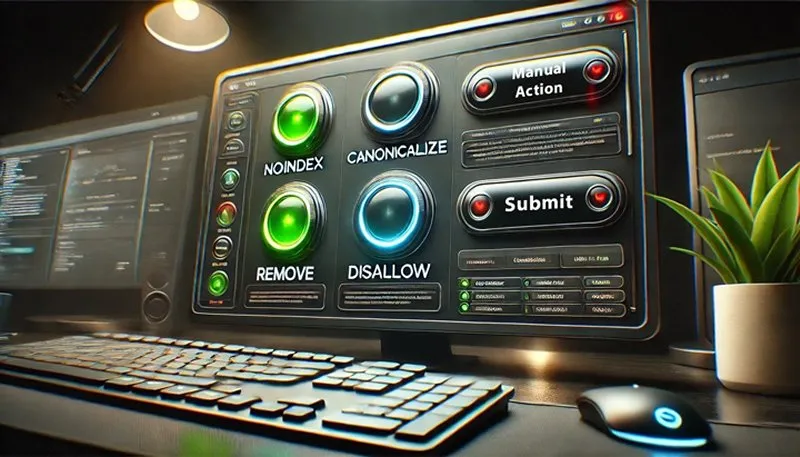
Domain Reputation – Google’s Hidden Blocklist
In the vast, interconnected world of the internet, trust is the ultimate currency. Every website, ev... Read More
Top Posts

Sick of Bugs? These Houseplants Are Natural Bug Shields for Your Kitchen
The kitchen – it's the heart of the home, a sanctuary of culinary creations and shared meals. But let’s be honest, it can also feel like a battleground when...Read More

Why Mobile Apps Are the New Playground for Innovation
Mobile apps are evolving faster than ever, blending AI, privacy, and design into experiences that users crave. Discover the trends that are reshaping the indust...Read More

When Deepfake Voices Knock on Your Boardroom Door
Deepfake voice phishing uses AI‑generated speech to impersonate executives, bypassing traditional email defenses. This article explains the threat, real‑wor...Read More
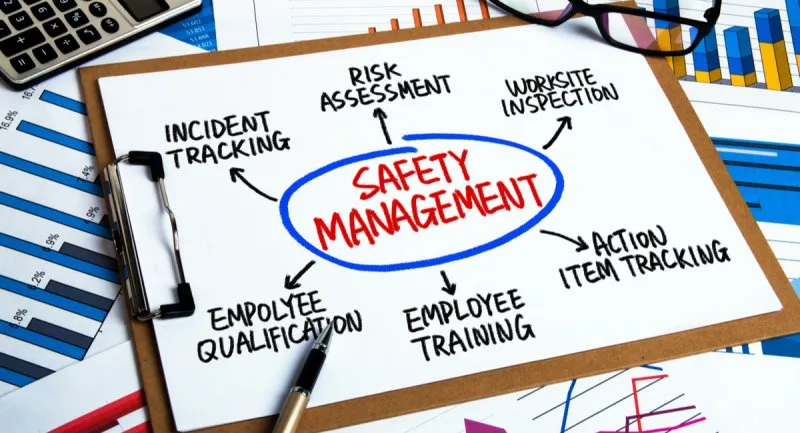
Workplace Safety Management: Guidelines, Compliance, and the Modern Imperative
Workplace safety is not merely a regulatory requirement; it is a fundamental ethical obligation and a critical component of successful business operations. A ro...Read More
0 Comments
Post Comment
You will need to Login or Register to comment on this post!