
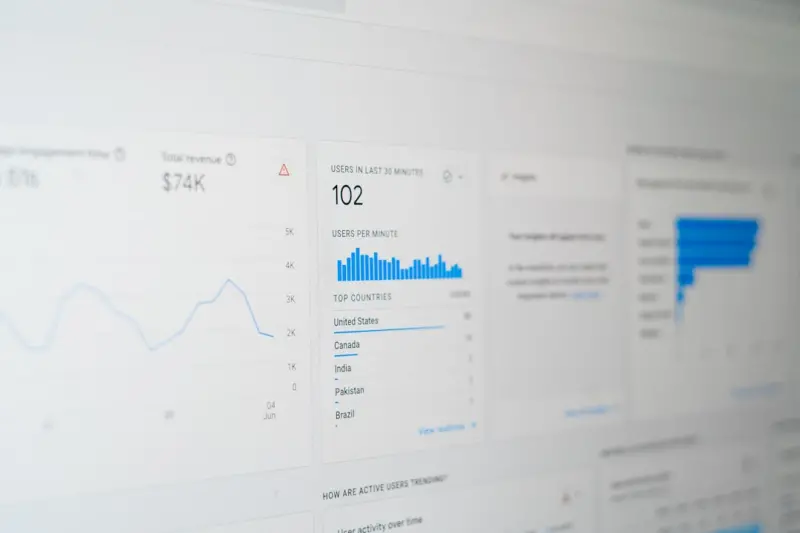
When I first opened Google Analytics (GA) for a client’s fledgling SaaS product, the dashboards looked like a glittering amusement park—lots of rides, bright lights, and a dizzying mix of data points. It was exhilarating, but also overwhelming. Over the years, I’ve learned that the real magic isn’t in the sheer volume of clicks, sessions, or events; it’s in the discipline we bring to the data collection process. In this post I’m pulling back the curtain on a practice I call Data Hygiene for Google Analytics—a systematic, privacy‑first approach that turns noisy streams into reliable insights you can actually act on.
Why “Data Hygiene” Matters More Than Ever
Google rolled out GA4 in a whirlwind of fanfare, promising deeper cross‑device tracking and AI‑driven insights. The promise is powerful, but it also raises a paradox: as we get more ways to capture user behavior, the risk of contaminating our data grows exponentially. A single mis‑configured tag, an outdated custom dimension, or a rogue third‑party script can corrupt the entire reporting ecosystem.
- Decision fatigue: Executives receive dashboards that look impressive but hide contradictions. When the data is unreliable, teams spend more time debating numbers than solving problems.
- Budget leakage: Marketing spend is allocated based on conversion funnels. A skewed funnel can funnel dollars into dead‑end channels.
- Compliance headaches: With stricter privacy regulations, inaccurate data collection can become a legal liability.
In short, data hygiene is the unsung hero behind every successful analytics strategy. It ensures that what you see in GA is a true reflection of user behavior, not a mirage.
Step 1: Audit Your Tagging Architecture
The first line of defense is a comprehensive tag audit. Most organizations start with a handful of gtag.js snippets and then add a dozen more as they chase new metrics. Before you add the next one, ask:
- What business question does this tag answer?
- Is this tag firing on the right pages and only once per interaction?
- Is the naming convention consistent with your existing events?
I use a simple spreadsheet matrix to map each tag to its purpose, page triggers, and data layer variables. Anything that can’t be tied back to a concrete KPI gets flagged for removal. This “lean tag” philosophy cuts down on duplicate events that would otherwise inflate your session counts.
Step 2: Consolidate Custom Dimensions & Metrics
GA4 gives you up to 50 custom dimensions and 50 custom metrics, which sounds generous until you realize you’ve created dozens of variations for the same concept—“User Type”, “Account Tier”, “Customer Segment”—each with slightly different spelling or case. This fragmentation leads to “orphaned” data that never surfaces in reports.
My approach is to:
- Standardize naming (e.g.,
user_typefor all variations). - Limit the number of dimensions to those that truly segment your analysis.
- Leverage automation platforms to push consistent values from your CRM into GA’s data layer, reducing manual errors.
Step 3: Embrace Event‑Centric Measurement
GA4’s event‑first model is a blessing, but it can also become a nightmare if you treat every click as a separate event. I recommend grouping related interactions under a single event with parameters. For example, instead of tracking “button_click,” “cta_click,” and “signup_click” separately, create a unified click event with a button_name parameter.
This strategy gives you two immediate benefits:
- Cleaner reports: One event, multiple dimensions—no need to stitch together dozens of tiny charts.
- Future‑proofing: Adding a new button only requires updating the
button_namelist, not a whole new event definition.
Step 4: Validate Against Business Outcomes
Data hygiene isn’t a one‑time checklist; it’s an ongoing feedback loop. Every quarter, I sit down with product, marketing, and finance leads to verify that GA metrics align with actual business outcomes. If revenue reports show a 10% uplift from a new feature, but GA’s conversion funnel shows no lift, that’s a red flag that something’s amiss.
These cross‑functional syncs often reveal hidden data gaps—like missing “first‑visit” flags for users who land on a marketing landing page hosted on a subdomain not tracked by GA. When you spot the discrepancy early, you can patch the data layer before the error compounds.
Step 5: Privacy‑First Configuration
With GDPR, CCPA, and emerging data‑privacy laws, you can’t afford to be lax about consent. GA4 offers built‑in consent mode, but it’s only as good as the implementation. Here’s a quick checklist:
- Integrate a consent management platform (CMP) that signals “ad_storage” and “analytics_storage” flags to GA.
- Mask IP addresses and disable ad‑personalization features if consent isn’t granted.
- Set data retention limits to the minimum required for your analysis—30 days for most SaaS reporting.
When you embed privacy into the data collection workflow, you not only protect your users but also build trust that translates into higher conversion rates.
Step 6: Leverage GA’s Predictive Metrics Wisely
One of GA4’s most talked‑about features is its predictive metrics, like “purchase probability” and “churn probability.” These are powered by machine learning models that ingest your clean, well‑structured data. In other words, the quality of your predictions is directly tied to the hygiene you’ve enforced in previous steps.
Rather than treating these predictions as crystal balls, I use them as early warning signals. For instance, if the churn probability spikes for a segment you know has a recent product change, you can proactively reach out with a retention campaign.
Step 7: Build a “Data Hygiene Dashboard” in GA
To keep the momentum, I create a simple GA dashboard that monitors the health of the analytics setup. It includes tiles for:
- Tag firing errors (via Google Tag Manager’s built‑in error logs).
- Event volume spikes or drops (to catch mis‑fires).
- Consent status percentages (to ensure compliance).
- Data freshness (how many events are delayed beyond the 24‑hour window).
This dashboard becomes a living KPI for the analytics team, nudging everyone to address issues before they snowball.
Real‑World Impact: A Case Study
One of our SaaS clients was struggling with “ghost conversions.” Their revenue team reported a 20% increase in trial sign‑ups, but the finance team saw no corresponding lift in ARR. After a data hygiene sprint, we discovered three culprits:
- A mis‑named event that logged “trial_started” on the marketing site but never propagated to the product site where the actual conversion happened.
- Duplicate custom dimensions for “company_size” that caused half the events to be dropped due to schema limits.
- A missing consent flag that blocked analytics for European visitors, skewing the geographic breakdown.
Fixing these issues aligned the GA conversion numbers with the finance reports, revealing a genuine 18% lift in qualified trials. The client could then confidently allocate more budget to the high‑performing channels.
Integrating GA Hygiene with Revenue Operations
Data hygiene isn’t an isolated exercise; it dovetails perfectly with revenue operations. A clean analytics foundation feeds accurate lead scoring, pipeline forecasting, and territory planning. If you’re curious about how analytics can power the revenue ops engine, think of GA as the sensor layer that tells you where prospects are truly engaging.
Future‑Proofing: Preparing for a Cookie‑Less World
Google is gradually phasing out third‑party cookies, and browsers are tightening privacy defaults. The hygiene practices we’ve discussed position you to thrive in this new landscape:
- First‑party data collection via server‑side tagging reduces reliance on client‑side cookies.
- Enhanced consent handling ensures you capture the maximum permissible data.
- Predictive analytics can fill in gaps where direct identifiers disappear.
By treating your GA implementation as a living, health‑checked system, you future‑proof your insights pipeline against the inevitable shifts in data policy.
Action Plan: Your 30‑Day Data Hygiene Sprint
Ready to roll up your sleeves? Here’s a bite‑sized sprint you can start today:
- Week 1: Export all existing tags from Google Tag Manager and map them to business objectives. Flag any that lack clear purpose.
- Week 2: Consolidate custom dimensions and rename them for consistency. Update your data layer scripts accordingly.
- Week 3: Implement consent mode across all domains. Test with a consent management platform and verify GA receives the correct signals.
- Week 4: Build a Data Hygiene Dashboard in GA and set up weekly alerts for tag errors or consent anomalies.
At the end of the month you’ll have a leaner, more trustworthy analytics setup that fuels better decisions across product, marketing, and finance.
Wrap‑Up: The ROI of Clean Data
Clean data is the quiet catalyst behind every growth story you’ll read about in the SaaS world. It’s not glamorous, but it’s indispensable. When you invest in data hygiene for Google Analytics, you’re not just fixing a reporting problem—you’re building a foundation that supports smarter experiments, tighter budgets, and compliance confidence.
If you’re still on the fence, remember: the cost of a single mis‑attributed conversion can be thousands of dollars in wasted ad spend. The upside of a pristine analytics stack is the clarity to double‑down on what truly moves the needle.
Take the first step today, and watch how a cleaner view of user behavior transforms your strategic conversations from speculation to certainty.

Tyler Johnson is a seasoned freelance writer with a keen eye for detail and a passion for crafting compelling narratives. His years of experience have honed his ability to adapt his style to suit diverse client needs and project requirements.
Related Posts

Beyond the Dashboard: Using Google Analytics to Fuel Product‑Led Growth
Discover a fresh approach to Google Analytics that goes beyond traffic reports—using event‑drive... Read More

Turning Google Analytics Into a SaaS Growth Engine
A deep dive into using Google Analytics beyond pageviews—learn event‑centric tracking, human‑f... Read More
Google Analytics as the North Star for B2B SaaS Product Decisions
Learn how to turn Google Analytics data into actionable product insights, from event‑driven tracki... Read More
Top Posts

How to Improve Your WordPress Website Security in 12 Easy Steps
WordPress powers over 43% of all websites on the internet, making it an incredibly popular and versatile platform. Its widespread adoption, however, also makes ...Read More

When Play Meets Code: Empowering the Next Generation of Young Innovators
Explore how game‑based learning, curated subscription kits, and parent co‑piloting can turn screen time into a powerful coding curriculum for children and t...Read More

Beyond the Blue Link: Mastering the New SERP Landscape
The SERP has evolved from a simple list of links into a multi‑floor building of features. This post reveals a practical playbook for SaaS marketers to own eac...Read More

Remote Justice: The Surge of Virtual Courts and What It Means for Lawyers
Virtual courts are redefining legal practice by boosting accessibility, streamlining procedures, and introducing new ethical challenges. This article examines t...Read More
0 Comments
Post Comment
You will need to Login or Register to comment on this post!