
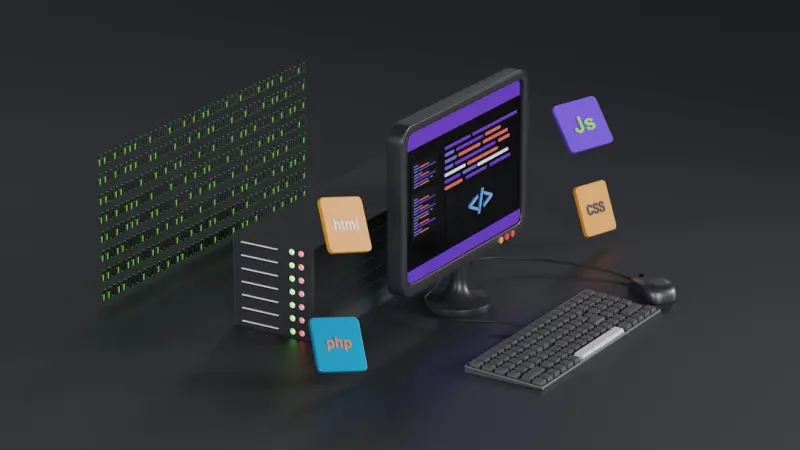
Why AI‑Powered Developer Tools Are the New Engine Behind SaaS Innovation
When I first started writing code in the early 2000s, my toolbox consisted of a text editor, a command line, and a healthy dose of caffeine. Fast‑forward two decades, and the same developer now has a full‑fledged AI assistant whispering suggestions, an intelligent debugger that predicts where the next crash will happen, and a plug‑in ecosystem that supercharges toolchains with a single click. The shift isn’t just incremental; it’s a seismic change in how we think about the very act of building software.
The Landscape Before the AI Surge
Traditional developer tooling was built around the principle of “do one thing well.” Integrated Development Environments (IDEs) gave us syntax highlighting, version control integration, and build pipelines. Static analysis tools warned about potential bugs, while performance profilers helped us squeeze out latency. All of these were reactive—they waited for you to write code, then pointed out what might be wrong.
Even with the rise of embedded finance layers that fund tool innovation, most tooling still required manual configuration and a steep learning curve. Teams spent weeks, sometimes months, onboarding new utilities, writing wrapper scripts, and maintaining custom CI/CD pipelines. The result? A bloated tech stack that often became the bottleneck rather than the catalyst for growth.
Enter the AI‑Enhanced Tooling Stack
What if the tool could anticipate your intent, auto‑generate boilerplate, and even rewrite buggy sections on the fly? That’s the promise of today’s AI‑powered developer suite, and it’s already being delivered through three distinct layers:
- Code Assistants – Large language models (LLMs) fine‑tuned on millions of open‑source repositories. They can complete entire functions, suggest refactors, and write unit tests based on a single comment.
- Predictive Debuggers – Tools that ingest telemetry from your running services, apply anomaly detection, and surface the most probable root cause before you even reproduce the error.
- Automated Ops Orchestrators – Platforms that translate high‑level business objectives into concrete CI/CD pipelines, automatically provisioning environments, secrets, and scaling policies.
Combined, these layers shift the developer’s role from “manual craftsman” to “strategic architect.” You spend less time wrestling with syntax and more time defining the product experience.
Code Assistants: From Autocomplete to Autocomplete‑plus
Autocomplete has been a staple of IDEs for years, but modern assistants go far beyond simple token prediction. They understand context—the surrounding codebase, the project’s dependency graph, and even the company’s coding standards. When you type def calculate_tax(, the assistant can propose a full signature, docstring, and even the correct import statements for a tax‑calculation library your organization already uses.
Beyond suggestions, these assistants can generate entire modules. A product manager describes a new feature in plain English, and the assistant scaffolds the API endpoints, database schema, and basic unit tests—all in seconds. This dramatically reduces the time to prototype and encourages a culture of rapid iteration.
Predictive Debugging: Turning Noise into Insight
Traditional debuggers require you to reproduce a bug, step through the call stack, and manually inspect variables. Predictive debuggers flip this paradigm. By continuously streaming logs, metrics, and trace data into a central AI engine, they build a real‑time model of “normal” behavior. When an anomaly appears—say, a sudden spike in latency—the system immediately correlates it with recent code changes, deployment events, or even external API throttling.
The result is a ranked list of likely culprits, complete with a suggested fix. In many early adopters, this has cut mean time to resolution (MTTR) by 40‑60%, freeing engineers to focus on new feature work instead of firefighting.
Automated Ops Orchestrators: The Invisible Hand of Infrastructure
Infrastructure as Code (IaC) already gave us versioned, reproducible environments, but writing and maintaining Terraform or CloudFormation scripts still demands expertise. AI‑driven orchestrators ingest high‑level goals—like “support 10 × traffic spikes during quarterly sales”—and automatically generate the necessary cloud resources, configure autoscaling policies, and set up monitoring dashboards.
These orchestrators also perform cost‑optimization loops. By analyzing usage patterns, they can recommend rightsizing, spot under‑utilized instances, and even schedule shutdowns for non‑critical dev environments during off‑hours. The financial impact is tangible, especially for SaaS firms operating at scale.
Why the Adoption Curve Is Steep—and Worth It
There are three primary forces accelerating the uptake of AI‑enhanced developer tools:
- Talent Shortage – Companies can do more with fewer engineers by automating routine tasks.
- Speed‑to‑Market Pressure – In the SaaS world, a two‑week advantage can translate into millions of dollars.
- Cost Discipline – Predictive debugging and automated ops directly reduce cloud spend and operational overhead.
However, the transition isn’t frictionless. Teams must contend with model hallucinations (incorrect suggestions), data privacy concerns, and the need for continuous fine‑tuning. A pragmatic rollout strategy involves starting with low‑risk code paths—like internal tooling or admin dashboards—gathering feedback, and gradually expanding the assistant’s scope.
Integrating AI Tools Into Existing Workflows
Most SaaS companies already have a mature CI/CD pipeline, a set of monitoring tools, and a code review process. Introducing AI doesn’t mean tearing that down; it means augmenting it.
Step 1: Plug‑in the Assistant – Modern IDEs offer extensions that connect to hosted LLM endpoints. Deploy these in a sandboxed environment first, allowing developers to opt‑in.
Step 2: Embed Predictive Debugging in the Observability Stack – Many observability platforms now provide APIs for AI modules. Hook them up to your existing log aggregation pipeline.
Step 3: Enable Orchestrator‑Driven IaC – Treat the orchestrator as a “source of truth” for infrastructure changes. Commit the generated IaC files to version control and let the usual pull‑request workflow handle review.
By treating AI as a series of plug‑ins rather than a wholesale replacement, you preserve the safety nets that developers trust while unlocking new efficiencies.
Case Study: A Mid‑Size SaaS Firm Cuts Development Cycle by 30%
Acme Analytics, a company with roughly 80 engineers, decided to pilot an AI code assistant on its billing microservice. Within three months, the team reported:
- 30 % fewer lines of hand‑written boilerplate.
- 20 % reduction in bugs introduced during feature sprints.
- An estimated $250 k saved in cloud costs thanks to the predictive debugger’s early detection of a memory leak that would have caused a scaling issue.
The success led to a company‑wide rollout, extending the assistant to front‑end React components and the data‑pipeline DAG definitions. Today, Acme’s average feature lead time sits at 7 days, down from 10 days pre‑AI.
Addressing the Ethical and Security Concerns
AI tooling raises valid questions about code provenance, intellectual property, and data leakage. Companies should adopt the following safeguards:
- Model Auditing – Regularly review the training data for proprietary code snippets that could be inadvertently reproduced.
- Access Controls – Restrict AI endpoints to authenticated users and enforce least‑privilege principles.
- Human‑in‑the‑Loop Reviews – Treat AI output as a suggestion, not a final commit. Code reviews remain essential.
When handled responsibly, the risk profile is comparable to adopting any new third‑party service, and the upside far outweighs the concerns.
The Future: Toward a Fully Autonomous Development Loop
Imagine a scenario where a product manager uploads a markdown spec, the AI assistant writes the code, the predictive debugger validates it against a suite of synthetic workloads, the orchestrator provisions the necessary environment, and the whole pipeline pushes the new version to production—all without a human touching a terminal. While we’re not there yet, each of the layers described above is a stepping stone toward that vision.
In the next few years, we’ll likely see:
- Domain‑specific LLMs trained on a company’s own codebase for tighter alignment.
- Self‑healing services that automatically roll back or patch themselves based on AI‑driven anomaly detection.
- Cross‑tool communication standards that let a code assistant talk directly to an orchestrator, creating a seamless “design‑to‑deploy” experience.
For SaaS leaders, the imperative is clear: experiment early, invest in data hygiene, and build a culture that treats AI as a collaborative teammate rather than a black‑box replacement.
Practical First Steps for Your Team
1. Run a Pilot: Choose a low‑risk service and enable an AI assistant for a small group of engineers. Measure code churn, bug rates, and developer satisfaction.
2. Collect Telemetry: Ensure you have robust logging and tracing in place so predictive tools have data to work with.
3. Establish Governance: Draft policies around model usage, data privacy, and code review expectations.
4. Iterate: Use the pilot results to refine the integration, then expand to other teams.
By taking a measured approach, you’ll avoid the “shiny‑object” trap and instead build a sustainable AI‑augmented development practice.
Conclusion
AI‑enhanced developer tools are no longer a futuristic concept; they’re a practical lever for accelerating SaaS growth. From code assistants that write functions in seconds to predictive debuggers that cut MTTR in half, the toolbox is expanding faster than ever. The companies that embrace these tools—while keeping a vigilant eye on ethics, security, and human oversight—will find themselves delivering features at a pace that simply wasn’t possible a few years ago. In a market where speed, reliability, and cost efficiency are the three pillars of competitive advantage, AI‑powered tooling isn’t just a nice‑to‑have—it’s a strategic necessity.

Ryan Stuart is a seasoned freelance features writer, editor, and professional photographer with a passion for exploring the world and capturing its beauty through words and images.
Related Posts

The Blogger's Arsenal: Mastering the Digital Frontier with Trending Tools
Discover the trending tools every modern blogger needs to succeed. From AI writing assistants to rob... Read More

AI Copilots in the SaaS Toolbox: Turning Daily Chores into Strategic Wins
Explore practical strategies for integrating AI assistants into your SaaS stack, from selecting the ... Read More
When AI Becomes Your Co‑Pilot: The Rise of Context‑Aware Collaboration Tools
Context‑aware collaboration platforms embed AI that understands intent, unifies data across apps, ... Read More
Top Posts

Privacy‑First SEO: Winning in a Cookieless Landscape
In a world where third‑party cookies are fading, SEO must pivot from tracking users to understanding intent. This post outlines how to harness first‑party d...Read More

When Science Meets Glam: How AI and Sustainability are Redefining Beauty
The beauty landscape is shifting from mystery formulas to AI‑driven personalization, blockchain‑backed ingredient transparency, and eco‑friendly packaging...Read More

Zero‑Trust WordPress: Fortifying Your Site Against Modern Threats
A deep dive into zero‑trust architecture for WordPress, offering practical steps to harden core, vet plugins, leverage AI monitoring, and build a resilient se...Read More

The Quiet Revolution: Predictive, Modular, and Subscription‑Driven Industrial Products
Industrial equipment is evolving from reactive, monolithic assets to predictive, modular, and subscription‑based ecosystems, boosting uptime, cutting costs, a...Read More
0 Comments
Post Comment
You will need to Login or Register to comment on this post!